Ingress Service Routing
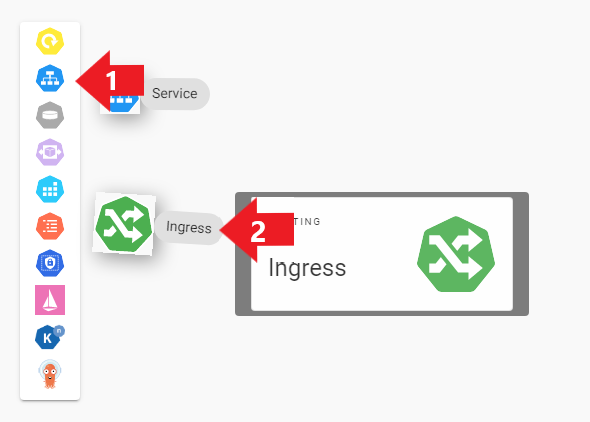
- Routing에 마우스를 hover하였을 때 나타난 객체들 중 Ingress를 클릭합니다.
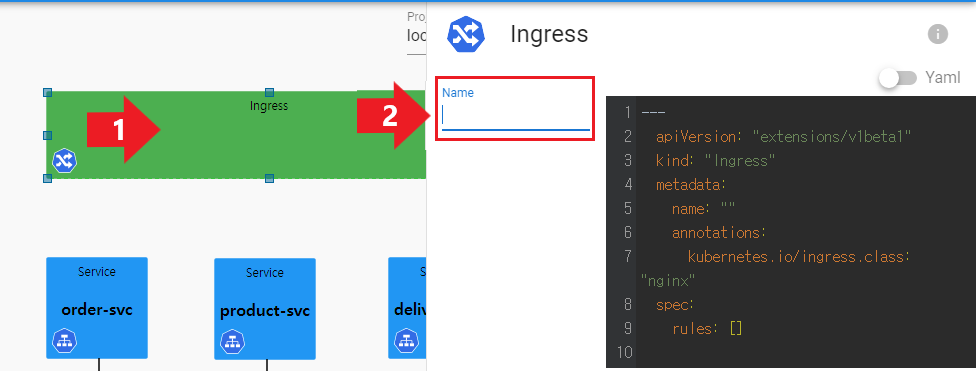
- Ingress 객체를 더블클릭하여 프로퍼티 편집창을 호출합니다.
- 각 프로퍼티값은 다음과 같이 입력합니다.
Name: api-gateway
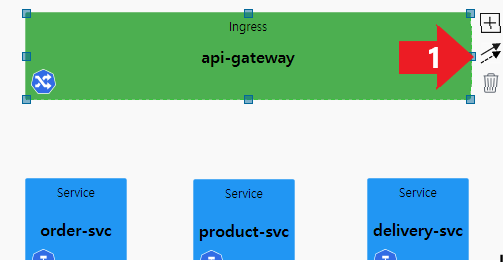
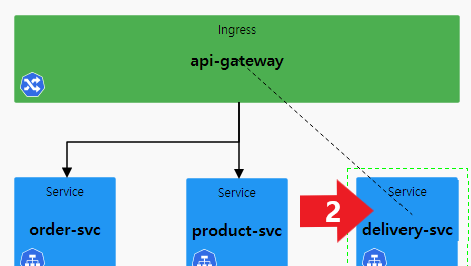
- Ingress 객체를 클릭하여 ↗ 화살표 버튼을 클릭합니다.
- 연결 점선이 나타나면 Service 객체를 클릭합니다.
- 화살표 방향이 Service를 향한 연결 실선이 나타났는지 확인합니다.
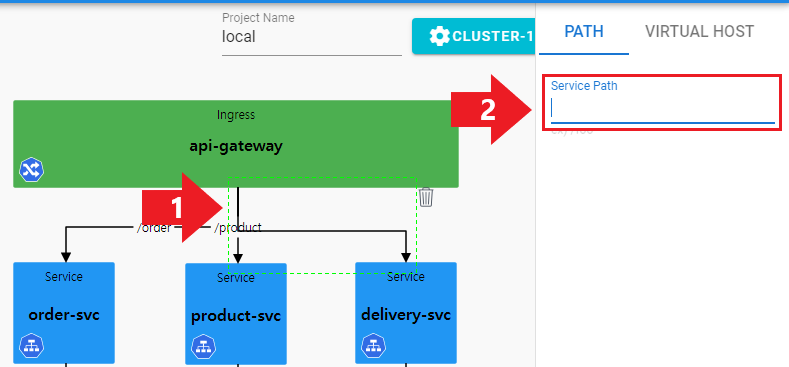
- Ingress와 Service의 연결선을 더블클릭하여 연결 프로퍼티 편집창을 호출합니다.
- 각 연결선의 Service Path는 다음과 같이 입력합니다.
Service Path: /orders
Service Path: /products
Service Path: /deliveries
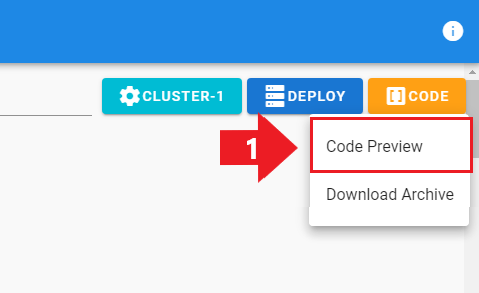
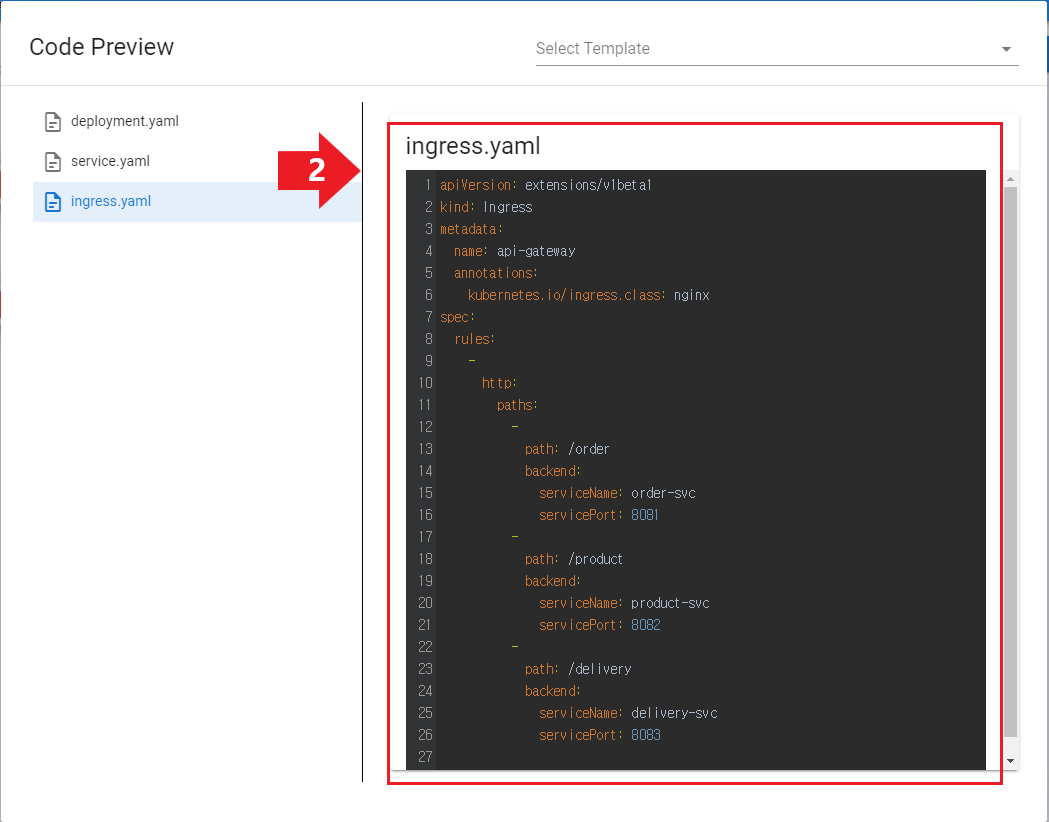
- Yaml과 프로퍼티 편집창에서 설정한 값이 맞는지 확인합니다.

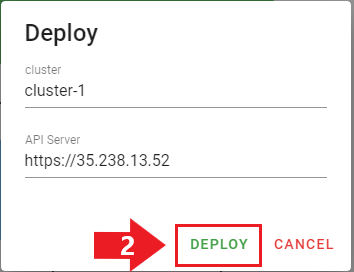
- 배포 전 클러스터 정보를 확인하고 Deploy를 클릭합니다.

- kubectl get ingress -n default 명령어 입력 후 Ingress 객체가 정상적으로 배포되었는지 확인합니다.