A Python application that displays a real-time cursor on the Linux framebuffer controlled by an analog joystick. The system automatically calibrates itself by learning the joystick's range and center position during normal use. This project relies on a Linux with ADC support, like the Luckfox pico / Rockchip rv1103 SoC.
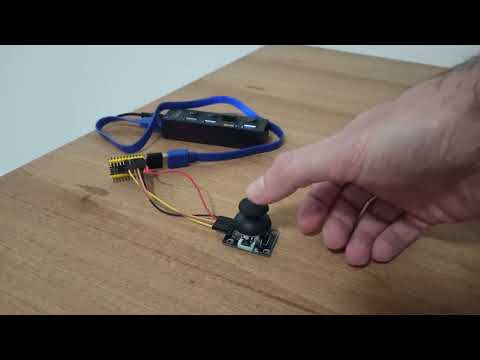
- Automatic Calibration: Learns joystick range and center position dynamically
- Center Lock: Locks center position after initial calibration period
- Deadzone Handling: Automatically snaps cursor to center when idle
- Range Expansion: Dynamically expands range as you reach new extremes
- Framebuffer Support: Works with 16-bit, 24-bit, and 32-bit framebuffers
- Efficient Updates: Only updates changed portions of the screen
- Luckfox Pico (Rockchip RV1103 SoC)
- Analog joystick connected via ADC, voltage compatible with SoC ADC (0 - 1.8V)
- Wires


SoC (System-on-Chip)
┌─────────────────┐
│                 │
│  Pin 145 ───────┼──→ Joystick X-axis (Analog)
│                 │
│  Pin 144 ───────┼──→ Joystick Y-axis (Analog)
│                 │
│  1V8     ───────┼──→ Joystick VCC
│                 │
│  GND     ───────┼──→ Joystick GND
│                 │
└─────────────────┘
| SoC Pin | Joystick Pin | Function | Voltage |
|---|---|---|---|
| 145 | X-axis | Analog X | 1.8V |
| 144 | Y-axis | Analog Y | 1.8V |
| 1V8 | VCC | Power | 1.8V |
| GND | GND | Ground | 0V |
- Ensure you have Python 3 installed
- Clone or download this script to your device
- Make sure the script has read access to the ADC and write access to the framebuffer
Run with python joystick.py, the script will:
- Detect your framebuffer resolution and color depth
- Clear the screen to black
- Display a white cursor controlled by your joystick
For remote viewing, run VNC server: x11vnc -rawfb console -auth /dev/null -noxdamage -forever -shared -repeat -defer 0 -wait 0 -noxinerama -nowf -nowcr -speeds modem -tightfilexfer and connect to the server IP with any VNC client:

- Exponential Moving Average (EMA) for smooth cursor movement
- Asymmetric normalization for independent axis calibration
- Dynamic range expansion with smoothing
- Center deadzone with snap-to-center behavior
- Initial Center Learning: The system learns the center position during the first ~2 seconds
- Range Expansion: As you move the joystick to new extremes, the range expands accordingly
- Center Lock: After the initial period, the center position becomes fixed
- Idle Detection: When the joystick is near center for a short time, the cursor snaps to exact center
You can adjust the behavior by modifying these constants at the top of the script:
CURSOR_SIZE = 7                    # Size of the cursor in pixels
EMA_ALPHA = 0.25                   # Exponential moving average smoothing factor
DEADZONE_THRESHOLD_V = 0.04        # Voltage threshold for center deadzone
MIN_FRAMES_AT_CENTER = 6           # Frames required to snap to center
CENTER_LOCK_FRAMES = 100           # Frames before center position locks