Simple Redis-like database with REST routes, written with json header and Pistache C++ framework, as PoC.
Warning! Under no circumstances use this code in production, i am unsure of it's safety.
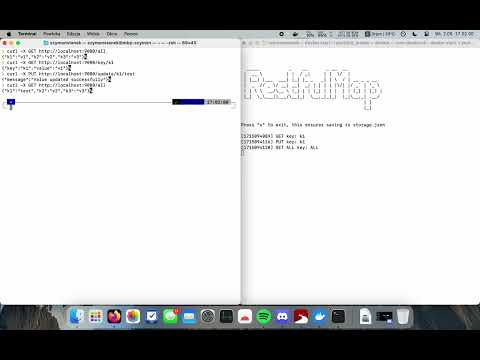
As written in server.h
        Routes::Get(router, "/key/:key", Routes::bind(&KeyValueApi::getKeyValue, this));
        Routes::Get(router, "/all", Routes::bind(&KeyValueApi::getAllKeyValue, this));
        Routes::Post(router, "/add/:key", Routes::bind(&KeyValueApi::addKey, this));
        Routes::Post(router, "/add/:key/:value", Routes::bind(&KeyValueApi::addKeyValue, this));
        Routes::Put(router, "/update/:key/:value", Routes::bind(&KeyValueApi::updateKeyValue, this));
        Routes::Delete(router, "/purge/:key", Routes::bind(&KeyValueApi::deleteKey, this));
You can use it, for example, in a React component with the fetch() function or with curl.
curl -X GET http://localhost:9080/all
#returns all keys and values
curl -X GET http://localhost:9080/key/<key>
#returns key an val
curl -X POST http://localhost:9080/add/<key>/
#adds single key
curl -X POST http://localhost:9080/add/<key>/<val>/
#adds key and value
curl -X PUT http://localhost:9080/update/<key>/<new_val>/
#updates value asociated to key
curl -X DELETE http://localhost:9080/purge/<key>/
#deletes key and value
At this moment, only Ubuntu 22.04 is tested natively. To run on other platforms, use the Docker instructions provided below.
sudo add-apt-repository ppa:pistache+team/unstable
sudo apt update
Download from releases, then change the path in config.json, and finally execute the program.
./RestfulMapto run.
sudo add-apt-repository ppa:pistache+team/unstable
sudo apt update
Then, pull this repository and rebuild the CMake cache. After making your desired changes, generate the Makefile using CMake.
cd /chosen/CMake/path/
make
./RestfulMapAfter installing Docker Desktop, pull the Docker image from the Docker Hub. To create a container from the image, type the following command into the terminal/cmd:
docker run -it -p 9080:9080 szymonstanek/restfulmapTo run the same container as previously, use this command:
docker start -i <cointainer_name_from_docker_desktop>
To create your own Docker image after modifications, use the Dockerfile from the repository. Ensure to open the desired port or address and make it interactive. Without these settings, you won't be able to connect or close the program properly.
MIT 2024 Szymon Stanek