More than 50 fonts, predictive typing for 11 Indian Lanauges with spell check and easy marathi keyboards for Linux users
A) Install 2 keyboard layouts - GaMaBhaNa and KrutiDev
B) Install more than 50 fonts - like Shobhika Regular and Shobhika Bold
C) Install Typing booster - predictive word suggestions for 11 Indian languages
D) Install Libreoffice Spell Checker - for 11 Indian languages like Hindi, Marathi, Bengali, Gujarati etc.
E) Install ibus package - required for typing in any non-english language
sudo add-apt-repository ppa:gamabhana-team/gamabhana
sudo apt-get update
sudo apt install gamabhana
sudo apt install --no-install-recommends gamabhana
sudo apt remove gamabhana gamabhana-fonts ibus-typing-booster
Select the keyboard:
From settings - keyboard - Input Sources - Install gamabhana keyboard from Marathi language
If the langauge Marathi is not available in the list, you may need to select it from Regions option:
From settings - Regions and Language - Install Marathi
https://www.youtube.com/watch?v=sTygHz1mabQ
ibus-typing-booster will also be installed. Typing Booster is a software for Linux users that helps you type faster using predictive text selection.
https://mike-fabian.github.io/ibus-typing-booster/
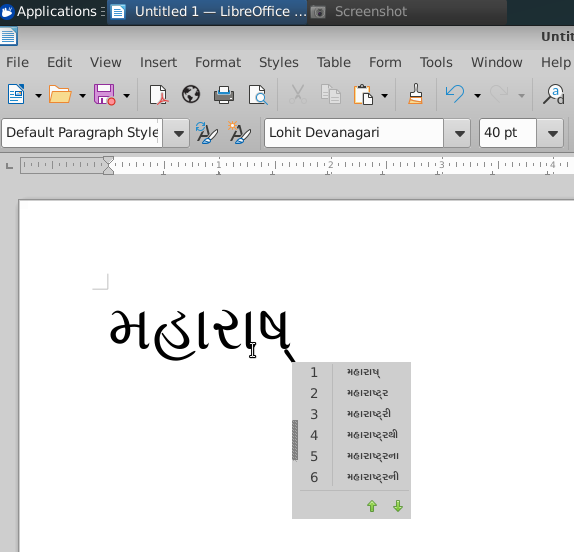
For e.g. In this image Gujarati words are auto-suggested based on what you have already typed:
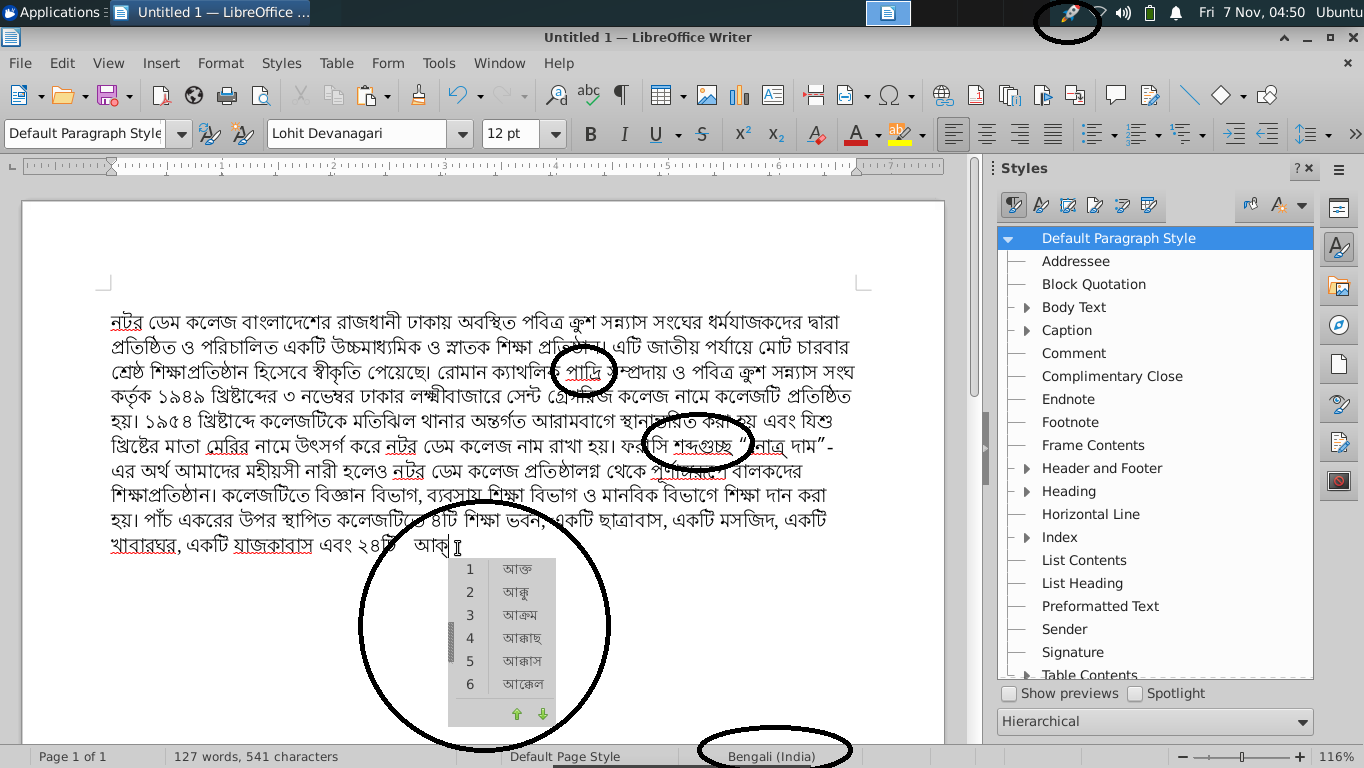
Bengali Spell checker screenshot:
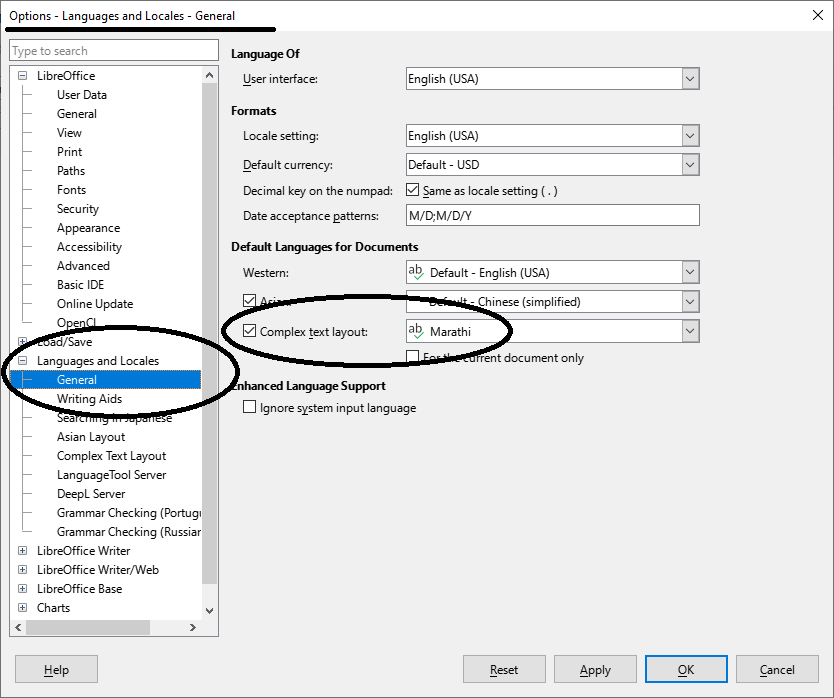
Make sure that this option is enabled:
Tools - Options - Languages and Locales - General - Complex Text layout
Spell check and typing booster works for the following 11 languages:
Assamese, Bengali, Gujarati, Hindi, Kannada, Marathi, Nepali, Odia, Punjabi, Tamil, Telugu