
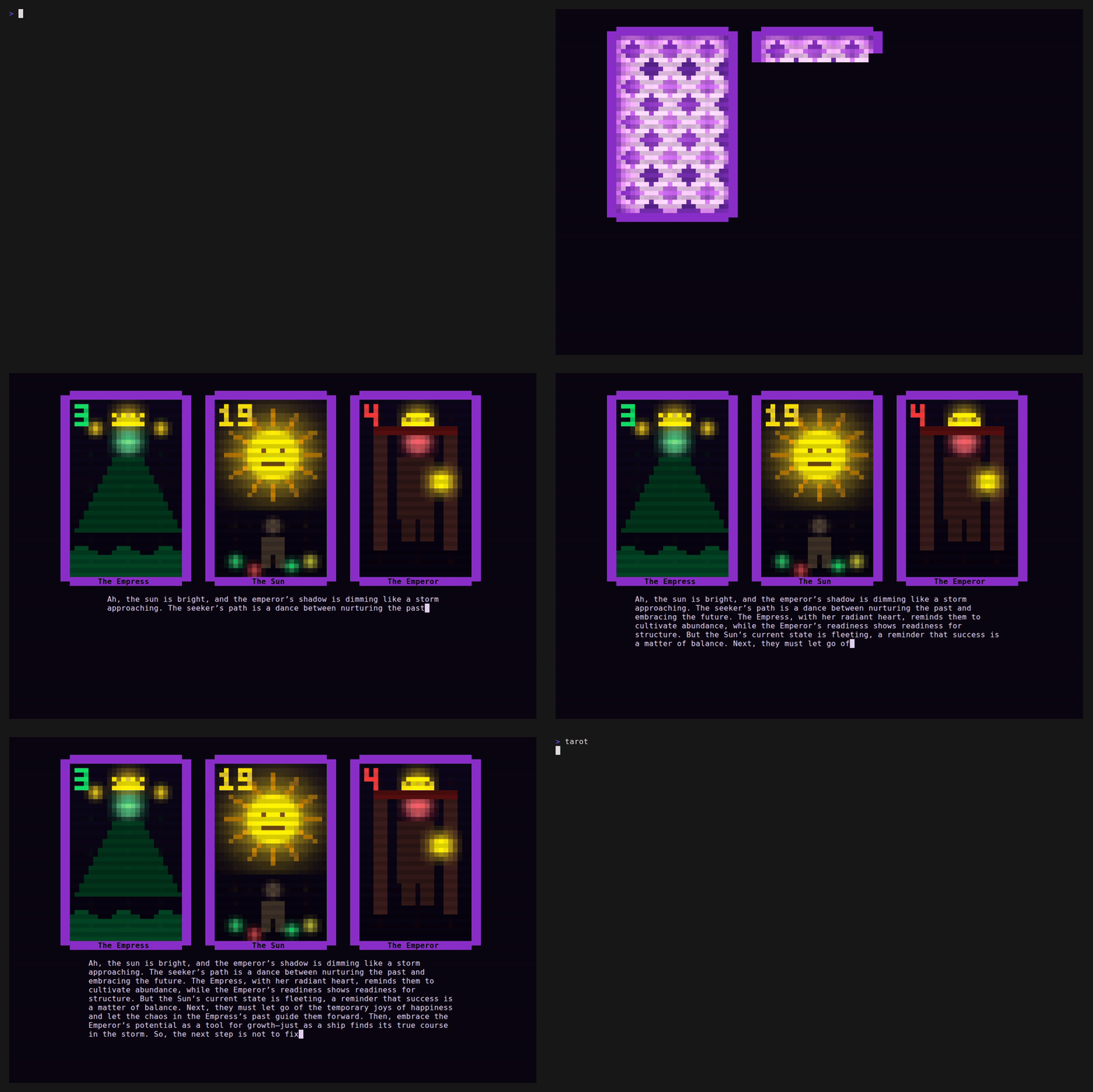
A terminal tarot card reader with pixel art cards, shuffle animations, and AI-powered readings.
Download the latest release for your platform from GitHub Releases, then:
tar xzf tarot-*.tar.gz
cd tarot-*/
./tarot
The archive includes the binary and card decks — no Go installation needed.
If you prefer to build from source (requires Go 1.24+):
go build -o tarot .
./tarot
Type a question for the cards (or press Enter to skip), then watch the shuffle and reading unfold.
Readings are powered by a local language model via Ollama. Small models are ideal here — tarot is poetry, not precision. A 0.6B parameter model runs on almost anything and gives beautifully loose, creative interpretations.
- Install Ollama:
curl -fsSL https://ollama.com/install.sh | sh- Pull the model:
ollama pull qwen3:0.6b- Start the server (runs on port 11434 by default):
ollama serveThat's it. The included tarot.md is already configured to connect to Ollama locally. Run ./tarot, type a question, and the reading begins.
The tarot.md file controls the reading experience:
## Interpreter

## Querent
The person sitting at this terminal, whoever they may be.

## Deck
gothic

## Connection
provider: ollama
model: qwen3:0.6b
base_url: http://localhost:11434/v1
api_key: unused- Interpreter — custom personality for the reader. When left blank, the deck itself sets the tone (each deck has a built-in voice — the cyberpunk deck reads like a neon-lit street oracle, the gothic deck speaks like light through cathedral glass, etc). Add text here to override with your own personality.
- Querent — context about who's being read (make it personal or keep it generic)
- Deck —
cyberpunk,nouveau,gothic,plotinus,ukiyoe, oraztec - Connection — works with any OpenAI-compatible API (Ollama, OpenAI, OpenRouter, etc)
For OpenAI:
provider: openai
model: gpt-4o-mini
api_key: sk-...
For any OpenAI-compatible endpoint:
provider: openai
model: your-model
base_url: https://your-endpoint/v1
api_key: your-key
The shuffle draws from real-world entropy. Go's runtime seeds its PRNG from the operating system's cryptographic entropy pool at startup — on Linux this is getrandom, fed by hardware interrupt timing, thermal noise, and disk jitter. Every launch produces a unique, unreproducible shuffle without any manual seeding. The cards are sorted by the chaos of the physical world.
All music and sound effects are algorithmically generated in real time — no sample files needed. Each deck has its own sonic signature: the cyberpunk deck buzzes with dense, fast electronics; the gothic deck drones like a stone cathedral; the ukiyo-e deck floats on sparse Japanese pentatonic intervals; and so on.
Audio requires a terminal that supports PCM output. Most modern setups work out of the box:
- Linux — PulseAudio, PipeWire, or ALSA
- macOS — CoreAudio (works natively)
- Windows — WASAPI (works natively)
If audio output isn't available, the app runs silently.
- Enter — begin the reading
- Space — pause / resume the oracle's reading
- r — reshuffle and start over
- q / Esc — quit