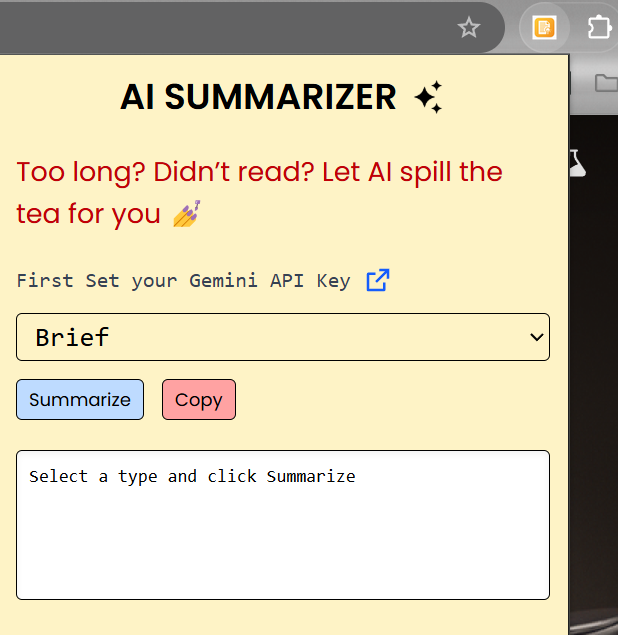
- To provide users with instant AI-powered summaries of any webpage content in various formats — brief, detailed, or bullet-point — directly from the Chrome toolbar.
- 🧠 Help users digest large articles in seconds.
- ⚡ Eliminate the need to read full content for key insights.
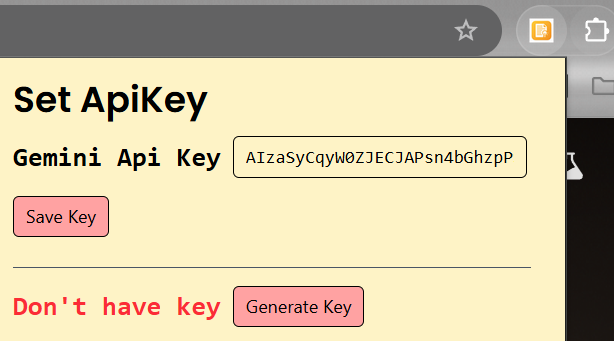
- 🔒 Let users use their own Gemini API key for full control and privacy.
- 📚 Provide customizable summary formats to suit every reader.
-
🔍 One-click summarization of any webpage content
-
📝 Choose summary type: Brief, Detailed, or Bullet Points
-
🔐 API key stored securely via Chrome Storage
-
🧩 Simple Options Page to set your Gemini API key
-
📋 Copy summary to clipboard
-
✨ Auto-scroll output area with rich formatting support via markdown
| Tech | Description |
|---|---|
| React | Modern Frontend library |
| Vite | Build Tool |
| Tailwind Css | For Styling |
| Gemini Pro API | For AI summaries |
Chrome's storage.sync |
for saving API keys |
Note: If you are new to open source contributions, you can refer to this guide by GitHub.
AI Chrome Extension
├── public
│   ├── icon.png
│   ├── ai.png
│   ├── manifest.json
│   └── scripts
│       ├── background.js
│       └── content.js
├── src
│   ├── options
│   │   └── Options.jsx
│   ├── popup
│   │   └── Popup.jsx
│   ├── App.css
│   ├── App.jsx
│   ├── index.css
│   └── main.jsx
├── .gitignore
├── index.html
├── package.json
├── package-lock.json
├── README.md
└── vite.config.js
- Clone the repository
   git clone https://github.com/yourusername/AI-summarizer-Extension.git
cd AI-summarizer-Extension-
Install dependencies:
npm install
-
Build the extension
npm run build
This generates a dist/ folder with the compiled extension.
- Load it into Chrome
- Open Chrome and go to chrome://extensions
- Enable Developer Mode
- Click "Load unpacked"
- Select the dist/ folder
This project is licensed under the MIT License.