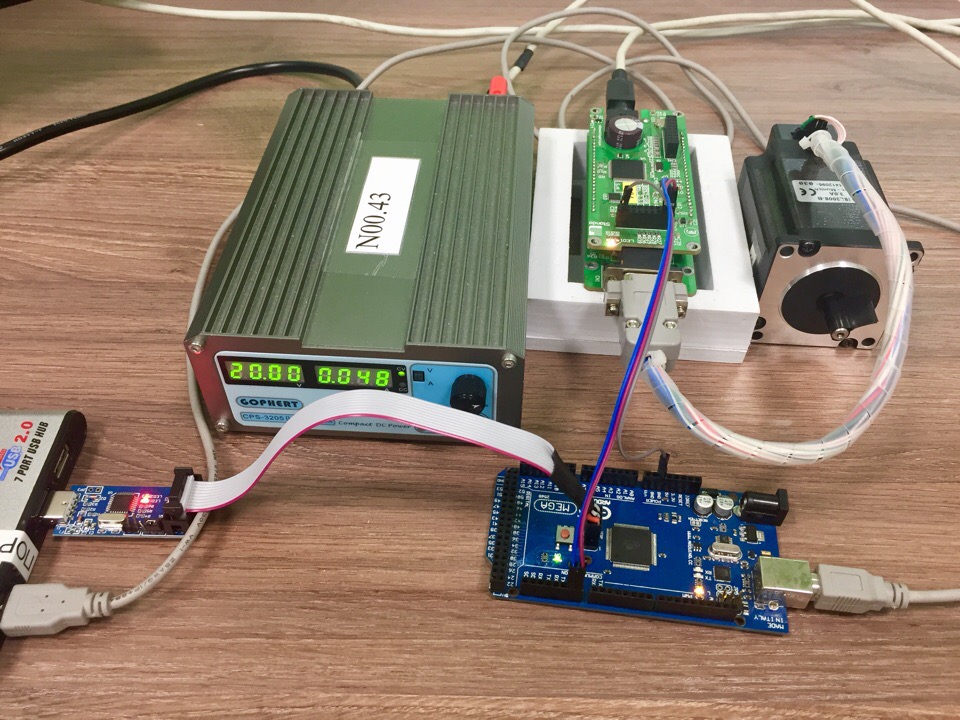
(Written in AtmelStudio7 for Atmel ATMEGA2560 16AU 1432 and used with XIMC controller and step motor ST5918L3008-B)
- Gets current position of the step motor.
- Moves it to the left for 3 seconds and stops the step motor.
- Moves it to the init position (position from get position command (p.1)).
- XIMC controller.
- Step motor.
- AVR controller Atmel ATMEGA2560 16AU 1432.
- USBASP ATMEGA8A AU 1605.
- AvrDude (for firmware of AVR controller).
- Driver for USBASP.
- Atmel Studio 7 (or other program for writing code for AVR controller if you want to change program code)
- For firmware of AVR controller:
- connect ATMEGA2560 to USBASP:
- on ATMEGA2560: ICSP pins (1-6)
- on ATMEGA2560: ICSP pins (1-6)
- put the HEX-file (XIMC_command.hex) to the exact directory (for example: to the OS(C:\))
- open command line
- change main directory to your chosen directory with HEX-file (write 'cd C:\' (or name of your directory instead of 'C:\'))
- write 'avrdude -p atmega2560 -c usbasp -U flash:w:\XIMC_command.hex' (this will load the program code to the ATMEGA2560)
- connect ATMEGA2560 to USBASP:
- To use UART on XIMC controller see Serial Port in XIMC support
- Connect the XIMC controller UART (see serial port pins BackPlane Connector in XIMC support) to ATMEGA2560 UART3 (Pin 14 - TX3; Pin 15 - RX3)
- Reset the ATMEGA2560 for pushing the commands.