This project consumes a file and writes the file to a different location. It logs the read and write information to an optional log file, and reports the output to the terminal.
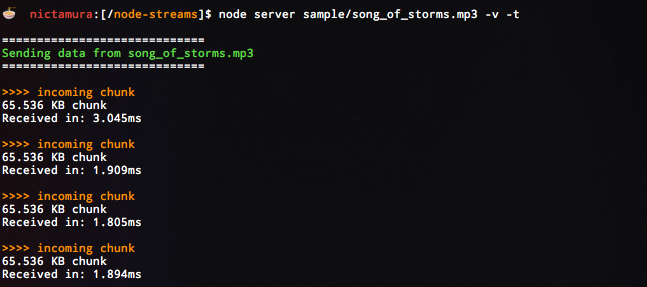
To start the program, copy npm install && npm start into the terminal
The custom start script will run the default script:
node server sample/song_of_storms.mp3 -t -l -v
You can tell the program to consume your own file by specifying the path. Otherwise you may use the test files in /sample.
node server <FILE PATH> [OPTIONS]
example: node server ../../someFile.js -l
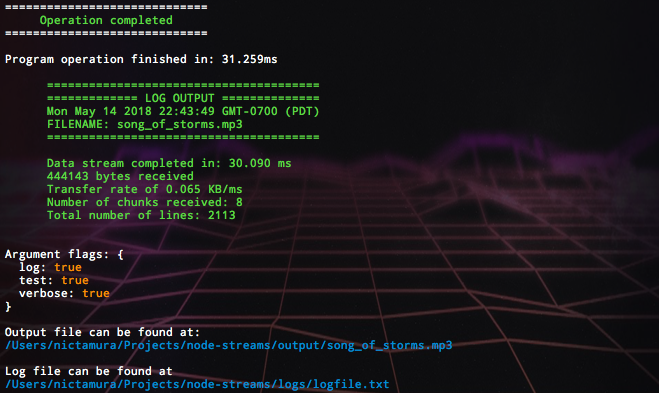
The following custom arguments are provided by argv:
-vVerbose provides extra informational text-lLog appends to the logfile at/logs/logfile.txt-tTest runs the test file at/tests/server-test.jsusing Mocha
- timestamp
- total elapsed time
- total length in bytes
- rate of input stream in bytes/ms
- total lines
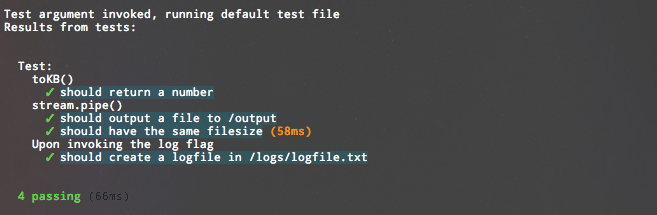
Testing provided by passing the -t argument.