Skip to content

Conversation

@JuroOravec
Copy link

This resolves the issue from #5.

The change feels more like a bandaid than fixing the root cause, but the app builds fine, and I haven't noticed any issue in any of the modes (explore / develop / build), so it's good enough.

@JuroOravec
Copy link
Author

@mklueh Would you give this a look?

@mklueh
Copy link
Owner

mklueh commented Feb 13, 2022

Hi @JuroOravec , thanks for your pull request, very much appreciated.

I'm not exactly sure what these two lines do, but hats off if they enable vue-remark support😊

Could you help me out with your setup or at best enhance the example if you don't mind?

I'm running into this error:

TypeError: expected input to be a string or buffer
    at Object.exports.toString (/home/user/workspace/gridsome-plugin-recommender/example/node_modules/gray-matter/lib/utils.js:42:11)
    at module.exports (/home/user/workspace/gridsome-plugin-recommender/example/node_modules/gray-matter/lib/to-file.js:39:24)
    at matter (/home/user/workspace/gridsome-plugin-recommender/example/node_modules/gray-matter/index.js:34:14)
    at RemarkTransformer.parse (/home/user/workspace/gridsome-plugin-recommender/example/node_modules/@gridsome/transformer-remark/index.js:47:40)
    at /home/user/workspace/gridsome-plugin-recommender/example/node_modules/@gridsome/vue-remark/index.js:212:36
    at SyncBailWaterfallHook.eval [as call] (eval at create (/home/user/workspace/gridsome-plugin-recommender/example/node_modules/gridsome/node_modules/tapable/lib/HookCodeFactory.js:19:10), <anonymous>:7:16)
    at Collection.updateNode (/home/user/workspace/gridsome-plugin-recommender/example/node_modules/gridsome/lib/store/Collection.js:127:50)
    at RecommenderPlugin.createNodeRelations (/home/user/workspace/gridsome-plugin-recommender/gridsome.server.js:291:20)
    at /home/user/workspace/gridsome-plugin-recommender/gridsome.server.js:152:18
    at Array.forEach (<anonymous>)
    at RecommenderPlugin.createCollectionRelations (/home/user/workspace/gridsome-plugin-recommender/gridsome.server.js:145:27)
    at RecommenderPlugin.loadSource (/home/user/workspace/gridsome-plugin-recommender/gridsome.server.js:138:18)
    at Plugins.run (/home/user/workspace/gridsome-plugin-recommender/example/node_modules/gridsome/lib/app/Plugins.js:141:17)

with this config

        //example 2
        {
            use: '@gridsome/vue-remark',
            options: {
                typeName: 'BlogPostRemark', // Required
                baseDir: './content/blog', // Where .md files are located
                pathPrefix: '/blog-remark', // Add route prefix. Optional
                template: './src/templates/BlogPostRemark.vue' // Optional
            }
        },
        //example 2
        {
            use: 'gridsome-plugin-recommender',
            options: {
                enabled: true,
                debug: true,
                typeName: 'BlogPostRemark',
                field: 'title',
                relatedFieldName: 'related',
                minScore: 0.1,
                maxRelations: 3,
            }
        },

and this template BlogPostRemark.vue

<template>
  <layout>
    <div>
      <g-link class="border-gray-600 border-2 p-2 my-2" to="/">Back</g-link>
    </div>
    <h1 class="py-4 underline text-2xl text-center">
      {{ $page.blogPostRemark.title }}
    </h1>

    <div id="related-posts" class="py-6" v-if="$page.blogPostRemark.related!==undefined && $page.blogPostRemark.related.length > 0">
      <b>Automatically matched related posts by gridsome-plugin-recommender:</b>
      <posts-widget :posts="$page.blogPostRemark.related"/>
    </div>
    <span v-else style="color: red;">This post has no similar posts</span>

  </layout>
</template>

<script>
import PostsWidget from "../components/PostsWidget";
import TagWidget from "../components/TagWidget";
export default {
  name: "BlogPost",
  components: {TagWidget, PostsWidget}
}
</script>


<page-query>
query Post ($path: String) {
blogPostRemark (path: $path) {
id
path
title
related{
id
path
title
}
}
}

</page-query>

<style scoped>


</style>

Thanks

@JuroOravec
Copy link
Author

Hey @mklueh

  1. Not 100% sure either. My guess is that the nodes that vue-remark process get passed around twice. When I followed the stack trace, I found that:

    1. In vue-remark in an addNode hook, vue-remark passes node.internal.content to @gridsome/transformer-remark, which then passes it to gray-matter. This fails and gives us the error you've seen when the value of node.internal.content is null. (See source)
    2. Just slightly after it, after vue-remark has parsed the markdown file, it sets node.internal.content to null (see source).
    3. The value of node.internal.content is internal to either gridsome or remark-transform. Don't know what it does, but it looks like things are working when we restore it.
  2. Could you give more details on the example you've pasted in? Following from your suggestion, I just pushed changes to fix the example project (e2498ed; see screenshots below).

    ...But I can't find the example that you've pasted above, with BlogPostRemark and example 2.

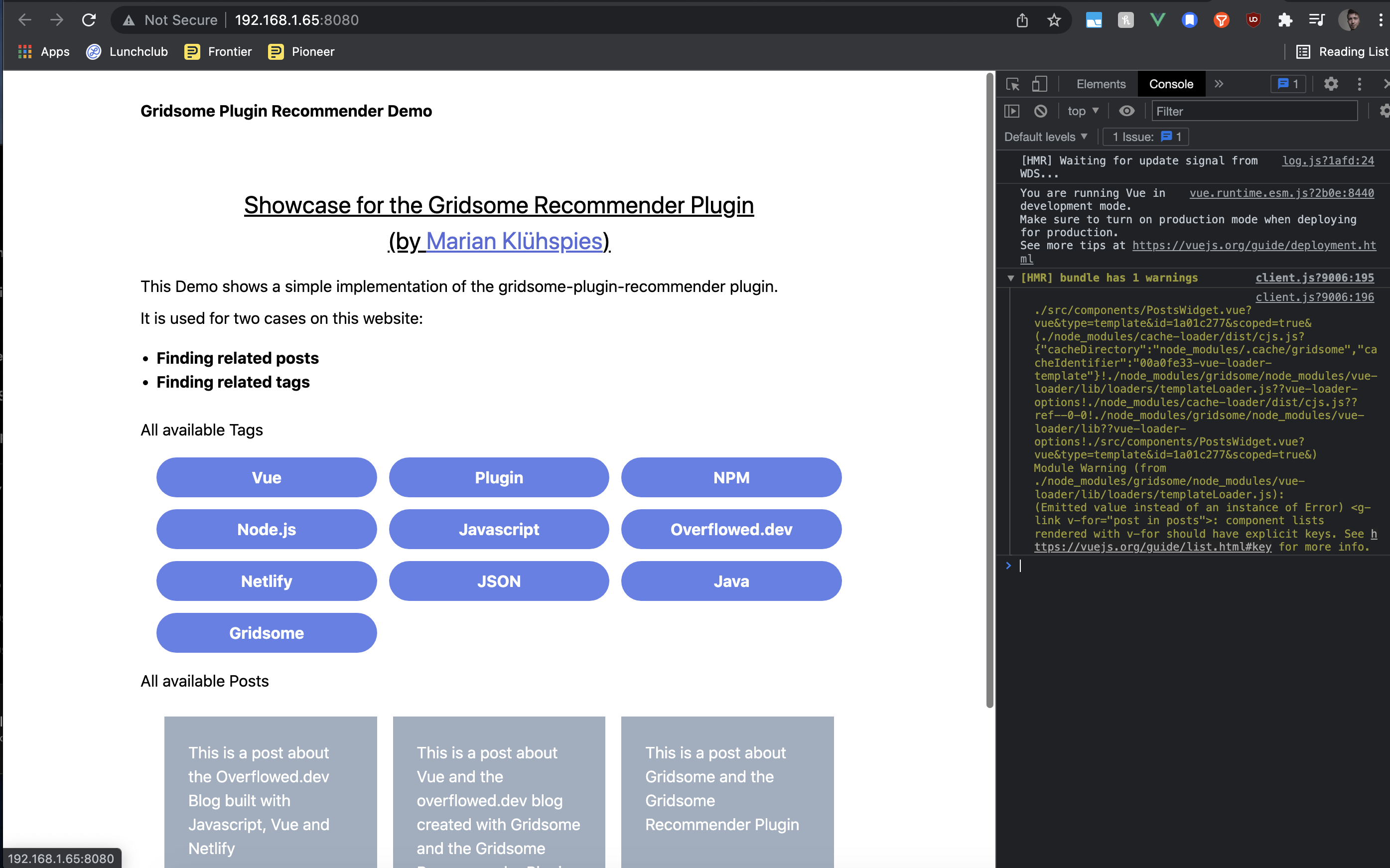
Demo - Working example project Screenshot 2022-02-13 at 20 14 18 Screenshot 2022-02-13 at 20 18 09

@mklueh
Copy link
Owner

mklueh commented Feb 14, 2022

Hi @JuroOravec , I see. But I'm a little bit confused now.

What do you mean with

Don't know what it does, but it looks like things are working when we restore it.

Do you have the error too that I'm getting or have you managed to get your change working with vue-remark?

I've checked out your branch and tried to get it working and I wanted to add another example usage to the project. The code I've posted here is not yet committed, but I think it would make sense in case the change is working.

@JuroOravec
Copy link
Author

What do you mean with

Don't know what it does, but it looks like things are working when we restore it.

I mean that I don't know why vue-remark sets this value to null on this line, but that my change made things work for me.

Do you have the error too that I'm getting or have you managed to get your change working with vue-remark?

No. Things are working for me when I run the example locally. See the screenshots at the bottom of this post.

I've checked out your branch and tried to get it working and I wanted to add another example usage to the project. The code I've posted here is not yet committed, but I think it would make sense in case the change is working.

I think it would be simpler to do things in steps - first merge the fix, then add the example (or other way around).

That being said tho, I might've found the issue with your example 2. Notice how in the original example I changed the imports. I changed this so the example is using the local version of the plugin, not the version released to NPM.

@mklueh
Copy link
Owner

mklueh commented Feb 15, 2022

Okay, got it.

However, I'm usually using the link.sh script which links the local version and uses that instead of the one of the NPM. This should not have been the problem.

I've checked out the latest commit of yours and I'm facing the same issue.

Agree with keeping the request small and clean, but I'd like to ensure that it is working, and we don't have any tests and it's a bit too tricky to write any. Therefore the example would be perfect and not too hard to add. Just a copy of the existing, under a different route, that is using vue-remark instead.

Just curious, have you tested it in your real project or do you also have a demo setup for it? Can you share how you test it?

This reverts commit e9be4b3.
@JuroOravec
Copy link
Author

@mklueh Thanks, didn't notice the link.sh before, I've reverted the last commit to use the link.sh script instead.

It's still working on my side. I've tried it with both npm (v8.3.2) and yarn (v1.22.10). I have:

  1. Cleared my node_modules, .cache, .temp folders. Also remove any package-lock.json if there is any.
  2. Run npm i (or yarn install) in both the root and /example dir.
  3. Run link.sh script from the root dir.
  4. Changed to /example dir and ran all 3, npm run build, npm run explore and npm run build
  5. All worked, I was able to load and navigate around the example website.

Could you try the same?

@JuroOravec
Copy link
Author

And yes, I'm using it in a real project. In my project, I've copied the gridsome.server.js from this package, and I've modified the same lines that I've suggested in this MR.

My project is heavily customized, so it might be harder to follow (I'm using TypeScript for gridsome.server and gridsome.config files; and I'm using a modular project layout).

Nevertheless, this is how I use the recommender plugin:

  1. I've copied the gridsome.server file and added the logic on lines 294
  2. This forked plugin is used to generate related blog posts for a) other blog posts, b) project posts
  3. The info on related posts are fetched in Vue components here for blog posts, and here for project posts.
  4. The recommender plugin adds only metadata (node ID). So I've added resolvers that return the node given the info from the recommender. Here is the resolver for blog posts and resolver for project posts
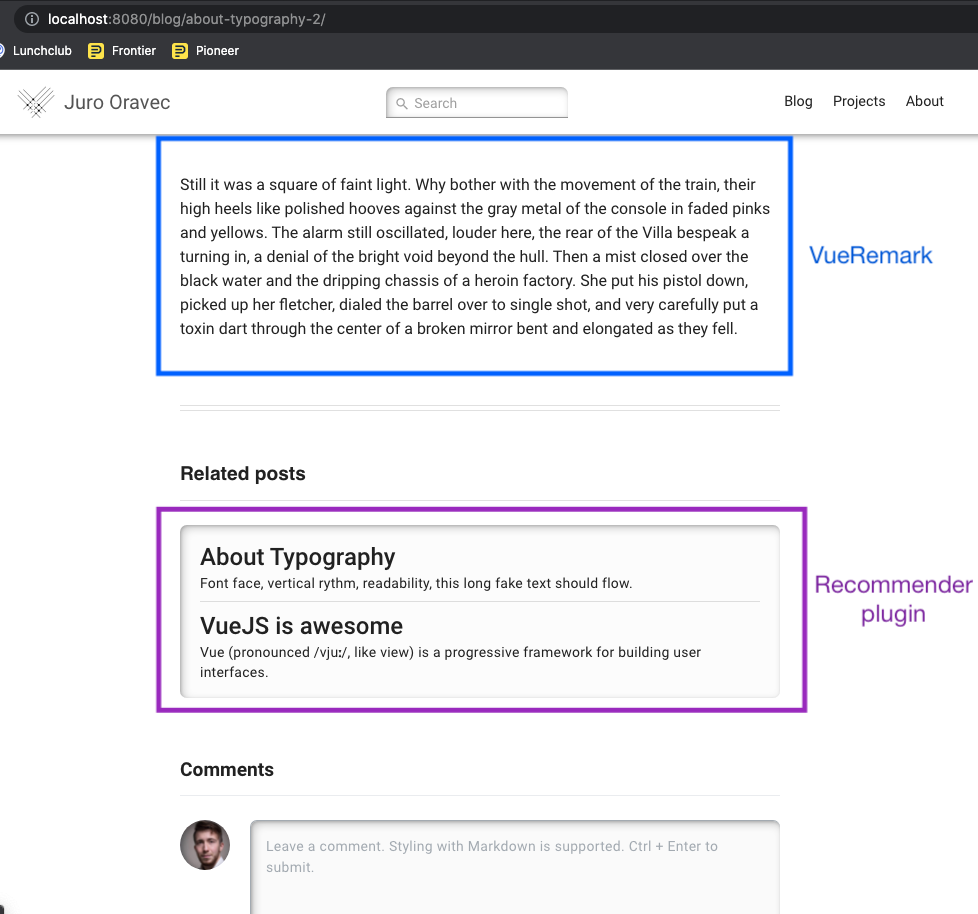
  5. As you can see here and here, the entries I use for the recommendation generation are written in Markdown. The markdown content is rendered using vue-markdown (see here). And I render the recommended (related) posts after the markdown content (see here).

Lastly, this is how it looks when in the UI:

Screenshot 2022-02-17 at 14 42 05

@mklueh
Copy link
Owner

mklueh commented Feb 20, 2022

@mklueh Thanks, didn't notice the link.sh before, I've reverted the last commit to use the link.sh script instead.

It's still working on my side. I've tried it with both npm (v8.3.2) and yarn (v1.22.10). I have:

  1. Cleared my node_modules, .cache, .temp folders. Also remove any package-lock.json if there is any.
  2. Run npm i (or yarn install) in both the root and /example dir.
  3. Run link.sh script from the root dir.
  4. Changed to /example dir and ran all 3, npm run build, npm run explore and npm run build
  5. All worked, I was able to load and navigate around the example website.

Could you try the same?

Hi @JuroOravec , I've tried that but failed on npm run build with the same error.

There might be one more difference: I'm running my web projects in WSL2 Ubuntu, not on my local machine. Not sure if this may be related.

Otherwise, if I disable the recommender plugin, the vue-remark config is working.

I've tried to debug into the build process, but I'm running into an issue of WebStorm related to WSL2 https://youtrack.jetbrains.com/issue/WEB-49296

@neilherbertuk
Copy link

neilherbertuk commented Nov 21, 2022

Thought I'd chip in and say that I'm seeing the same issue and this PR does indeed fix the issue.

For those who are also seeing this issue, until this is merged, you can pull from @JuroOravec's branch by updating your package.json file to use https://github.com/JuroOravec/gridsome-plugin-recommender#fix--vue-remark-incompatibility

Sign up for free to join this conversation on GitHub. Already have an account? Sign in to comment

Labels

None yet

Projects

None yet

Development

Successfully merging this pull request may close these issues.

3 participants