This a comprehensive place containing all the JavaScript codes I've used for different kinds of PDFs I've programmed for work. These codes are meant to be used for Adobe Acrobat's JavaScript editor, which the file you're working with must be a PDF in order for these codes to work. Each of these codes are placed in the folder of the respective categories and should indicate such category at the very first line.
All of these JavaScripts only work for any fillable field and you’ll be able to input them by viewing the properties of whichever field you’d like to apply a script to. There are a total of four categories for different types of codes.
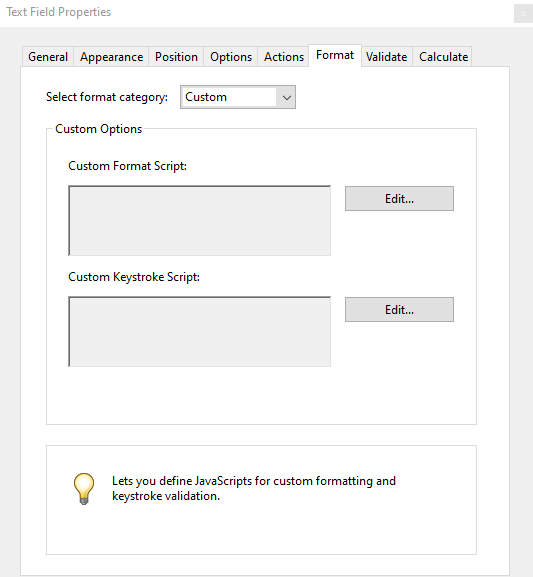
These are accessible in the Format tab after you select “Custom” for the format category:
- Format - This is used to enforce a certain formatting within a field. An example of this is when there needs to be certain character that always needs to be included in the field.
- Keystroke - This is used to ensure only certain keys are entered. One thing to note is when the script functions correctly, you wouldn’t get an error message if you try to input an incorrect character, it’ll simply just disappear. Additionally, it does not interact very well with error messages because if it were included, it will always pop up even if the correct character were inputted.
Keystroke is the only category where you won't be able to see the script you've inputted, so you'll need to start over if it doesn't function correctly as it's also non-editable.
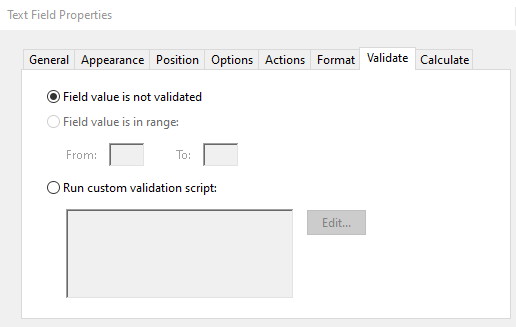
Accessible in the Validate tab, this is used to “commit” a field value. When we press Enter or Tab, we're indicating the data should be put into the field value, which is committing the value. The script sits between our actions that signal the value we're trying to commit and the actual value being committed. It’s mainly helpful for mitigating any inaccuracies for a field.

Under the Calculate tab is where calculation scripts can be inputted. Before even thinking about including a calculation script, there is a dropdown option at the top including a few functions Adobe Acrobat can natively calculate: sum, product, average, minimum, and maximum. You can then check off which fields you’d like to include for the calculation. The field will display 0 by default, so if the field shouldn’t be having 0 displayed, that’s when a script would need to be utilized.
There is unfortunately no native option for calculating differences and quotients, so we’ll need to utilize a script for this. On the bright side, there’s one universal structuring that can be adjusted for many different kinds of calculations.