



This plugin provides JSDoc tag completion and detailed documentation for each tag.
- In the Preset API, define documentation and syntax for each
tag
to display detailed information in the completion UI.
- JSDoc tag completion with syntax-aware suggestions
- Completion details for tag documentation, syntax, and aliases
- Hover details for JSDoc tags (Quick Info); see the animation below
- Locale-aware documentation output
- Preset-based tag definitions (
default,closure, or custom)
- Works with the TypeScript Language Service (tsserver) (e.g. VS Code)
- Applies to files handled by tsserver: TypeScript (
.ts,.tsx,.mts,.cts, …) and JavaScript (.js,.jsx,.mjs,.cjs) - Note: VS Code
files.associationschanges the editor’s language mode, but does not guarantee tsserver support for non-standard extensions.
- JSDoc blocks start with
/**. - Each JSDoc line starts with
/\s+\*?\s/. - JSDoc tags can be grouped into
marker,simple, andcomplex.Markertags have no body.Simpletags consist of a tag and a body (inline tags such as@link).Complextags consist of a tag, an optional type annotation, and a body (inline tags such as@link).
- Hovering a JSDoc tag displays its details.
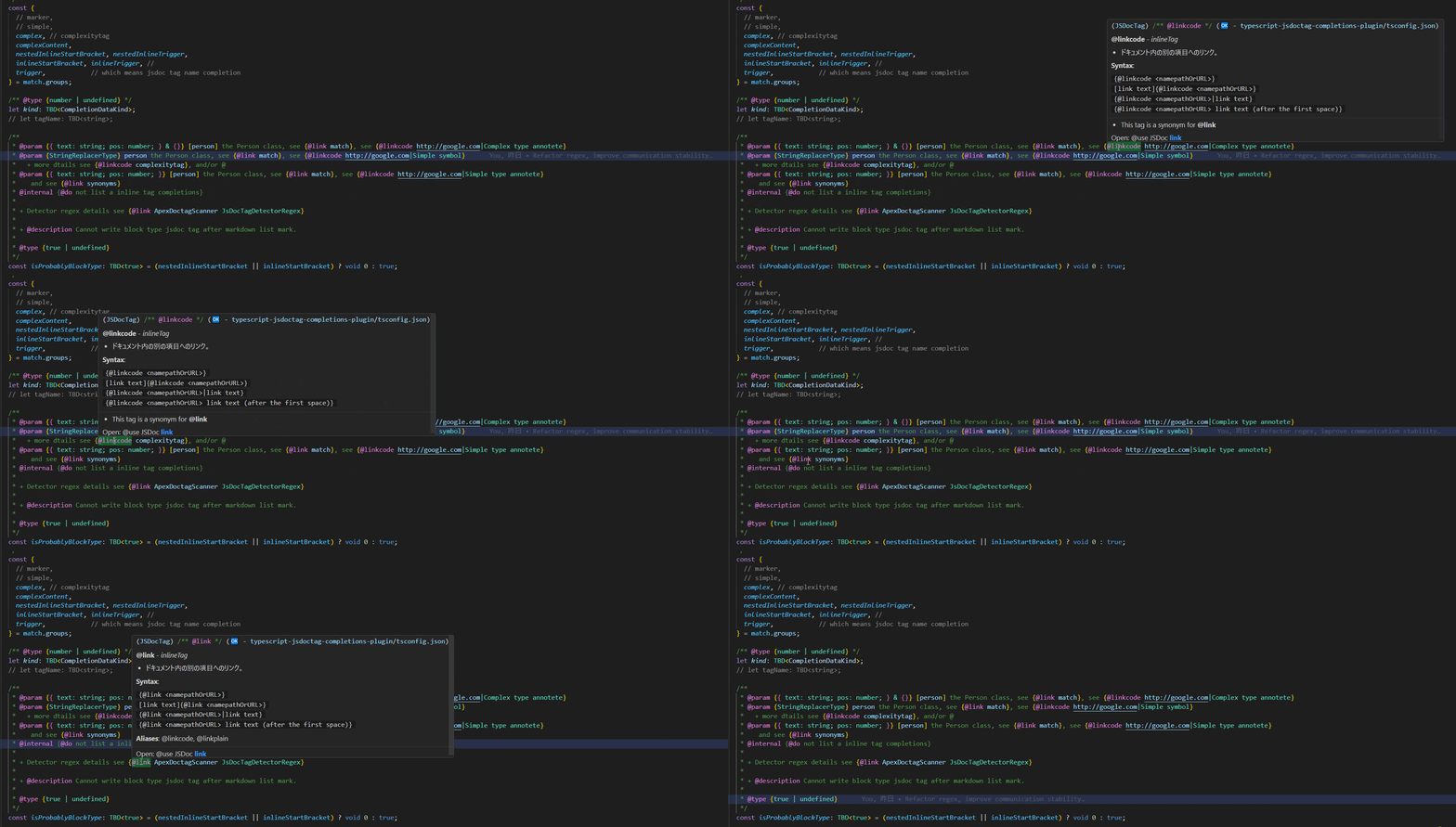
NOTE: When completion is triggered, the same details are shown in Quick Info.
$ npm install --save-dev typescript typescript-jsdoctag-completions-plugin
Configure the plugin in tsconfig.json.
Minimal configuration:
Custom preset configuration:
{
"compilerOptions": {
"target": "es2019",
"module": "esnext",
"strict": true,
// In TypeScript 5.x, compilerOptions/locale was removed,
// so Moved locale to plugin settings.
// however, for older versions of ts,
// this value is still referenced as before from this plugin.
// "locale": "ja",
"plugins": [
{
"name": "typescript-jsdoctag-completions-plugin",
// Plugin specific configuration
// builtin preset is "default" and "closure".
// If you want to use a jsdoc tag preset that you have defined yourself based on the preset API,
// specify the path of that module.
"preset": "closure",
"verbose": true, // enable/disable plugin logging
// plugin refers to the value of `@compilerOptions/plugins[@name=typescript-jsdoctag-completions-plugin]/locale`
// *Changing this value will immediately change the translation language.*
// If not set, use the OS locale
"locale": "ja"
}
]
}
}Launch Visual Studio Code (or another supported editor).
verbose: Enable plugin logging (trueorfalse).locale: Overrides documentation language (falls back to OS locale when omitted).preset: Usedefault,closure, or a custom preset module path.
- Built-in presets
| Preset name | Details |
|---|---|
| default | TypeScript builtin JSDoc Tags with Inline JSDoc Tags |
| closure | Closure Compiler JSDoc Tags |
-
Custom presets
- To create your own preset, implement
TJSDocTagRawPresetas defined in preset-api.d.ts.
- To create your own preset, implement
-
Locale resolution priority
-
#1 ts project (tsconfig.json, etc)
- #1-2 vscode setting (vscode extension vscode-typescript-jsdoctag-completions)
-
#2 OS native
-
-
Set the TypeScript version in VSCode: Ensure the version in VSCode matches the version installed in your project.
-
Include sources in tsconfig.json: The plugin only applies to sources specified in the "include" section of tsconfig.json.
If completions do not appear, verify the workspace TypeScript version and that the file is included in tsconfig.
This project is licensed under the MIT License. See LICENSE for details.
{
  "compilerOptions": {
    "plugins": [
      { "name": "typescript-jsdoctag-completions-plugin" }
    ]
  }
}