

A Home Assistant integration to monitor Mobile Vikings or JIM Mobile BE mobile phone subscription services
- View Customer Info such as name and account details.
- Track Loyalty Points: Available, blocked, and pending points. (only for Mobile Vikings)
- Monitor Invoices: Paid invoices, unpaid invoices, and the next expiration date. (only for Mobile Vikings)
- Access subscription details, including:
- Data Usage: Remaining data and percentage used. (only for Mobile Vikings)
- Voice Balance: Minutes usage details.
- SMS Balance: SMS usage details. (only for Mobile Vikings)
- Out of Bundle Costs. (only for Mobile Vikings)
- Credit Balance.
- Subscription Product Information.
- SIM Alias.
















Using HACS (recommended)
Click on this button:
or follow these steps:
- Simply search for
Mobile Vikingsin HACS and install it easily. - Restart Home Assistant
- Add the 'Mobile Vikings' integration via HA Settings > 'Devices and Services' > 'Integrations'
- Provide your Mobile Vikings username and password
- Copy the
custom_components/mobile_vikingsdirectory of this repository asconfig/custom_components/mobile_vikingsin your Home Assistant installation. - Restart Home Assistant
- Add the 'Mobile Vikings' integration via HA Settings > 'Devices and Services' > 'Integrations'
- Provide your Mobile Vikings username and password
This integration will set up the following platforms.
| Platform | Description |
|---|---|
mobile_vikings |
Home Assistant component for Mobile Vikings and JIM Mobile services |
Support for Mobile Vikings (MV) or JIM Mobile (JM)
| Sensor Key | Description | Unit | Support |
|---|---|---|---|
customer_info |
Customer's first name | Text | MV & JM |
loyalty_points_available |
Available loyalty points | € (Euro) | MV |
loyalty_points_blocked |
Blocked loyalty points | € (Euro) | MV |
loyalty_points_pending |
Pending loyalty points | € (Euro) | MV |
| Sensor Key | Description | Unit | Support |
|---|---|---|---|
paid_invoices |
Total paid invoices | Count | MV |
unpaid_invoices |
Unpaid invoices total amount | € (Euro) | MV |
next_invoice_expiration |
Next invoice expiration date | Timestamp | MV |
| Sensor Key | Description | Unit | Support |
|---|---|---|---|
data_balance |
Data usage percentage | % | MV |
data_remaining |
Data remaining | GB | MV |
remaining_days |
Days left in billing cycle | Days | MV & JM |
period_percentage |
Billing cycle usage percentage | % | MV & JM |
voice_balance |
Voice usage percentage | % | MV & JM |
sms_balance |
SMS usage percentage | % | MV |
out_of_bundle_cost |
Out-of-bundle cost | € (Euro) | MV & JM |
credit |
Available credit balance | € (Euro) | MV & JM |
product_info |
Subscription product details | Text/Price | MV & JM |
sim_alias |
SIM alias | Text | MV & JM |
If you want to contribute to this please read the Contribution guidelines
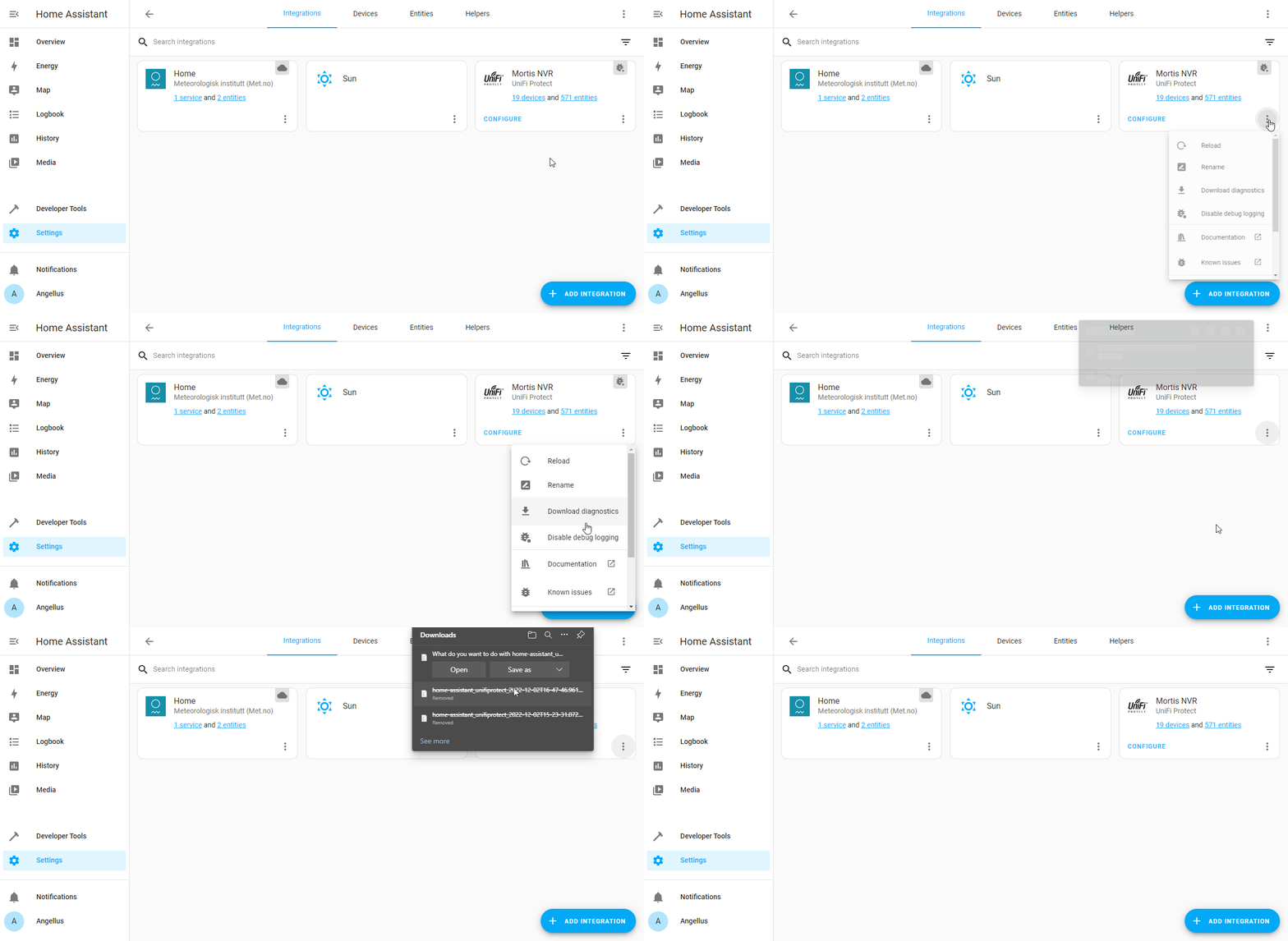
To enable debug logging, go to Settings -> Devices & Services and then click the triple dots for the Nexxtmove integration and click Enable Debug Logging.
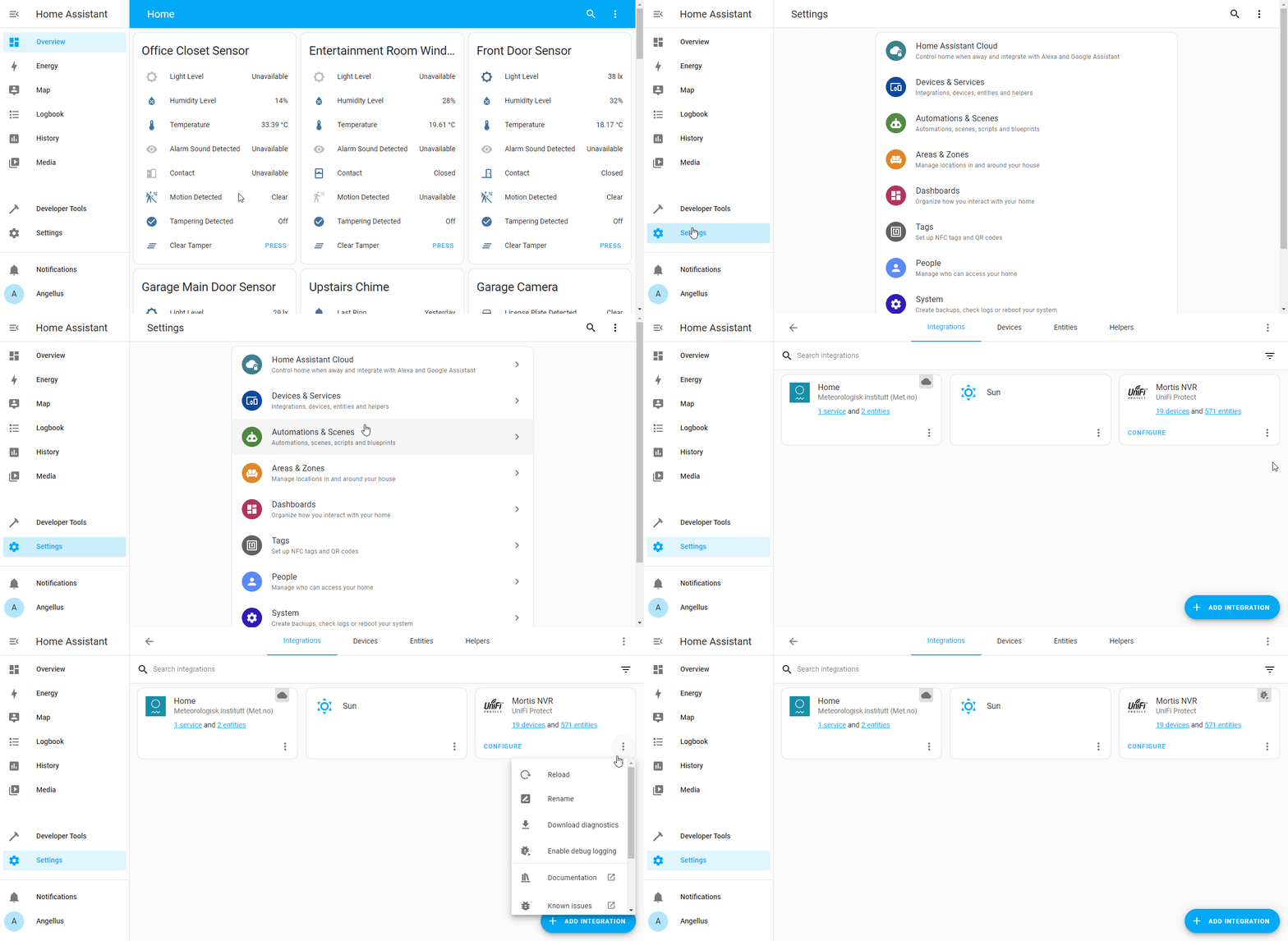
Once you enable debug logging, you ideally need to make the error happen. Run your automation, change up your device or whatever was giving you an error and then come back and disable Debug Logging. Disabling debug logging is the same as enabling, but now you will see Disable Debug Logging. After you disable debug logging, it will automatically prompt you to download your log file. Please provide this logfile.
The code of this Home Assistant integration has been written initially by analysing the calls made by the Mobile Vikings and JIM Mobile website.
The current version uses the MV Api as documented here: https://docs.api.unleashed.be/
I have no link with Mobile Vikings or Jim Mobile