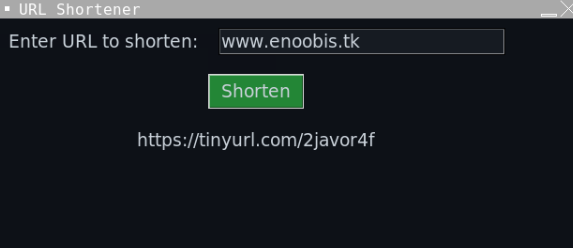
This is a simple URL shortener application with a graphical user interface (GUI) built using the tkinter library in Python. The user can enter a long URL into an entry field and click a "Shorten" button to generate a shortened URL using the TinyURL service. The shortened URL is then displayed on the GUI for the user to copy and share.
- Simple and easy to use interface
- Dark GitHub theme with a green button color
- Window size of 850x850 pixels
- Generates shortened URLs using the TinyURL service
- Python 3.x
- pyshorteners library
- tkinter library
- Clone or download the repository to your local machine.
- Install the required libraries using
pip install pyshortenersandpip install tkinter. - Run the
main.pyscript to launch the application. - Enter a long URL into the entry field and click the "Shorten" button.
- The shortened URL will be displayed in the label below the entry field.
- Copy the shortened URL and share it with others.
This project is licensed under the MIT License.