



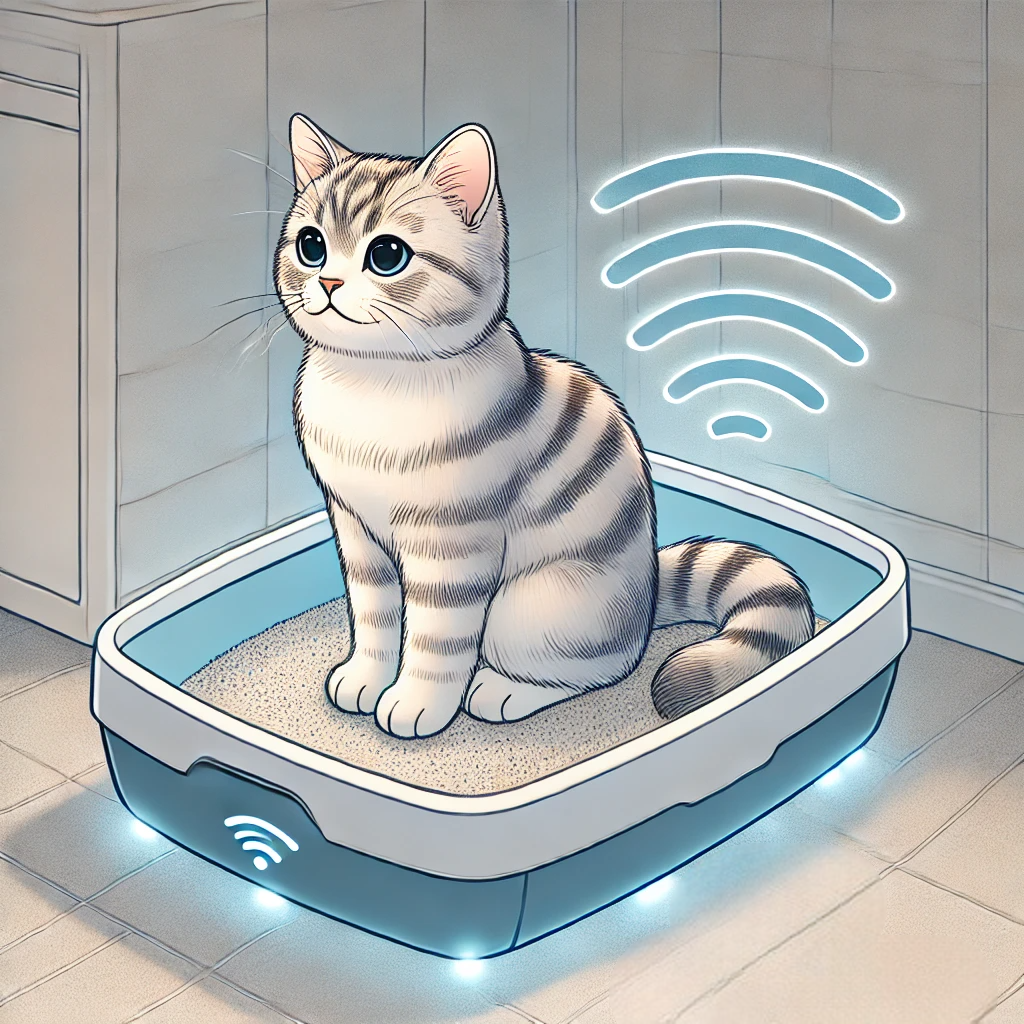
Using simple weight sensors installed under the litterbox, this integration will provide you with the weight of your cat and the weight of their waste. This will allow you to monitor your cat's health and be alerted to any potential issues.
This integration is available in the default HACS repository.
To install:
- Go to Settings → Devices & Services → Add Integration → Cat weight tracker in Home Assistant, or open HACS from the sidebar.
- In HACS, search for Cat scale under Integrations.
- Click Install.
- Restart Home Assistant if prompted.
You can also use the button below to open the repository directly in HACS:
If you prefer manual installation:
- Copy the
custom_components/cat_scalefolder to your Home Assistantcustom_componentsdirectory. - Restart Home Assistant.
Note: Manual installation is not recommended unless you have a specific need.
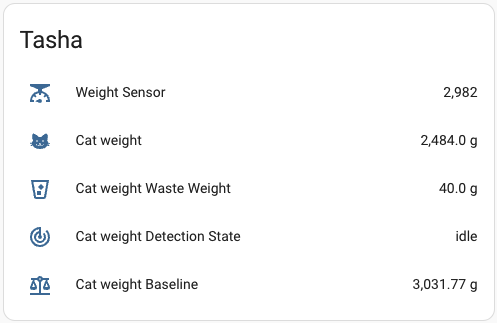
After installing the integration through HACS, the sensor can be configured through home assistant UI. Settings -> Devices & Services -> Add integration -> Cat weight tracker
You will be asked for:
- Source sensor: the weight sensor to be used as source for this integration. Make sure your sensor is of device_type 'weight'
- Cat weight threshold: The weight threshold, in grams, to determine if the cat is present
- Minimum presence time: The minimum time, in seconds, the cat must be present to be considered present
- Leave timeout: The time, in seconds, the cat must be absent to be considered gone, or we will assume it's a new baseline (litter added or something)
- After-cat standard deviation: Deviation value used to determine whether a cat left / is present. Default value is usually good enough
Configuration recommendations:
cat_weight_thresholdshould be set to the average weight of your cat subtracting 20-30%.- To set
min_presence_timeuse your weight sensor historical data and set it to the average time your cat spends in the litterbox subtracting 10-20%. leave_timeoutdepends on your cat's behavior, if your cat is often in and out of the litterbox, you should set it to a higher value.
The scale has a stable baseline when the litterbox is “empty” (no cat). Over time, the sensor adjusts its baseline if the scale remains below the detection threshold (i.e., no cat presence).
We watch for the weight to exceed baseline_weight + cat_weight_threshold.
If the weight stays above that threshold for at least min_presence_time seconds, we confirm the cat is present.
We record the peak weight during the cat’s stay.
Once the weight drops back below the threshold, we finalize the cat’s weight as cat_weight=peak_weight−baseline_weight
we update the baseline to the new scale reading (assuming the cat has left).
We also track the baseline before the cat arrived vs. the new baseline after the cat leaves.
The difference is the “waste weight,” i.e., how much extra mass ended up in the litter box waste_weight=new_baseline−pre_cat_baseline
idle– No cat detected, baseline is stable (or being adjusted).waiting_for_confirmation– The scale exceeded threshold, waiting to confirm presence.cat_present– Cat has been confirmed present.
You will need:
- Weight sensor(s): e.g., M5stack scales kit
Note: This kit may not be accurate for lightweight cats. For small cats, consider a higher-sensitivity load cell with less capacity (these are 200kg total). - Microcontroller: e.g., M5stack esp32-c6 or any ESP8266/ESP32 compatible with ESPHome
- Stable power supply
The simplest way is to use an HX711 amplifier and a load cell connected to an ESP8266/ESP32 running ESPHome.
For a more complete esphome configuration, see our complete example configuration.
⚠️ Calibration is critical: Be sure to calibrate your sensor for accurate results. See the ESPHome documentation for details. This can be done with thecalibrate_linearvalues.
Feel free to open an issue or PR if you have recommendations for the ESPHome configuration!
esphome:
  name: catscale
  friendly_name: Cat-scale

esp32:
  board: esp32-c6-devkitm-1
  variant: esp32c6
  framework:
    type: esp-idf

# Enable Home Assistant API
api:
  encryption:
    key: !secret encryption_key

wifi:
  ssid: !secret wifi_ssid
  password: !secret wifi_password

sensor:
  - platform: hx711
    name: "Cat Weight Sensor"
    dout_pin: GPIO01
    clk_pin: GPIO02

    gain: 128
    update_interval: 1s
    unit_of_measurement: g
    device_class: weight
    accuracy_decimals: 0
    filters:
      - calibrate_linear:
          - 148937 -> 0 # Add own calibration here!
          - 2055181 -> 73900 # Add own calibration here!
      - clamp:
          min_value: -10000
          max_value: 200000
          ignore_out_of_range: true
Migrating from a version before 2.0.0?
Manual YAML configuration is no longer supported.
Please remove any cat_scale entries from your configuration.yaml and re-add the integration using the Home Assistant UI.
For more help, see the issue tracker.