



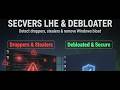
SecVers Debloat is a powerful, modern, and modular Windows 11 optimization tool designed to help users remove bloatware, disable telemetry, harden system security, and enhance performance.
Built with C#, WPF, and the iNKORE.UI library, it offers a sleek Fluent Design interface (similar to AtlasOS/Settings) but operates as a standalone application. It features a dual-engine scripting system supporting both PowerShell and JavaScript automation.
Warning
USE AT YOUR OWN RISK This tool modifies core system configurations, Registry keys, and Hardware IDs. Always create a System Restore Point before applying changes.
| Dashboard | Debloater Engine |
|---|---|
 |
 |
| System Hardening | Defender & Exclusions |
|---|---|
 |
 |
View more screenshots (Script Engine, Anonymizer, Installer...)
| Registry & UI Tweaks | Anonymizer (HWID) |
|---|---|
 |
 |
| Software Installer | Script Library |
|---|---|
 |
 |
A native removal engine designed for speed and reliability.
- Bulk App Removal: Remove pre-installed UWP bloatware (Cortana, Teams, BingWeather, Feedback Hub, etc.).
- Search & Filter: Easily find specific packages to remove via the search bar.
- Tabbed Interface: Organized view of Core Apps, System Apps, and optional Features.
An advanced environment to run community or custom tweaks safely.
- JavaScript Interpreter: Native support for executing
.jsautomation scripts for system tasks. - PowerShell Integration: Execute standard
.ps1scripts directly from the UI. - Import System: Import local script files easily to build your own library.
Advanced privacy tools to randomize system fingerprints and identifiers.
- HWID Management: Randomize Machine GUIDs, Product IDs, and Serial Numbers.
- Privacy Reset: Clear/Reset Advertising ID and Telemetry ID.
- Registration Data: Randomize "Registered Owner" and "Organization" info.
- Install Date: Randomize the Windows Installation Date to obfuscate system age.
- > Note: Spoofing HWIDs may affect software licenses (e.g., Windows Activation, Games).
Granular control over Windows Security beyond the standard Settings app.
- Exclusions Manager: View and remove File, Folder, and Process exclusions that malware might hide in.
- Hardening Presets: One-click profiles (Standard, Strictly Secure, Gaming).
- Security Tweaks: Configure Real-time Protection, Cloud Protection, SmartScreen, and ASR (Attack Surface Reduction) rules.
Restoring the classic feel of Windows.
- Classic Context Menu: Restore the Windows 10 "Full" right-click menu (requires Explorer restart).
- Taskbar Cleanup: Disable Widgets, Chat Icons, and Search bars.
- Impact Analysis: UI shows Risk and Impact levels for every tweak before applying.
Quickly deploy essential runtimes and software (winget-based).
- Runtimes: .NET Desktop Runtime (6 & 8), Visual C++ 2015-2022 Redist (x64/x86), DirectX, Java Runtime (JRE).
- Browsers & Tools: Setup Chrome, Firefox, VS Code, and other essentials in seconds.
- Download the latest release from the Releases page.
- Run
SecVers_Debloat.exeas Administrator.
- OS: Windows 11
- Runtime: .NET Framework 4.8 or higher (Desktop Runtime).
- Language: C#
- Framework: WPF (.NET Framework 4.8)
- UI Library: iNKORE.UI.WPF.Modern
- IDE: Visual Studio 2022
This software is provided "as is", without warranty of any kind. The authors are not responsible for any damage to your computer, data loss, or license invalidation caused by the use of this tool. Some features (especially HWID Spoofing) may violate Terms of Service of certain software vendors.
Made with ❤️ by the SecVers team