react-all-player is a simple, lightweight, accessible and customizable React media player that supports modern browsers.

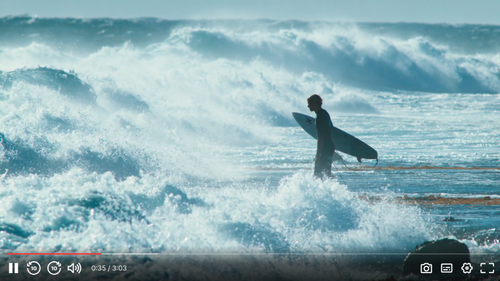
- 📼 HTML Video & Audio, YouTube & Vimeo - support for the major formats
- 💪 Accessible - full support for VTT captions and screen readers
- 🔧 Customizable - make the player look how you want with the markup you want
- 📱 Responsive - works with any screen size
- 📹 Streaming - support for hls.js, and dash.js streaming playback
- 🎛 API - toggle playback, volume, seeking, and more through a standardized API
- 🎤 Events - no messing around with Vimeo and YouTube APIs, all events are standardized across formats
- 🔎 Fullscreen - supports native fullscreen with fallback to "full window" modes
- ⌨️ Shortcuts - supports keyboard shortcuts
- 🖥 Picture-in-Picture - supports picture-in-picture mode
- 📱 Playsinline - supports the
playsinlineattribute - 🏎 Speed controls - adjust speed on the fly
- 📖 Multiple captions - support for multiple caption tracks
- 👌 Preview thumbnails - support for displaying preview thumbnails
pnpm install react-all-playerimport ReactAllPlayer from 'react-all-player';
<ReactAllPlayer
sources={[
{
file: 'https://cdn.plyr.io/static/demo/View_From_A_Blue_Moon_Trailer-1080p.mp4',
label: '1080p',
},
{
file: 'https://cdn.plyr.io/static/demo/View_From_A_Blue_Moon_Trailer-720p.mp4',
label: '720p',
},
]}
subtitles={[
{
lang: 'en',
language: 'English',
file: 'https://cdn.plyr.io/static/demo/View_From_A_Blue_Moon_Trailer-HD.en.vtt',
},
{
lang: 'fr',
language: 'French',
file: 'https://cdn.plyr.io/static/demo/View_From_A_Blue_Moon_Trailer-HD.fr.vtt',
},
]}
poster="https://pub-1ee15f86c7e94066bcff56e6e7ce5c02.r2.dev/View_From_A_Blue_Moon_Trailer-HD.jpg"
/>;Dynamically import ReactAllPlayer to ensure it's only loaded on the client-side
import dynamic from "next/dynamic";
const ReactAllPlayer = dynamic(() => import('react-all-player'), {
  ssr: false,
});react-all-player makes it easy to embed YouTube and Vimeo videos with the same simple API. Just provide the video ID or URL!
You can use either the video ID or a full YouTube URL:
// Using video ID with explicit type
<ReactAllPlayer
  sources={[
    {
      file: 'bTqVqk7FSmY',
      type: 'youtube'
    }
  ]}
/>

// Using full YouTube URL (auto-detected)
<ReactAllPlayer
  sources={[
    {
      file: 'https://www.youtube.com/watch?v=bTqVqk7FSmY'
    }
  ]}
/>

// Using short YouTube URL (auto-detected)
<ReactAllPlayer
  sources={[
    {
      file: 'https://youtu.be/bTqVqk7FSmY'
    }
  ]}
/>Similarly, you can use either the video ID or a full Vimeo URL:
// Using video ID with explicit type
<ReactAllPlayer
  sources={[
    {
      file: '76979871',
      type: 'vimeo'
    }
  ]}
/>

// Using full Vimeo URL (auto-detected)
<ReactAllPlayer
  sources={[
    {
      file: 'https://vimeo.com/76979871'
    }
  ]}
/>YouTube and Vimeo embeds support most player features with a unified API:
Fully Supported:
- Play/Pause - Standard play and pause controls
- Progress Bar - Seek to any position with drag or click
- Volume Control - Adjust volume and mute/unmute
- Playback Speed - Adjust speed from 0.25x to 2x
- Forward/Backward - 10-second skip buttons
- Keyboard Shortcuts - All standard shortcuts work
- Custom Controls - Use your own control UI
- Click to Play - Click overlay to play/pause
- Autoplay & Muted - Props work as expected
- Responsive - Automatically adapts to container size
Limitations:
- Screenshots - Not available due to browser cross-origin restrictions
- Subtitles - Use YouTube/Vimeo native captions instead
- Preview Thumbnails - Not available for embedded videos
How it works: All controls are unified across video types. The player automatically detects whether you're using HTML5 video, YouTube, or Vimeo and handles the appropriate API calls behind the scenes.
react-all-player accepts video element props and these specific props
Note: For YouTube and Vimeo videos, the sources prop accepts either video IDs or full URLs. The type field can be 'youtube' or 'vimeo', or it will be auto-detected from the URL format.
| Prop | Type | Description | Default | Required |
|---|---|---|---|---|
sources |
Source[] | An array of sources contain file, label and type. For YouTube/Vimeo: use video ID or full URL |
null |
true |
subtitles |
Subtitle[] | An array of subtitles contain file, lang and language |
null |
false |
hlsRef |
React.MutableRefObject<Hls | null> |
hls.js instance ref |
React.createRef() |
false |
dashRef |
React.MutableRefObject<DashJS.MediaPlayerClass | null> |
dashjs instance ref |
React.createRef() |
false |
hlsConfig |
Hls['config'] |
hls.js config |
{} |
false |
changeSourceUrl |
(currentSourceUrl: string, source: Source): string |
A function that modify given source url (hls only) |
() => null |
false |
onHlsInit |
(hls: Hls): void |
A function that called after hls.js initialization | () => null |
false |
onDashInit |
(dash: DashJS.MediaPlayerClass): void |
A function that called after dashjs initialization | () => null |
false |
onInit |
(videoEl: HTMLVideoElement): void |
A function that called after video initialization | () => null |
false |
ref |
React.MutableRefObject<HTMLVideoElement | null> |
video element ref |
null |
false |
i18n |
I18n | Translations | Default Translations | false |
hotkeys |
Hotkey[] | Hotkeys (shortcuts) | Default Hotkeys | false |
components |
Component[] | See Customization | Default components | false |
thumbnail |
string | Thumbnails on progress bar hover | null |
false |
poster |
string | Video poster image on load | null |
false |
You can customize the player by passing defined components with components props. See defined components
By passing components, the passed components will override default existing components. Allow you to customize the player how you want it to be.
import ReactAllPlayer, { TimeIndicator } from 'react-all-player';

<ReactAllPlayer
  {...props}
  components={{
    Controls: () => {
      return (
        <div className="flex items-center justify-between">
          <p>A custom Controls component</p>

          <TimeIndicator />
        </div>
      );
    },
  }}
/>;
Note: use built-in hooks and components for better customization
react-all-player use this default structure
To override it, simply pass your own structure as react-all-player's children
import ReactAllPlayer, { Controls, Player, Overlay } from 'react-all-player';

<ReactAllPlayer {...props}>
  <div>
    <div>
      <Player />
    </div>
    <div>
      <Controls />
    </div>
    <div>
      <Overlay />
    </div>
    <div>
      <p>here!</p>
    </div>
  </div>
</ReactAllPlayer>;You can access to the video element by passing ref to react-all-player and use all its methods.
react-all-player supports:
- HTML5 Video: All native video formats (MP4, WebM, Ogg, etc.)
- HLS: HTTP Live Streaming via hls.js
- DASH: Dynamic Adaptive Streaming via dash.js
- YouTube: YouTube videos via iframe embed
- Vimeo: Vimeo videos via player API
See the contribution guidelines before creating a pull request.