This project tries to reimagine the famous Atari Pong in 3D with a retro aesthetic from the 80s. The references for the project are Pong (1972) and Pong: The Next Level (1999).
Made with Unity 2020.3.32f1.
The level is composed of the same elements as the original game but this use a top down perspective instead of a zenithal perspective. The field consists of a top wall, a bottom wall, two paddles and a counter for each player's points.
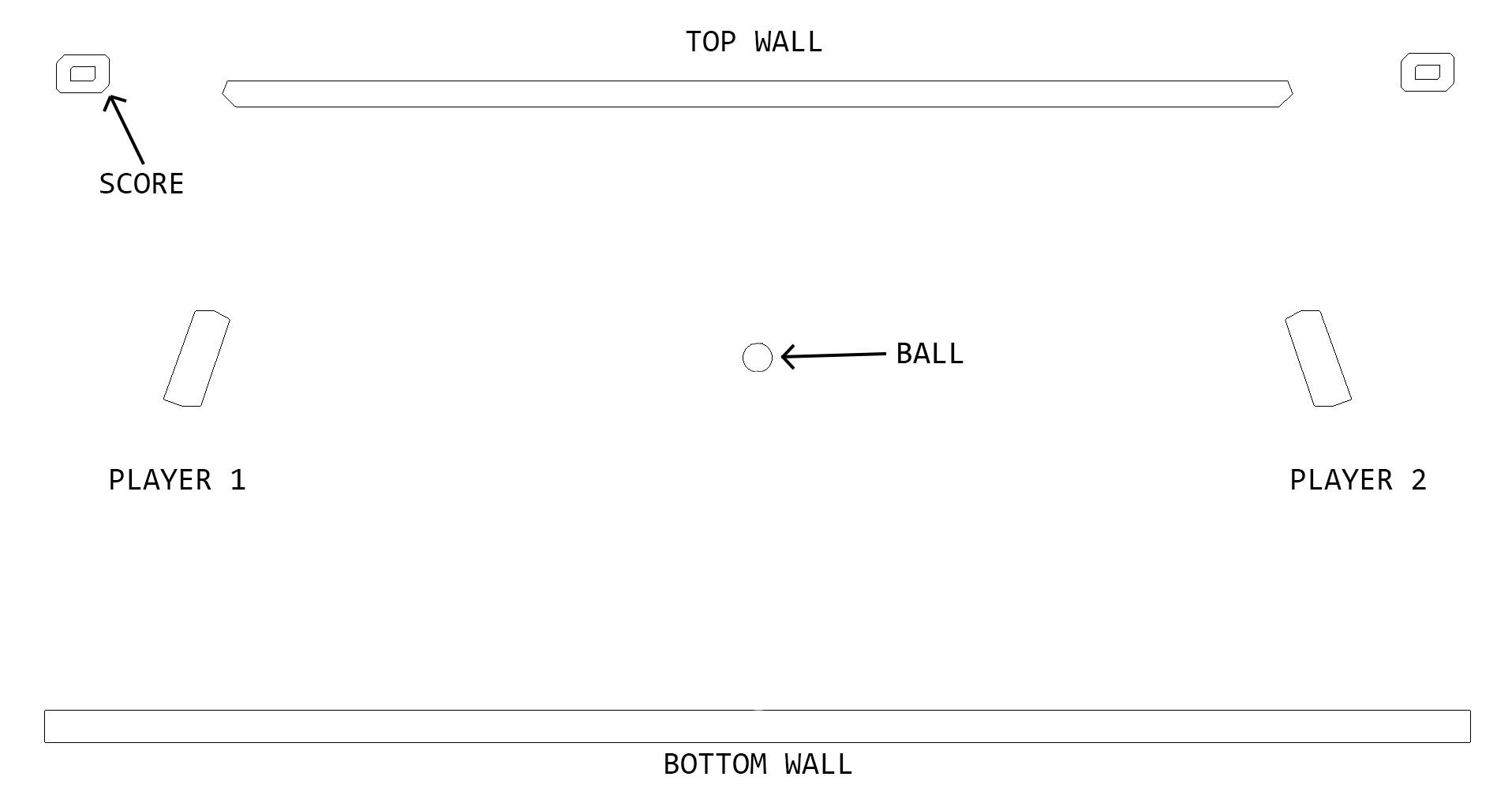
The main mechanics are the same as in the original game. The game has single-player and two-player modes. The player controls the green paddle vertically on the left side of the screen. The player can hit the ball with the paddle to deflect it into the opponent's court. The ball reacts in different ways depending on how it comes into contact with the paddle because physics are being used. You can vary the angle and speed when it is hit by the paddle.
Each time a player scores a point it will be added to a counter at the top of the screen. When that counter reaches 10 points, that player wins the game.
- Player 1: W and S
- Player 2: Up and Down arrows
- Pause: Esc
The visual aspect of the game is based on Synthwave/Retrowave, so the color palette of the game is purple, pink and blue.
- The background of the field is a purple and pink mesh with a blue gradient.
- The paddles for each player have different colors to differentiate between them. The colors are green for Player 1 and red for Player 2.
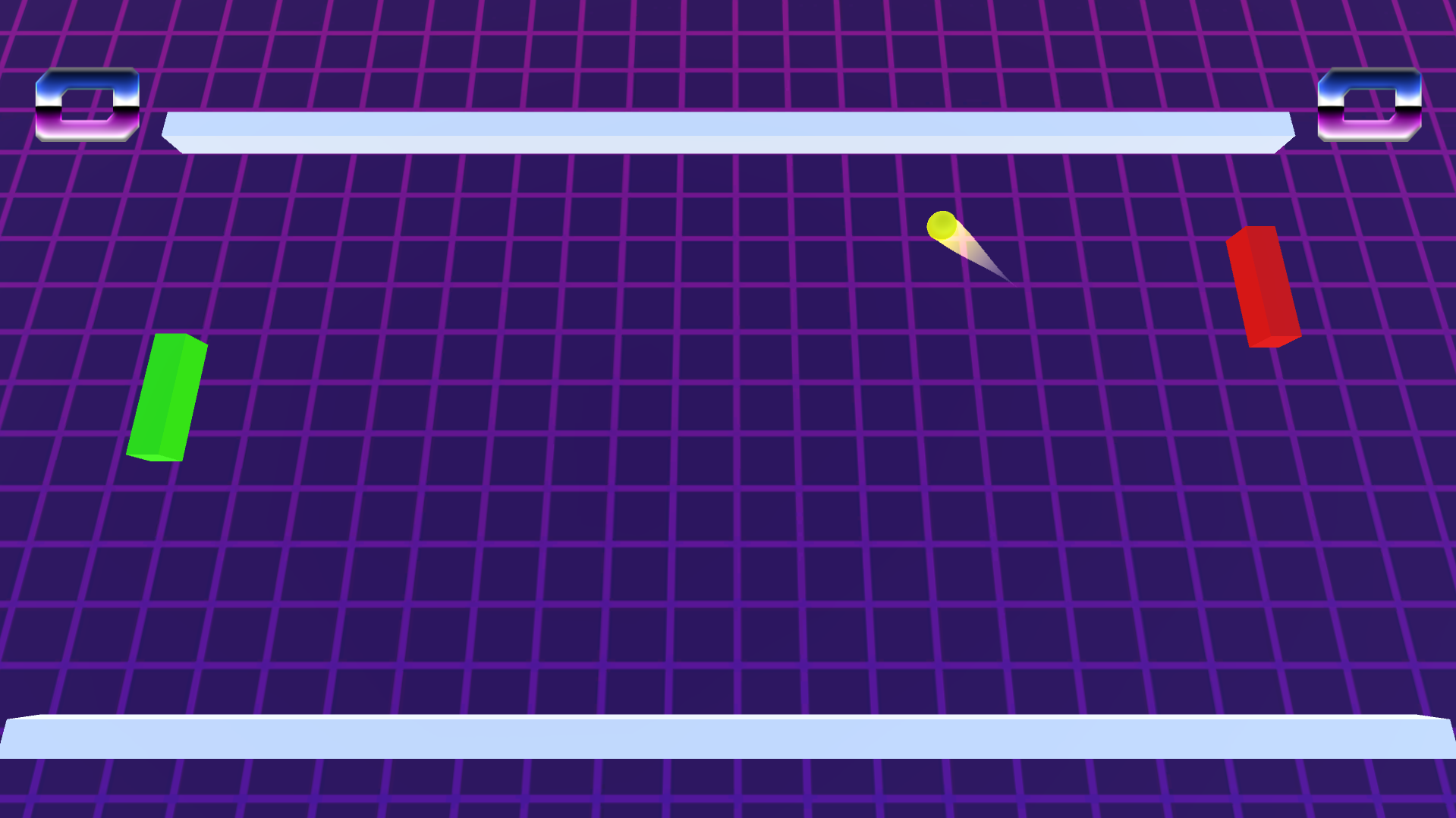
- The ball is a yellow sphere.
- When the ball moves, it leaves a yellow trail behind it.
- Each time the ball hits a surface it leaves a yellow particle effect for a short period of time.
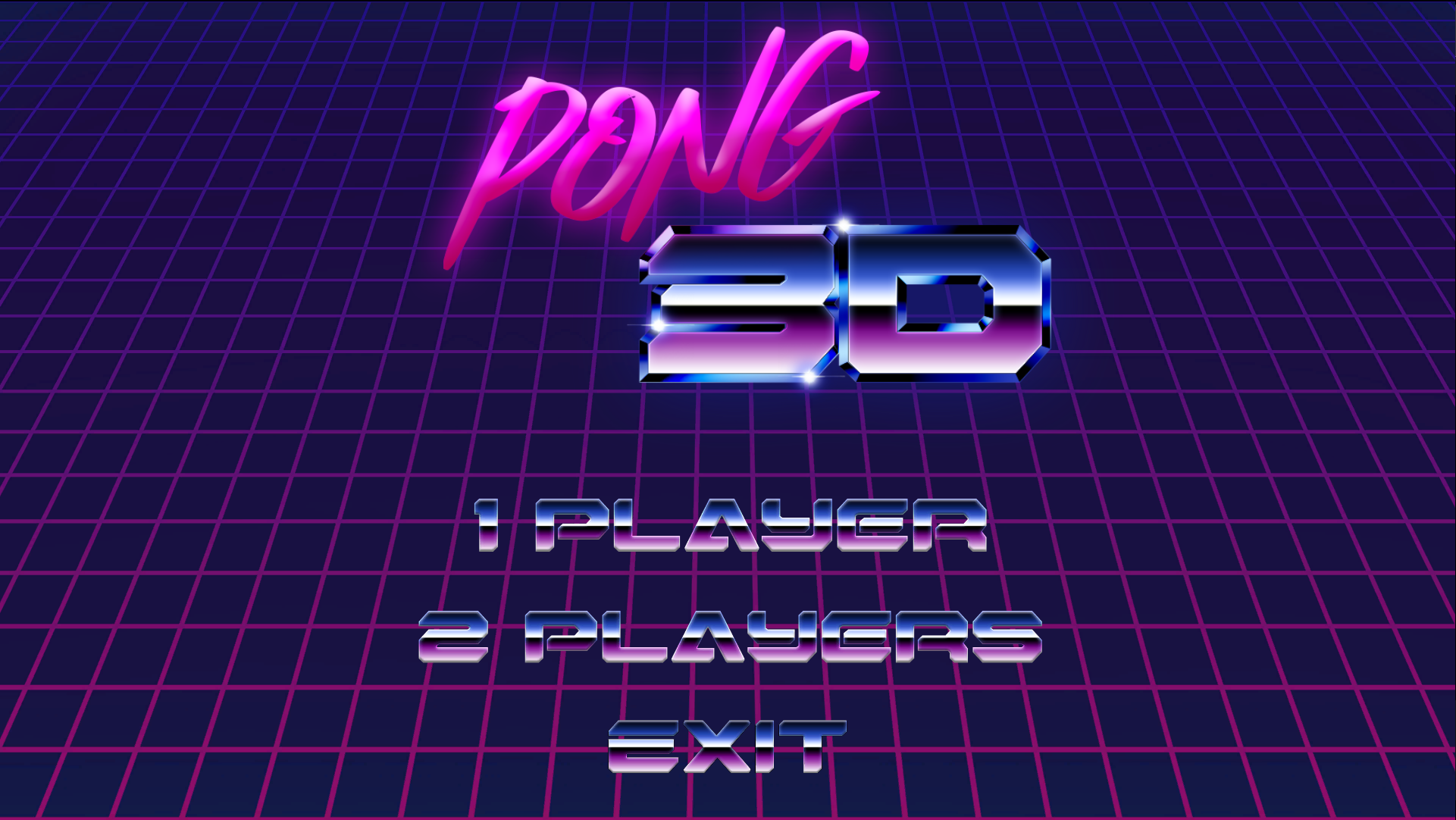
A short title animation is played when the game is launched and when is returned to from the pause menu. The main menu consists of the game title and three options that can be selected with the mouse:
- 1 Player: Single player mode against the AI.
- 2 Players: Two player mode.
- Exit: Exit the game.
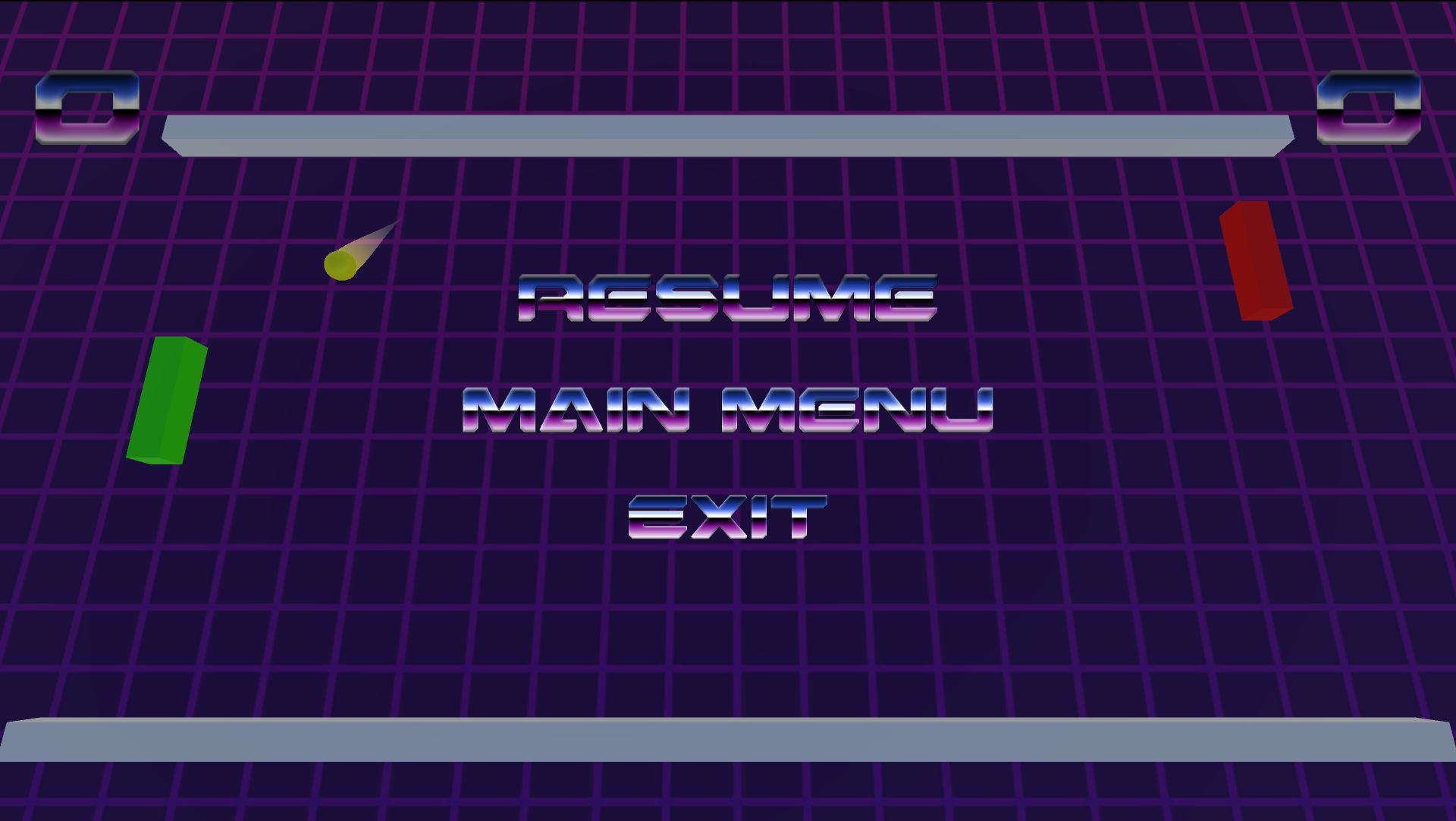
The pause menu is displayed with the 'Esc' key and consists of three options:
- Resume: Continue the current game.
- Main Menu: Return to the main menu.
- Exit: Exit the game.
The sound effects are retro style. Four in total have been used and a song for the main menu:
- Surface Collision: Created with JFXR by @frozenfractal.
- Score annotation: Created with JFXR by @frozenfractal.
- Player wins: Created by syseQ Freesound.org.
- UI selection: Created by Aesterial-Arts Freesound.org.
- Main menu song: Hello Night by | e s c p | https://escp-music.bandcamp.com Music promoted by https://www.free-stock-music.com Attribution 4.0 International (CC BY 4.0) https://creativecommons.org/licenses/by/4.0/