Generate Telegram session strings easily using this Google Colab notebook. Perfect for developers building Telegram bots or tools with Telethon!
- Google Account (to use Colab)
- Verified Telegram account
- Basic Python knowledge

-
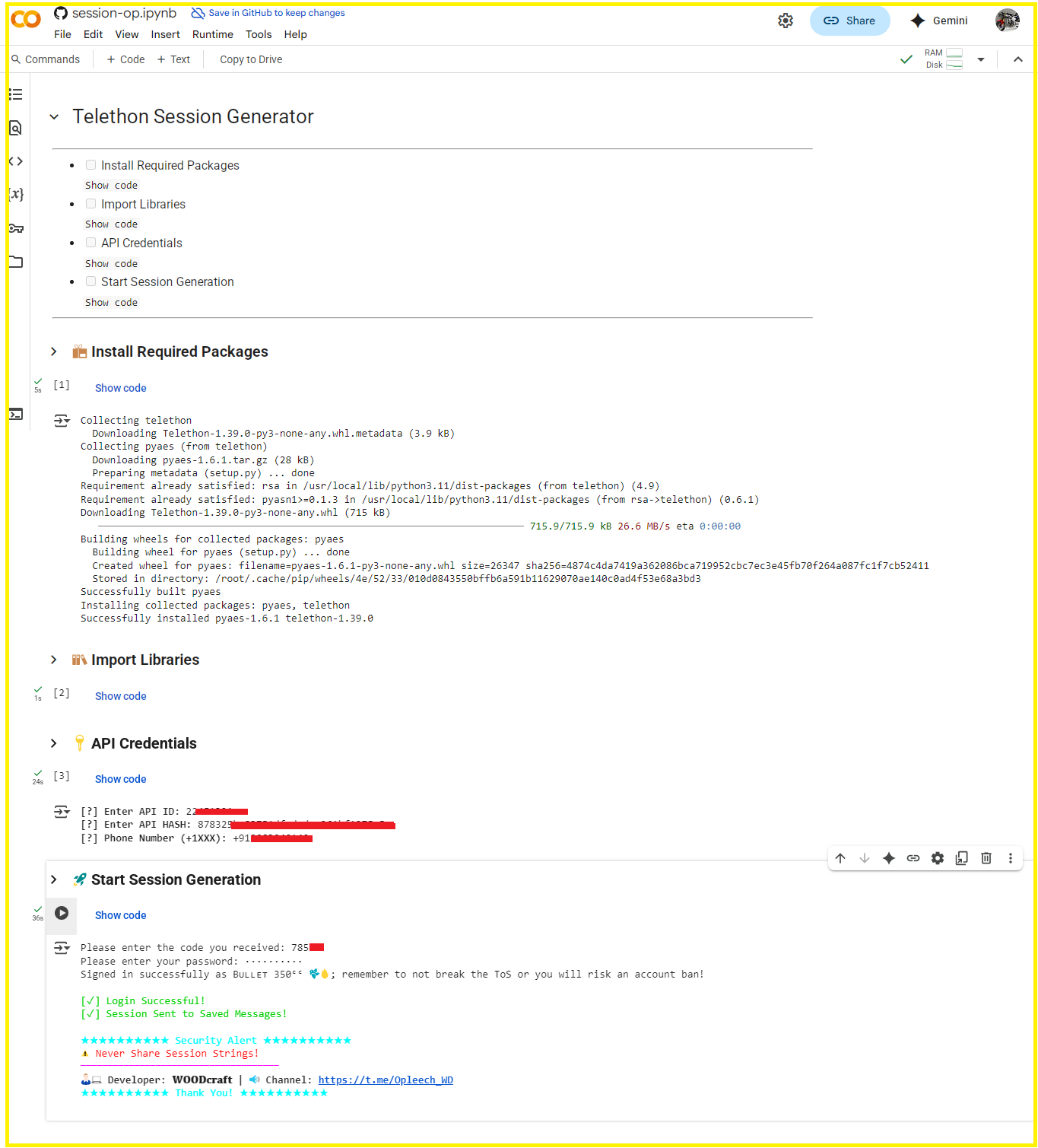
Install Dependencies
Run the first code cell to install Telethon:!pip install telethon
-
Enter API Credentials
Get yourAPI_IDandAPI_HASHfrom: my.telegram.org → API development tools -
Run Session Generator
Follow the prompts:[?] Enter API ID: 1234567 [?] Enter API HASH: a1b2c3d4e5f6g7h8i9j0 [?] Phone Number (+1XXX): +1234567890
- You'll receive a verification code via Telegram
- Enter the code in Colab when prompted
- If 2FA is enabled, provide your password
The session string will be:
- Printed in Colab outputs
- Sent to your Telegram Saved Messages:
⚠️ **✔️ Your Session String:**
💻 Developer: 𝐖𝐎𝐎𝐃𝐜𝐫𝐚𝐟𝐭
⚠️ Warning: Never share this with anyone! 🤫

`1AbcDEfghIJKlmnOPqrStuVWXYz0123456789abcDEFghiJKLmnoPQRStuvWXYZ=`
- 🔒 Never share your session string
- 🗑️ Delete old/unused sessions
- 🤖 Only use with trusted bots
- 📛 Revoke suspicious sessions via Telegram Settings
For help:
- Join our Telegram Group
- Report issues on GitHub
- Contact Developer:
@Farooq_is_king