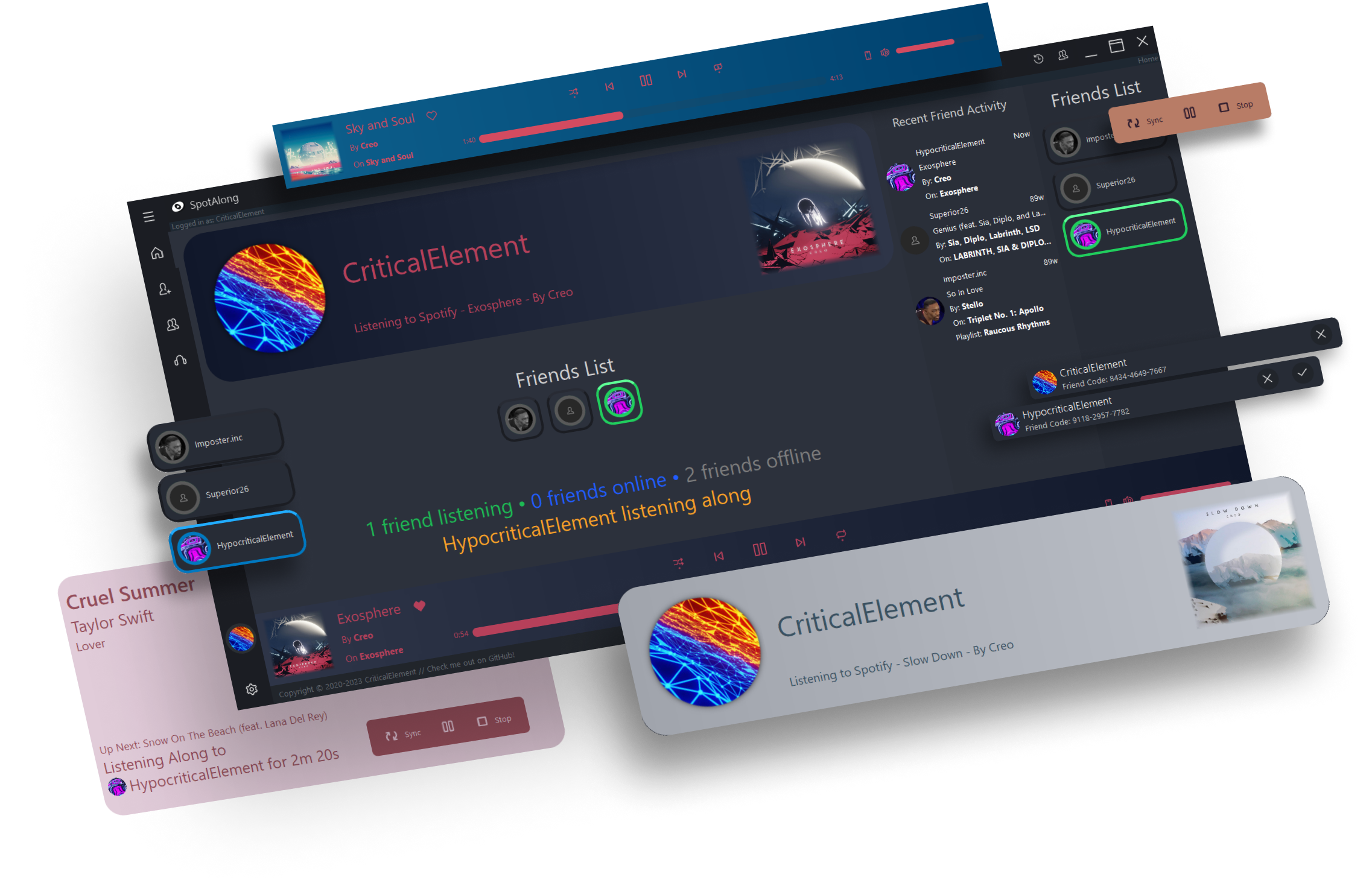
This is the PyQt5 frontend for SpotAlong.
Issues and pull requests are welcomed, but please note that most of the code was written 2+ years ago, when I had no clue about best practices with Python / PyQt5 and had mostly spaghetti horrendous code, and most of it is uncommented and relatively undocumented.
Simply head over to the releases tab, and download and run the installer for the latest version.
To manually install SpotAlong-Client, clone the repository to a folder of your choosing, then run the following commands according to your operating system. Please note that SpotAlong has only been tested on Python 3.8, and older or newer versions may not work.
python -m venv venv
venv\Scripts\activate
python -m pip install -r requirements.txt
python app.py
Note that python (line 1 only) may be replaced with py -3 depending on your installation.
You can also provide any of the -d, -v, --debug, or --verbose flags to app.py to set the logging level to logging.DEBUG.
python3 -m venv venv
source venv/bin/activate
python -m pip install -r requirements.txt
python app.py
A helper script has been included at build.py that can automatically create the executable file, zip all dependencies, and compile the installer using makensis. Simply run the file and the installer will be created at ./SpotAlong-Installer.exe. Please note that NSIS must be installed and makensis.exe must be added to PATH. Aditionally, the nsisunz and ApplicationID plugins must be installed.
Initial Release (windows only)
Performance enhancements (speculative)
Linux and MacOS builds
Add an embedded, ad-blocking version of Spotify
Add vote skips and song requests for group listening-along sessions
app.py: The entry point of the program, updates the ui with all the widgets and establishes update threads.
mainclient.py: Handles the websocket connection with the SpotAlong server.
constants.py: Defines constants useful for connecting to the SpotAlong server.
login.py: Provides utility functions used to login / authenticate with the SpotAlong api.
uiutils.py: Provides utility functions helpful to the ui (scaling, eliding text).
utils.py: Provides utility functions (color extraction, downloading images).
browser.py: Defines the window used to log in to Spotify using QWebEngine.
customwidgets.py: Houses almost all of the widgets that are displayed throughout the app, and various update threads.
loginwidgets.py: Houses the widgets pertaining to the login / loading part of the app.
mainui.py: The autogenerated file from QtDesigner that represents the barebones main ui of the app.
spotifyclient.py: Provides a class that contains info about the specified user.
spotifylistener.py: Contains the class used to handle listening along sessions.
spotifyplayer.py: Contains the class used to connect to the unofficial Spotify api, in order to modify user playback.
spotifysong.py: Contains a helper class that abstracts a users' listening / online / offline state.
A special thanks goes to Wanderson and his amazing PyQt interfaces, one of which was the inspiration for the ui of SpotAlong: https://github.com/Wanderson-Magalhaes/Simple_PySide_Base https://www.youtube.com/watch?v=iaIooM9FlRI