A comprehensive threat intelligence platform that monitors and analyzes security threats. This project provides a user-friendly interface for visualizing attack patterns, analyzing IP threats, and monitoring security events.
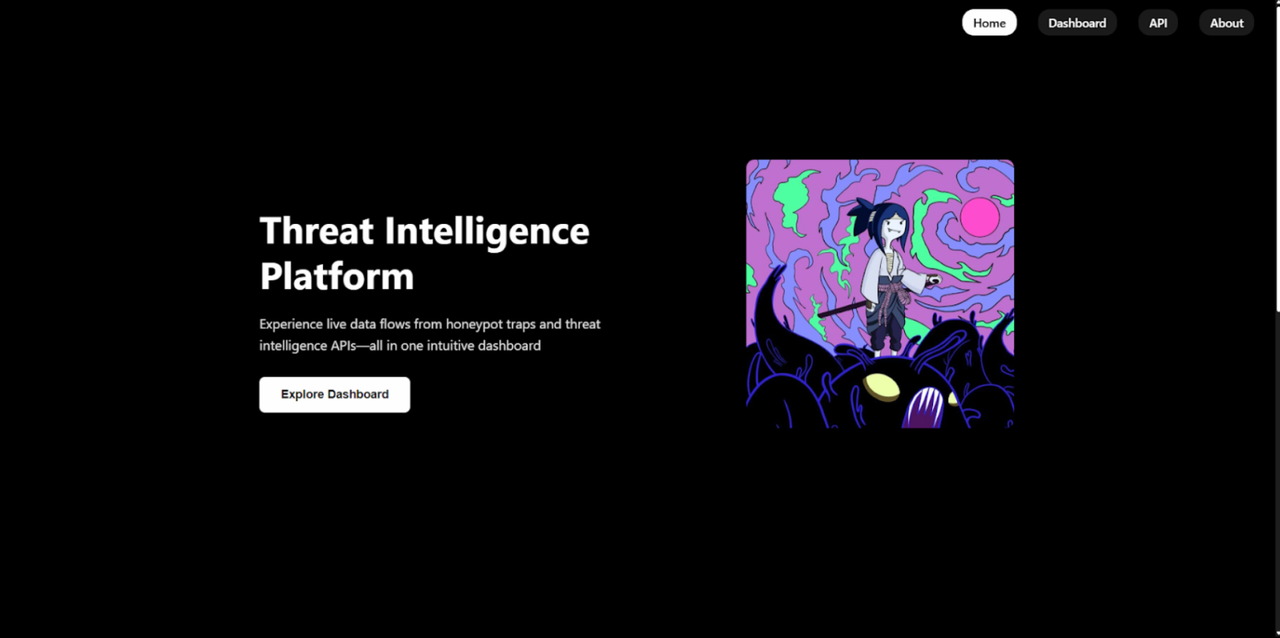
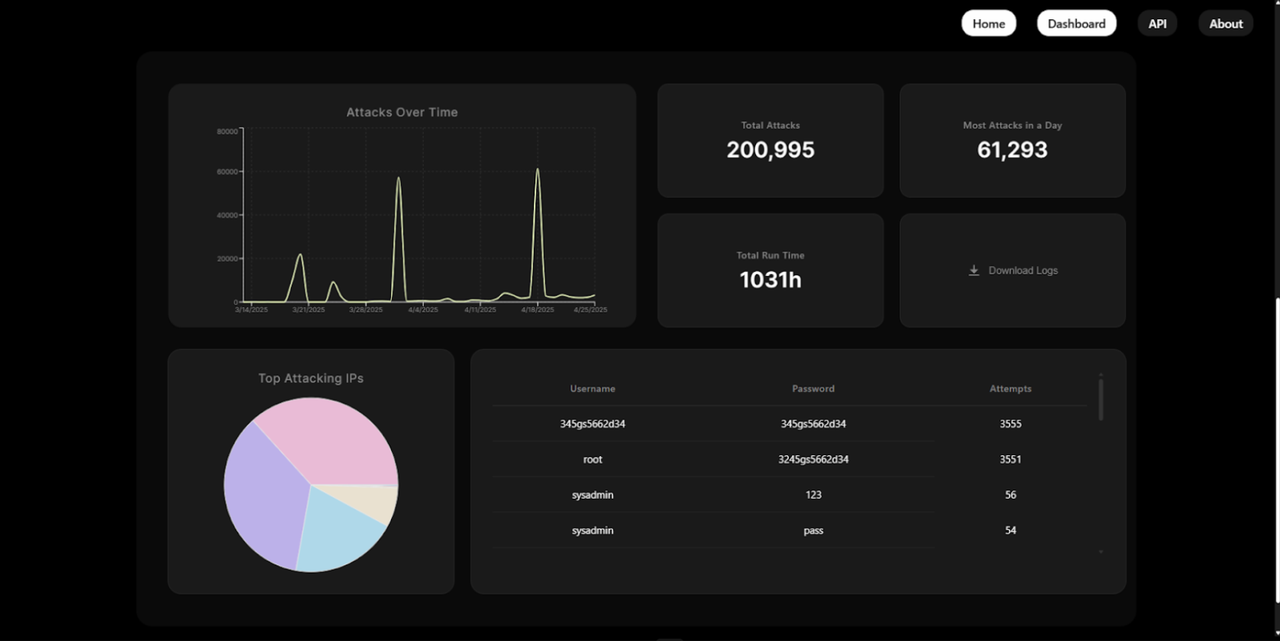
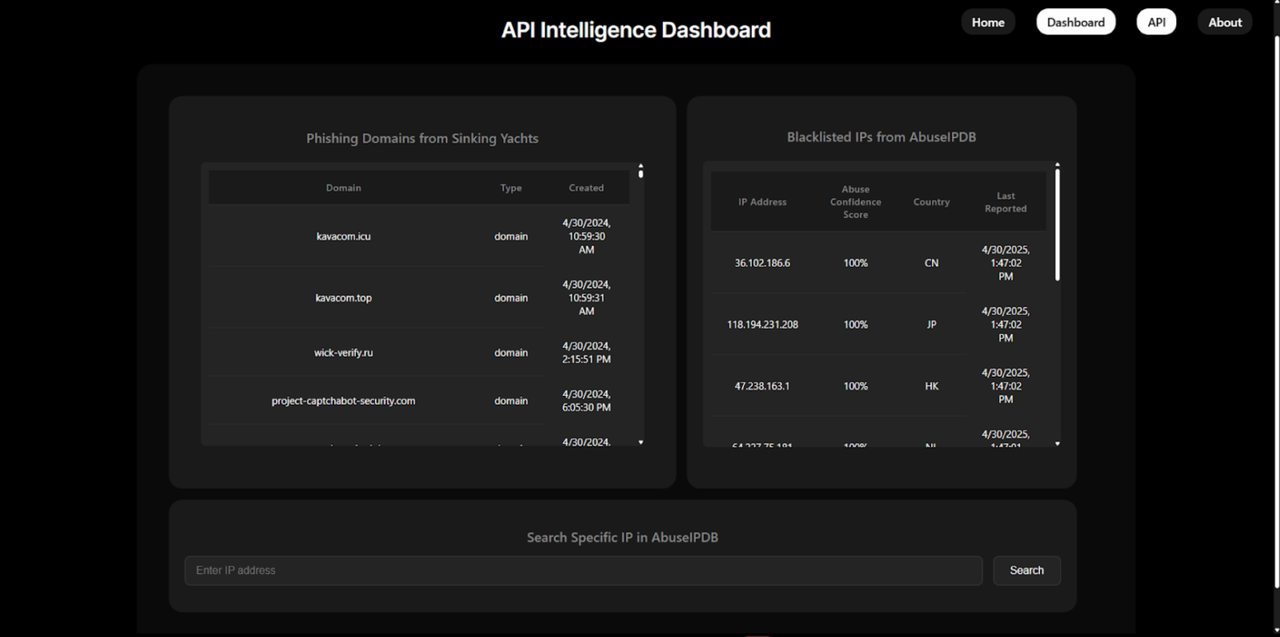
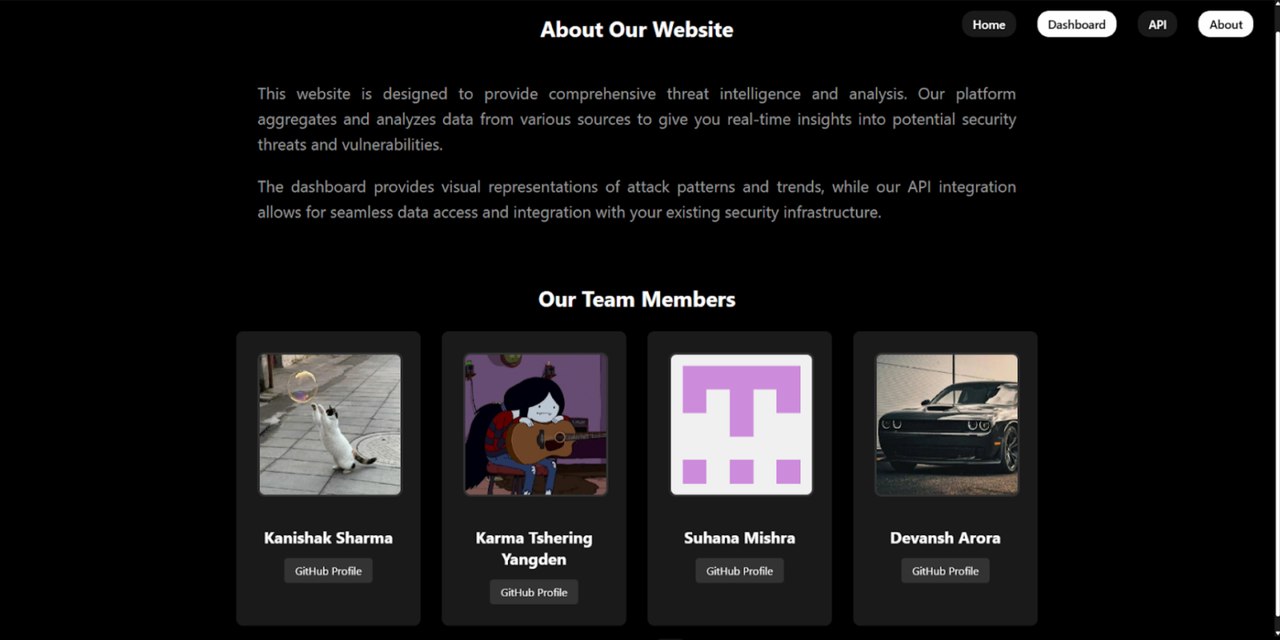
-
Real-time Attack Monitoring
- Line chart showing attack frequency over time
- Interactive visualization of attack patterns
- Detailed statistics and metrics
-
IP Intelligence
- Top attacking IPs visualization
- Detailed IP threat analysis
- Blacklisted IP tracking
-
Credentials Monitoring
- Real-time tracking of credential attempts
- Username/password attempt statistics
- Attack pattern analysis
-
User-Friendly Interface
- Responsive design
- Intuitive navigation
- Dark theme for better visibility
-
Frontend
- React.js
- Chart.js & React-Chartjs-2 for visualizations
- React Router for navigation
- Fetch API for data requests
- Hosted on Netlify
-
Backend
- Node.js with Express.js
- MongoDB Atlas for cloud database
- RESTful API architecture
- Hosted on Render
-
Infrastructure
- Docker for containerization
- Jenkins for CI/CD
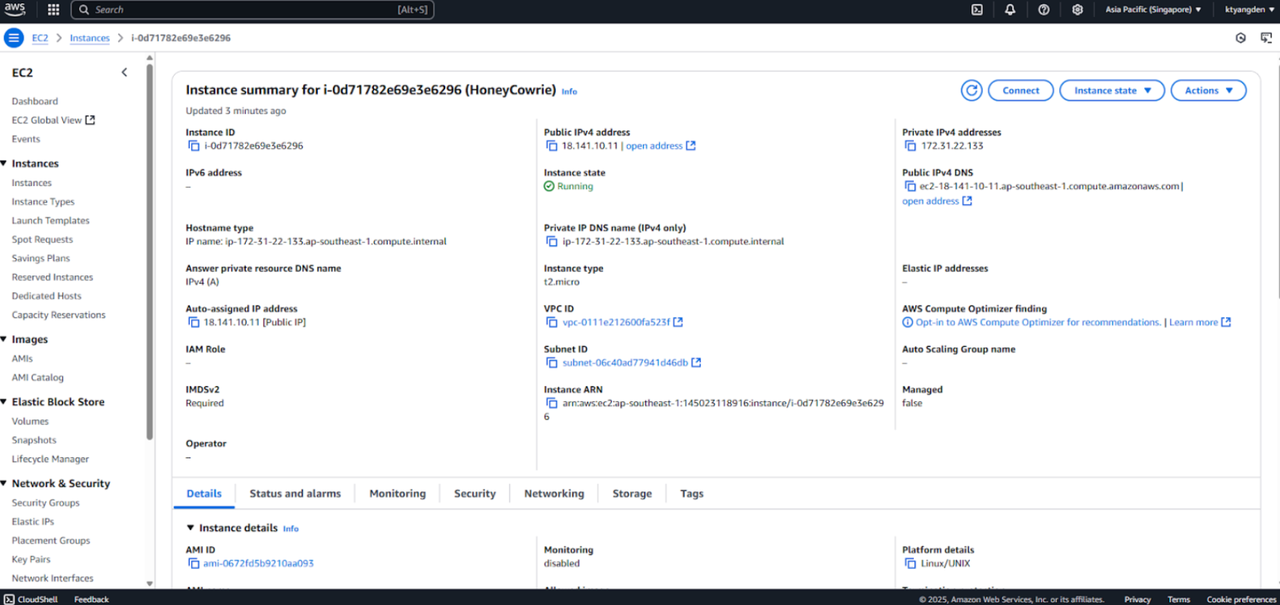
- AWS EC2 for Honeypot deployment
- Cowrie Honeypot for threat data collection
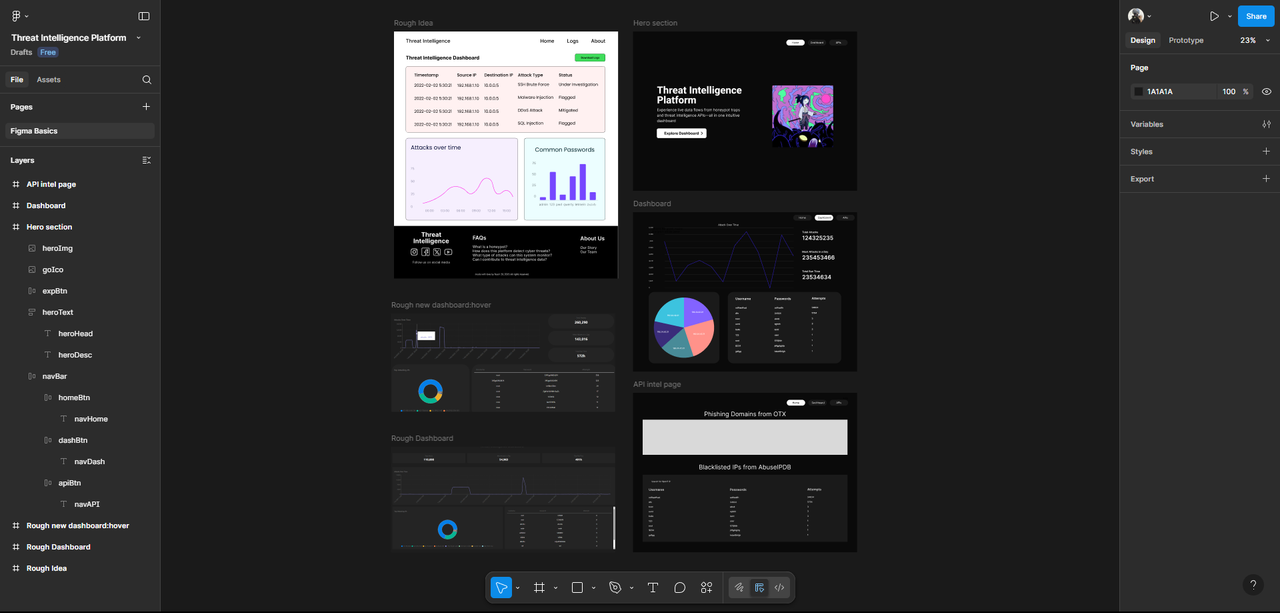
We designed our UI/UX using Figma to visualize the user flow and layout. Focus was placed on dark theme & usability.
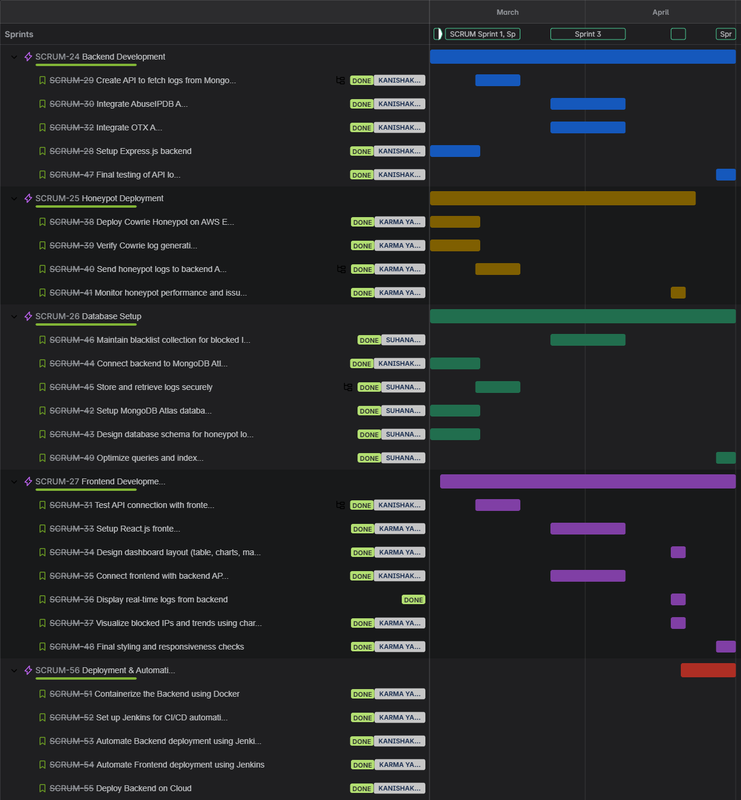
We used Jira for agile task management, sprint planning, and milestone tracking.
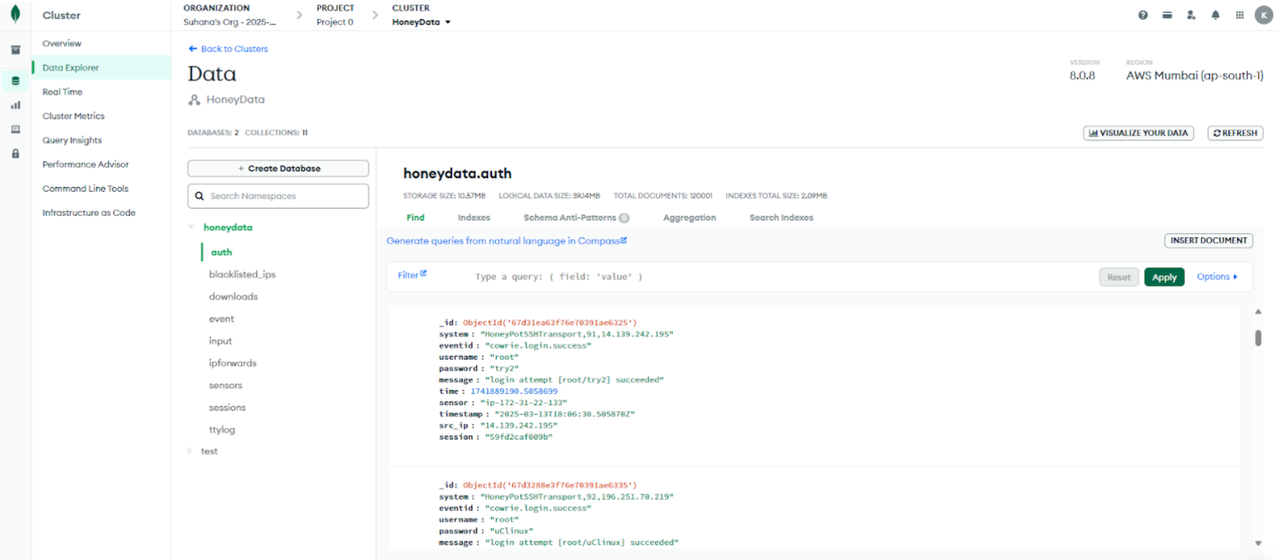
MongoDB Atlas was used as the primary cloud database solution.
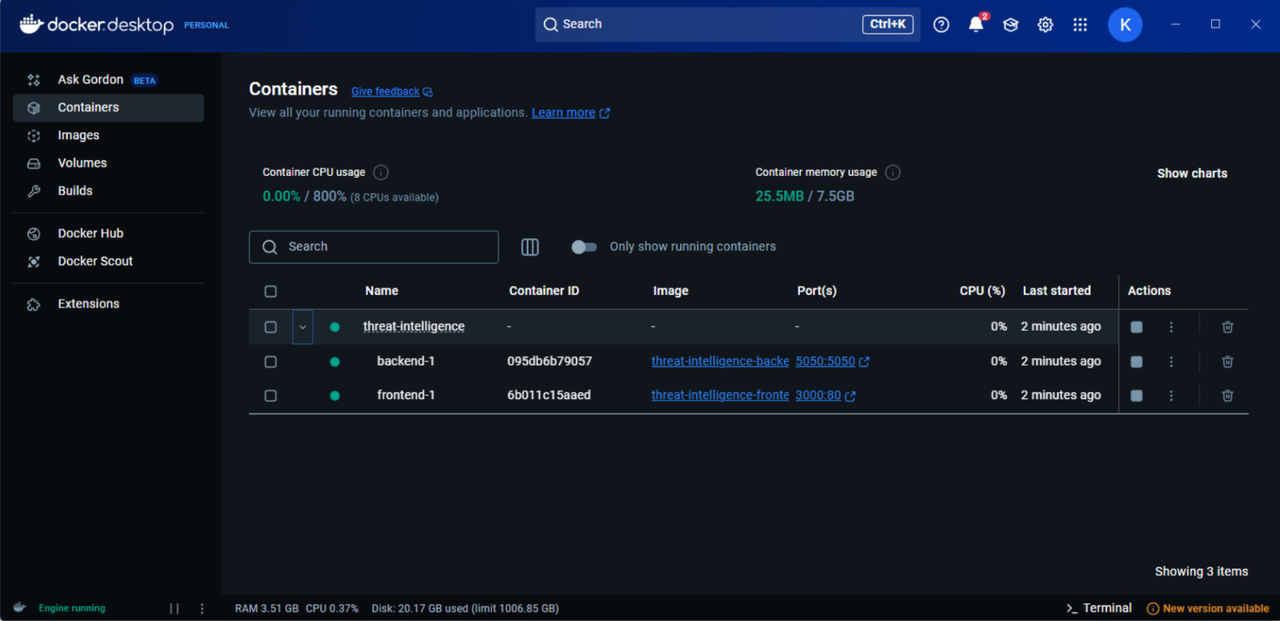
We implemented DevOps practices to streamline development and deployment.
- Docker was used to containerize frontend and backend for local development.
- Jenkins handled CI/CD automation, auto-deploying on GitHub pushes.
- .env configuration supported local, Netlify, Render, and Jenkins builds.
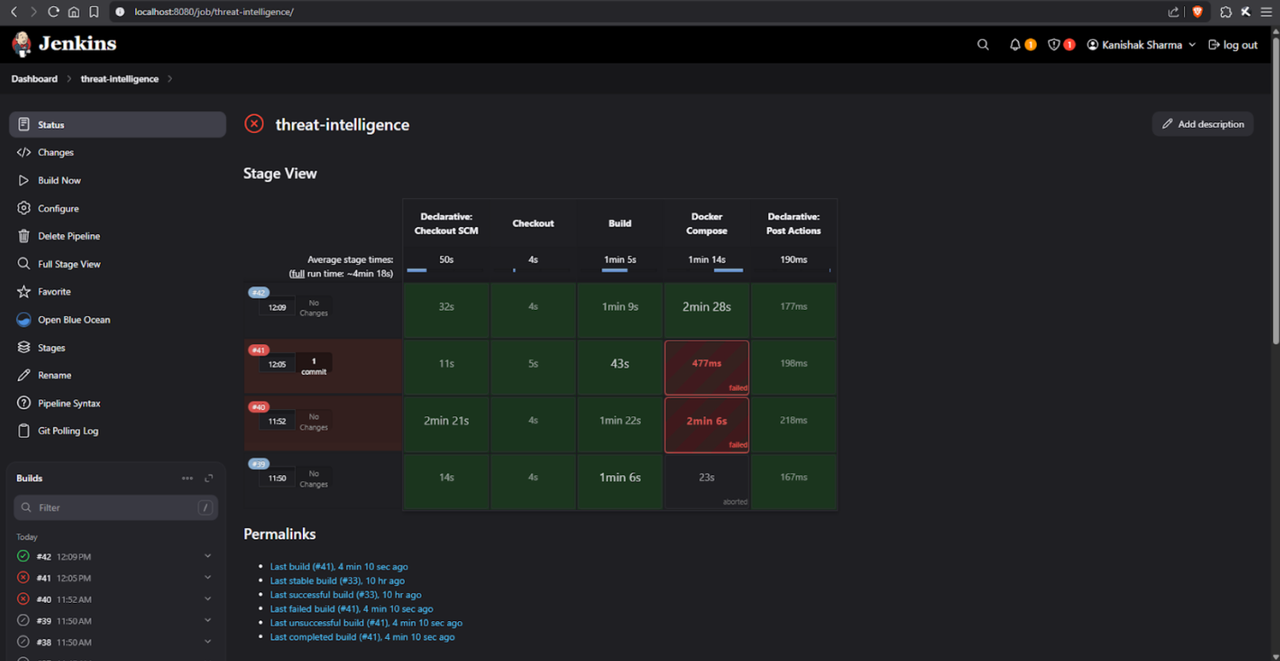
We deployed a Cowrie honeypot on AWS EC2 to collect real-world attack data.
We ran a Lighthouse audit on the deployed application to assess its performance and quality.
| Category | Score |
|---|---|
| Performance | 62 |
| Accessibility | 98 |
| Best Practices | 96 |
| SEO | 100 |
Audited using Chrome DevTools in Desktop mode
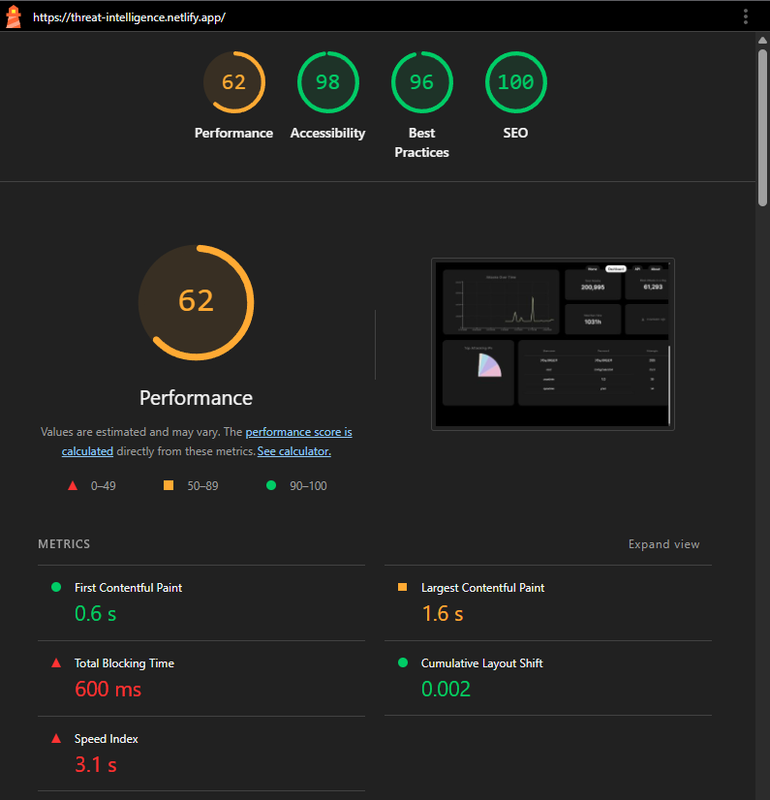
- While our scores in accessibility, best practices, and SEO were strong, we identified room for improvement in performance.
- Key issues included heavy JavaScript, unoptimized images, and blocking main-thread work.
- From this audit, we learned the importance of optimizing assets, reducing bundle sizes, and improving load efficiency — insights we'll apply to future projects for a better user experience.
- Node.js (v14 or higher)
- MongoDB Atlas account
- Docker (optional)
# 1. Clone the repository
git clone https://github.com/Kanishak-xd/threat-intelligence.git
cd threat-intelligence

# 2. Install frontend dependencies
npm install

# 3. Install backend dependencies
cd backend
npm install

# 4. Set up MongoDB Atlas connection

# 5. Start the backend server
cd backend
node server.js

# 6. Start the frontend development server
cd ..
npm start

# 7. Access the application
http://localhost:3000# Build and run using Docker Compose
docker-compose up --build
# Access the application
http://localhost:3000threat-intelligence/
├── src/
│ ├── components/
│ │ ├── AttackChart.js
│ │ └── AttackChart.css
│ ├── App.js
│ ├── App.css
│ └── apintel.js
├── backend/
│ ├── server.js
│ ├── mongoFetch.js
│ ├── processLogs.js
│ └── package.json
├── public/
├── package.json
└── README.md
GET /api/logs- Fetch security logsGET /api/attack-data/aggregated- Get aggregated attack dataGET /api/ip-intel- Get IP intelligence data
MIT License