A web-based Project Management Portal designed to streamline the process of managing company project data efficiently.
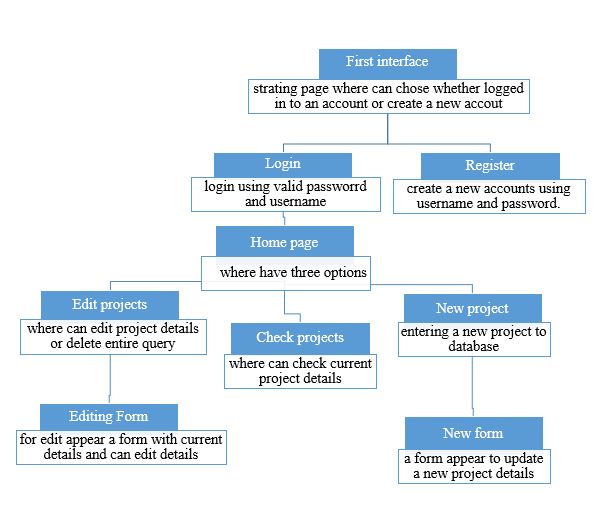
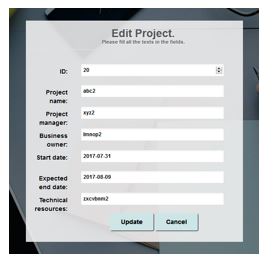
This application allows users to add, view, update, and delete project information, providing a centralized platform for organizing and monitoring company projects.
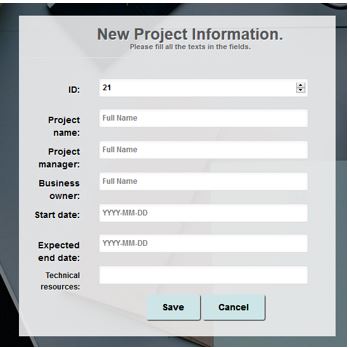
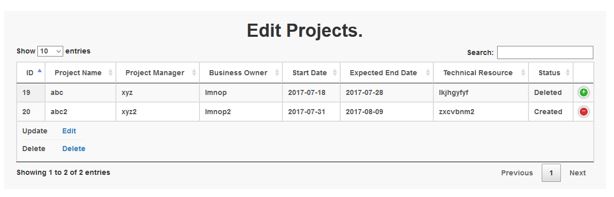
- Project Data Management — Add, edit, and remove project records easily.
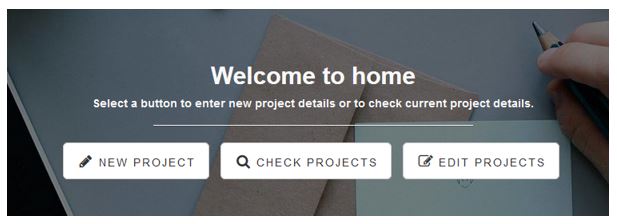
- Dashboard Overview — Get a clear overview of all projects in one place.
- Search & Filter — Quickly find specific projects using search and filter functionality.
- User-Friendly Interface — Simple and intuitive web interface for smooth navigation.
- Database Integration — Securely stores project details using MySQL.
| Component | Technology |
|---|---|
| Frontend | HTML, CSS, JavaScript |
| Backend | PHP |
| Database | MySQL |
- Clone the repository
git clone https://github.com/HiruDewmi/project-management-portal.git cd project-management-portal - Set up the database
- Create a MySQL database (e.g., project_portal).
- Import the SQL file from /database/project_portal.sql (if available) to set up tables.
- Configure the database connection
- Open the config.php file.
- Update it with your local database credentials:
$servername = "localhost";
$username = "root";
$password = "";
$dbname = "project_portal";- Run the application
- Place the project folder in your web server directory (e.g., htdocs for XAMPP).
- Start Apache and MySQL from your local server tool (XAMPP/WAMP).
- Open your browser and navigate to:
http://localhost/project-management-portalproject-management-portal/
│
├── assets/ # CSS, JS, and image files
├── includes/ # Reusable PHP components
├── database/ # SQL dump file (optional)
├── index.php # Main landing page
├── config.php # Database configuration
└── README.md # Project documentationThis project was developed as a hands-on web development exercise to demonstrate:
- CRUD operations with PHP & MySQL
- Frontend–backend integration
- Clean UI design principles


--
If you find this research insightful, please consider giving the repository a star on GitHub!