Installation Instruction
By itself SAMD21 isn´t powerful, the suport with Arduino´s IDE is the special thing with. With only a clics pair, copies and pastes, you can add support for ARM cortex- M0+to your Arduino IDE...
You must install the boards SAMD of Arduino(vertions 1.6.11 o later)
In the menú bar select tools --> boards --> Board Manager --> Arduino SAMD Boards 32 bit M0.
In the search bar write "SAMD" en then you can see the boards, do clic in install and wait to finish to install.

Install "Electronic Cats" support
To add board support for our products, start Arduino and open the Preferences window (File > Preferences). Now copy and paste the following URL into the 'Additional Boards Manager URLs' input field:
https://electroniccats.github.io/Arduino_Boards_Index/package_electroniccats_index.json
-
If there is already an URL from another manufacturer in that field, click the button at the right end of the field. This will open an editing window allowing you to paste the above URL onto a new line.
-
Press the "OK" button.
-
Open the "boards manager" that is in tools --> Board --> board manager.
-
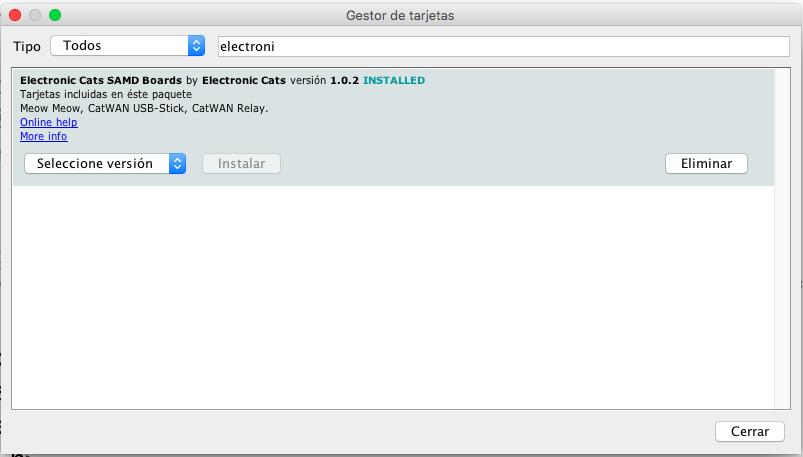
Now write "Electronic Cats" (without quotes) in the search bar.
-
Click in install, jus wait to finish to install and only close the window.
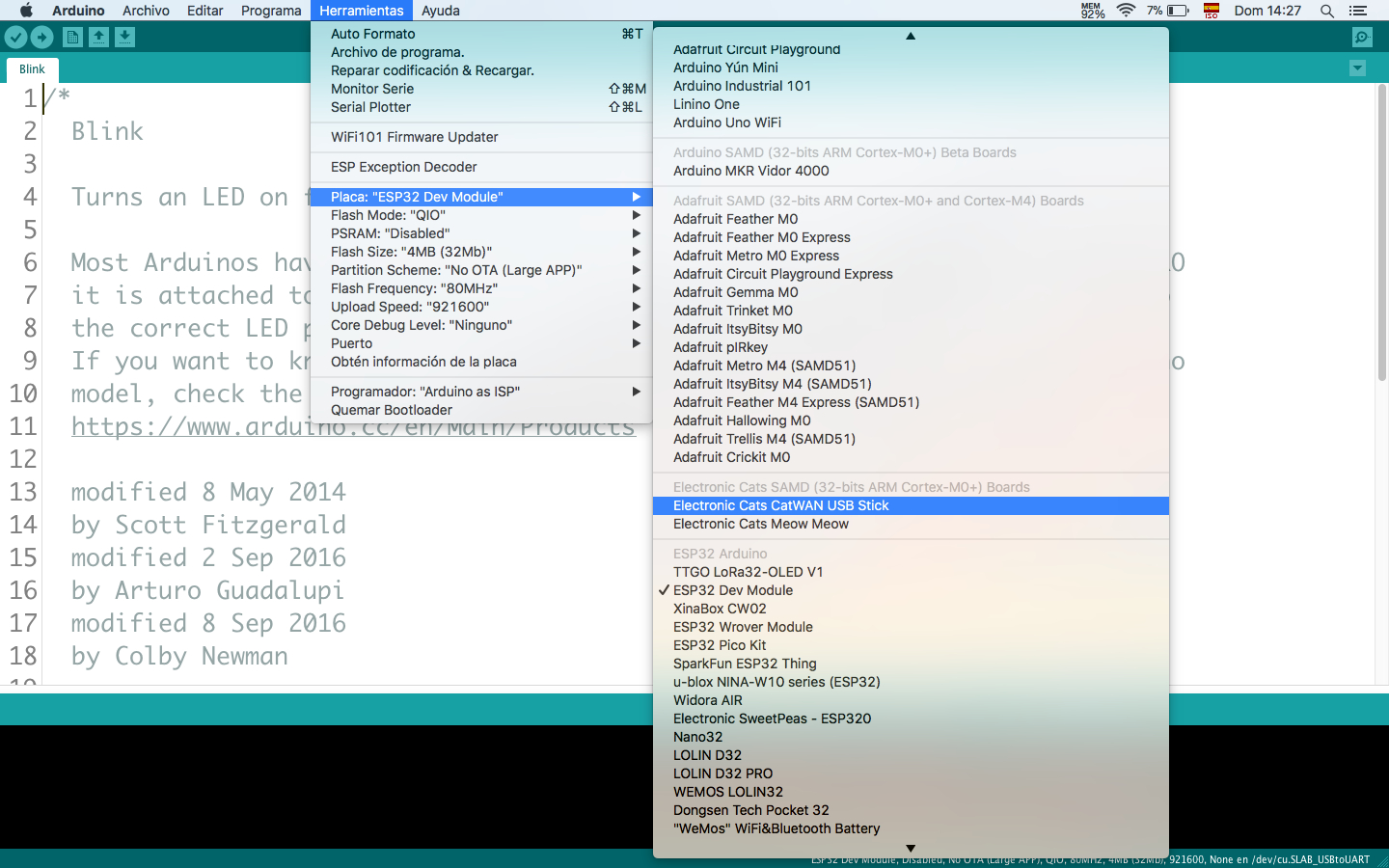
- In tools --> Boards, scroll to down in the board´s list you can see the Electronic Cat´s boards.
This core is intended to be installed using Boards Manager (see below). To update from a previous version, click on Electronic Cats SAM D|L|C Boards in Boards Manager, then click Update.