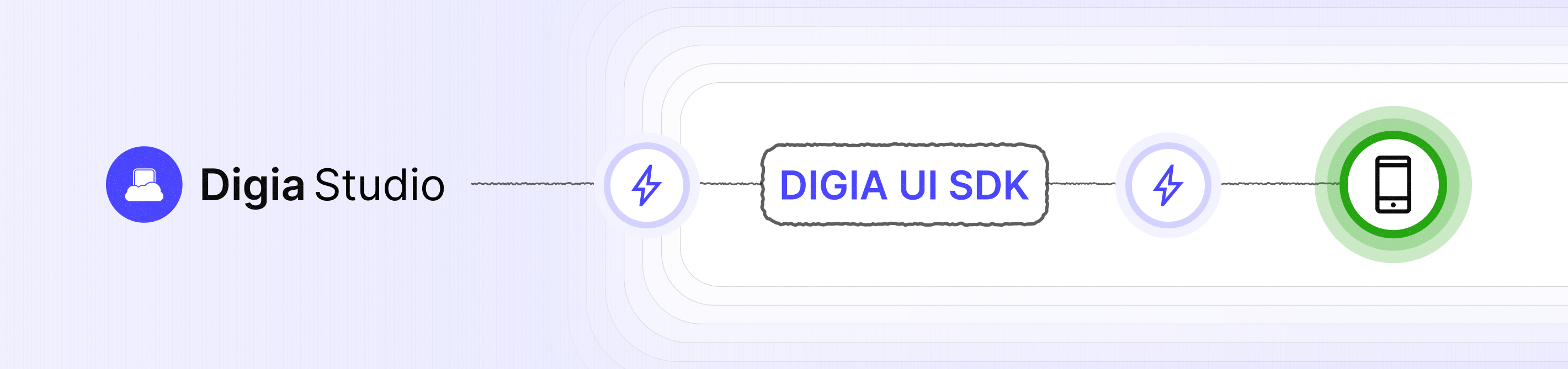




Digia UI SDK is the React Native-based rendering engine for Digia Studio, a low-code mobile application platform. Built on the Server-Driven UI (SDUI) architecture, this SDK dynamically renders native React Native components based on configurations received from the server, enabling real-time UI updates without requiring app releases or store approvals.
Server-Driven UI (SDUI) is an architectural pattern where the server controls the presentation layer of your application by sending UI configurations that the client interprets and renders. This approach offers several key advantages:
- 🚀 Instant Updates - Deploy UI changes immediately without app store review cycles
- 🧪 A/B Testing - Run experiments and personalize experiences without client-side release cycles
- 🔧 Bug Fixes - Fix UI issues in production without releasing a new app version
- 📱 Cross-Platform Consistency - Ensure uniform experiences across Android, iOS, and Mobile Web from a single configuration
Digia UI SDK is part of the Digia Studio ecosystem, where:
- Digia Studio - A visual low-code tool where users drag and drop widgets to create mobile applications
- Server Configurations - The studio generates structured configurations describing UI layout, data bindings, and business logic
- Digia UI SDK - This React Native SDK interprets the server configurations to render fully functional native mobile apps across Android, iOS, and Mobile Web platforms
- 🎨 Server-Driven UI - Render React Native components from server-side configurations
- 🔄 Instant Updates - Push UI and logic changes instantly without app store approvals
- 🔗 Expression Binding - Powerful data binding system for dynamic content
- 🎯 Pre-built Actions - Navigation, state management, API calls, and more
- 📱 Native Performance - Rendering handled directly by React Native components for optimal performance
- 🧩 Custom Components - Register your own components to extend functionality
- 🌐 Multi-Platform - Single codebase for Android, iOS, and Mobile Web
Add Digia UI SDK to your project:
npm install digia-rn-sdk
npm install react react-native @react-navigation/native axios react-native-inappbrowser-rebornRun:
npm install
Note: Digia UI SDK requires configurations generated by Digia Studio. Please refer to the Digia Studio documentation to create your first project.
DigiaUI SDK offers two initialization strategies to suit different application needs:
- Prioritizes fresh content - Always fetches the latest DSL configuration from the network first
- Fast performance - DSL is hosted on CDN with average load times under 100ms for large projects
- Recommended for production - Ensures users always see the most up-to-date UI
- Best for - Apps where having the latest content is critical
- Timeout fallback - Optionally set a timeout; if exceeded, falls back to cache or burned DSL config
- Instant startup - Uses cached DSL configuration for immediate rendering
- Fallback to network - Fetches updates in the background for next session
- Offline capable - Works even without network connectivity
- Best for - Apps prioritizing fast startup times or offline functionality
DigiaUI SDK offers two implementation options for different needs.
Use this approach when DigiaUI needs to be initialized before rendering the first frame.
import { DigiaUI, DigiaUIApp } from 'digia-rn-sdk';

void main() {
  const digiaUI = await DigiaUI.initialize({
    accessKey: 'YOUR_PROJECT_ACCESS_KEY',
    flavor: Flavors.release({
      initStrategy: { type: 'network-first', timeoutInMs: 2000 },
      appConfigPath: 'path/to/config.json',
      functionsPath: 'path/to/functions.json',
    }),
  });

  AppRegistry.registerComponent('MyApp', () => () => (
    <DigiaUIApp
      digiaUI={digiaUI}
    >
      <NavigationContainer>
        <Stack.Navigator>
          <Stack.Screen
            name="Home"
            component={DUIFactory.getInstance().createInitialPage()}
          />
        </Stack.Navigator>
      </NavigationContainer>
    </DigiaUIApp>
  ));
}For advanced use cases where you need more granular control over the initialization process. You can choose whether or not to wait for DigiaUI to be ready. This is especially useful when your app starts with a few native React Native screens before transitioning to DigiaUI-powered screens.
import { DigiaUIAppBuilder } from 'digia-rn-sdk';

export default function App() {
  return (
    <DigiaUIAppBuilder
      options={{
        accessKey: 'YOUR_PROJECT_ACCESS_KEY', // Your project access key
        flavor: Flavors.release({
          initStrategy: { type: 'network-first', timeoutInMs: 2000 },
          appConfigPath: 'path/to/config.json',
          functionsPath: 'path/to/functions.json',
        }), // Use release or debug flavor
      }}
      builder={(status) => {
        // Make sure to access DUIFactory only when SDK is ready
        if (status.isReady) {
          return (
            <NavigationContainer>
              <Stack.Navigator>
                <Stack.Screen
                  name="Home"
                  component={DUIFactory.getInstance().createInitialPage()}
                />
              </Stack.Navigator>
            </NavigationContainer>
          );
        }

        // Show loading indicator while initializing
        if (status.isLoading) {
          return (
            <View style={{ flex: 1, justifyContent: 'center', alignItems: 'center' }}>
              <ActivityIndicator size="large" />
              <Text style={{ marginTop: 16 }}>Loading latest content...</Text>
              {status.hasCache && (
                <TouchableOpacity onPress={() => status.useCachedVersion()}>
                  <Text style={{ color: 'blue', marginTop: 8 }}>Use Offline Version</Text>
                </TouchableOpacity>
              )}
            </View>
          );
        }

        // Show error UI if initialization fails
        // In practice, this scenario should never occur, but it's a good habit to provide a user-friendly fallback just in case.
        return (
          <View style={{ flex: 1, justifyContent: 'center', alignItems: 'center' }}>
            <Text style={{ fontSize: 24 }}>⚠️</Text>
            <Text style={{ marginTop: 16 }}>Failed to load content</Text>
            <Text>Error: {status.error}</Text>
            {status.hasCache && (
              <TouchableOpacity onPress={() => status.useCachedVersion()}>
                <Text style={{ color: 'blue', marginTop: 8 }}>Use Cached Version</Text>
              </TouchableOpacity>
            )}
          </View>
        );
      }}
    />
  );
}This project is licensed under the MIT License - see the LICENSE file for details.
Built with ❤️ by the Digia team