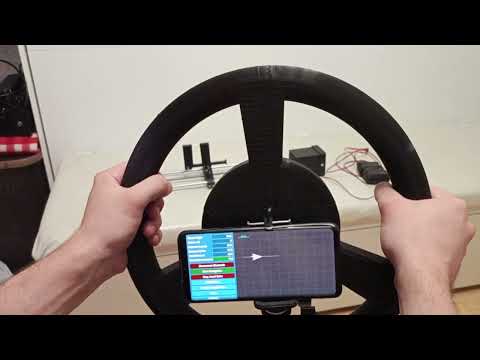
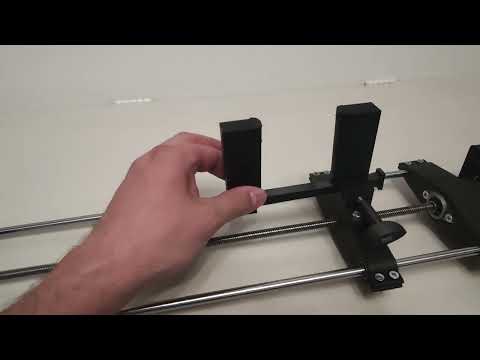
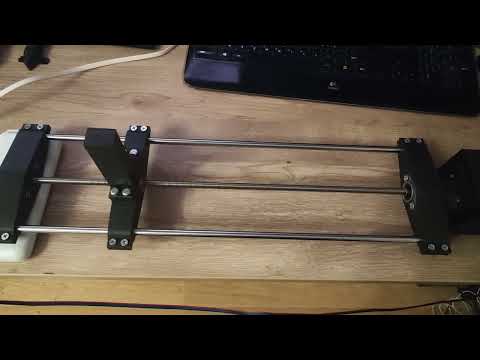
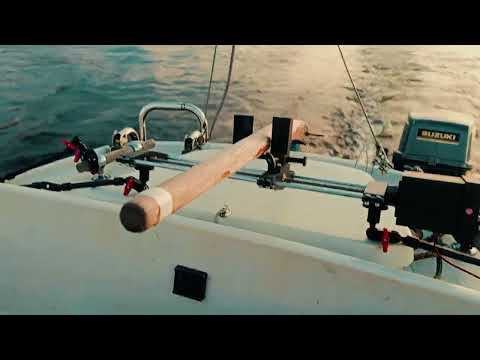
This is simple boat/yacht autopilot application (outboard motor only, not for sails). It uses android phone as main device and special diy hardware to move boat rudder.
You need to buy some parts and print plastic parts with 3D Printer.
What to buy:
-
ESP32 Wroom
-
Nema 17 Stepper motor (17HS4401) (With cable)
-
Driver A4988

- Extension board for A4988

- Flange support bearing KFL08 8mm (2pc)

-
Linear bearing LM8UU (2pc)
-
Round guide 8mm 500mm (2pc)
-
Rigid coupling 5x8

- Nut for screw TR8 pitch 2mm, stroke 8mm

- Trapezoidal screw TR8x8 500mm

- 12v to 5v buck module (Any)
- 12v accumulator
- Bolts M3x10mm-12mm (4pcs), M3x16mm (4pcs)
- Bolts M4x15mm (12pcs)
- Bolts M5x30mm (2pcs), M5x25mm (1pc), M5x50mm (6pcs), M5x10mm (2pcs), M5x60mm (1pc)
- Nuts M4 (12pcs)
- Nuts M5 (12pcs)
Print all parts from Hardware/all-parts file. There are OpenSCAD source too, so you can change any parameters.
Hardware/how-to-assemble.3mf shows how to build. Black parts must be printed using hard plastic (I've used PETG carbon fibre) white parts can be printed using TPU.
Install A4988 to Extension board. Connect Nema 17 to Extension board.
Soldering:
E (Extension board) = GPIO4 (ESP32)
D (Extension board) = GPIO16 (ESP32)
S (Extension board) = GPIO17 (ESP32)
GND (Extension board, any GND) = GND (ESP32)
5v (Extension board) = 3v3 (ESP32)
9v (Extension board) = 12v+ (Power input)
12v+ (Power input) = IN+ (12v to 5v buck module)
12v- (Power input) = IN- (12v to 5v buck module)
OUT+ (12v to 5v buck module) = 5v (ESP32)
OUT- (12v to 5v buck module) = GND (ESP32)
Assembled device:


Use 2 fusion nut in holes at bottom of device (yes there are bottom and holes at bottom side). I've used 1/4 nut like in cameras and can use magic arms to hold device on boat.


There are two ways:
- Your own hosting for web-app (put manifest.json, index.htm and icon.png to your host)
- Use my web-site (http://codename33.ru/apps/ebc/)
Using chrome on your mobile device on notebook goto http://codename33.ru/apps/ebc/ (or your own url).
Install EasyBoatController as desktop application. Now you have app installed (it will work even without internet after first run).
Power on hardware part (it has no buttons and indicators, just need to supply 12v power)
Press "Connect Bluetooth" button in EasyBoatController application. If all soldered right and worked you can see device named "EasyBoatController", connect to it.
Press "Calibrate" button and press "Run auto zero calibration" button. This will move caret to end and after some time to middle.
Set the steering tiller level to zero and put tiller steering into tiller steering lock and lock it.
Now you can hold hardware device on boat. If you are using magic arms - fix device in current position.
You can test device using "Start Accel Drive" button. It will move the rudder when you when you tilt your phone (like in phone games).
For now this allication can't show maps but it can import route in KML or GPX format. You can make your own route in Navionics Boating or this service for example (https://www.gpsvisualizer.com/draw/) and export GPX file.
In EasyBoatController application press "Route Management..." and next press "Import..." and open your GPX or KML file. You can save/load this route in application now.
Now you can start your engine wit preferred speed and press button "Start Navigation".
IMPORTANT NOTE: You can't turn your screen off or switch to another application while navigating, web-apps can't work in background on android (Yes, ServiceWorkers, but no BLE for them). May be you want to rewrite my js code and make apk that can work in background, I don't want it now ;) I made special button called "Black Screen" it fills screen in black with some gray text on it. This can save battery for devices with OLED displays.
Course - settings for navigation
-
Maximum Rudder Position Percent - zone in which rudder can move (100% - full)
-
Keep Boat Near Lines - In navigation mode this chack will force autopilot to move boat near lines between course points
-
Taking Points Not Necessary - If checked this means that boat don't need to move near points, to got it. It unchecked "Points - Distance To Point To Be Done" option works
-
Keep Boat Near Line Q - This value makes alutopilot try to move boat to line faster. Too high value can make boat make zigzags over line. 1.5 - 3.0 recommended.
-
Keep Boat Near Line Max Percent - very similar to "Keep Boat Near Line Q" option but in percents
-
Points - points options
- Distance To Point To Be Done - works only when "Taking Points Not Necessary" unckecked. Distance in meters.
-
Speed Compensation For Slow Rudder - this algorythm use boat speed to limit rudder move zone (like "Maximum Rudder Position Percent" option). On high speed boat with slow rudder move speed it can help to navigate better.
- Enabled - turns on or off this algorythm
- Compensate After Speed Kmh - compensation will start after this speed (in km/h).
- Compensate Min Q - minimum rudder zone (0.1 = 10% etc)
- Angle To Point Dont Compensate After - Turn off compensation when difference between boat angle and cource angle more then this value, Gps - GPS options
-
Use Compass Between Gps Steps - it can increase cource accuracy, but you don't need to move youyr phone while navigating.
-
Meters To Move - GPS position must be changed to value more then in this option to calculate boat course. This option can help avoid course jumping cause of gps random inaccuracy (removed by default (0) in last version)
-
Points To Group - Algorythm takes averages GPS coordinates from count of this points. Also can help avoid course jumping cause of gps random inaccuracy
Calibrate - calibration options
- Max Steps - max steps (from left to right position). If you use 500mm trapezoidal screw and round guides leave default
- Auto Calibration Center - steps from side to center. If you use 500mm trapezoidal screw and round guides leave default
- Default Side Max - default values for side to center that will be set after "Run auto zero calibration" button
- Inverted Move - inversion for rudder
Emulation - emulation options
- Enabled - turn on/off emulation mode
- Wind - Wind in emulation
- Angle - wind angle
- Force - wind force. 0 - off, value - wind speed, but not in km/h in GPS distances (something like 0.00001)
- Offsets
- Rudder Rotate - static boat rotation (0 - off)
- Boat - Boat options
- Speed - boat speed,but not in km/h in GPS distances (something like 0.00002)
- Rudder Speed - speed of rudder movements
- Delay Seconds - delay for coordinates (GPS emulation) in seconds
AccelDrive - Accelerometer Drive Options
- Min Angle To Move - minimum angle changes to accept. This can avoid many garbage changes.