
Toktik is a TikTok clone built by Flutter and AWS Amplify.
‼️ This project is better to be used as sample code for learning purpose, instead of an application in production.





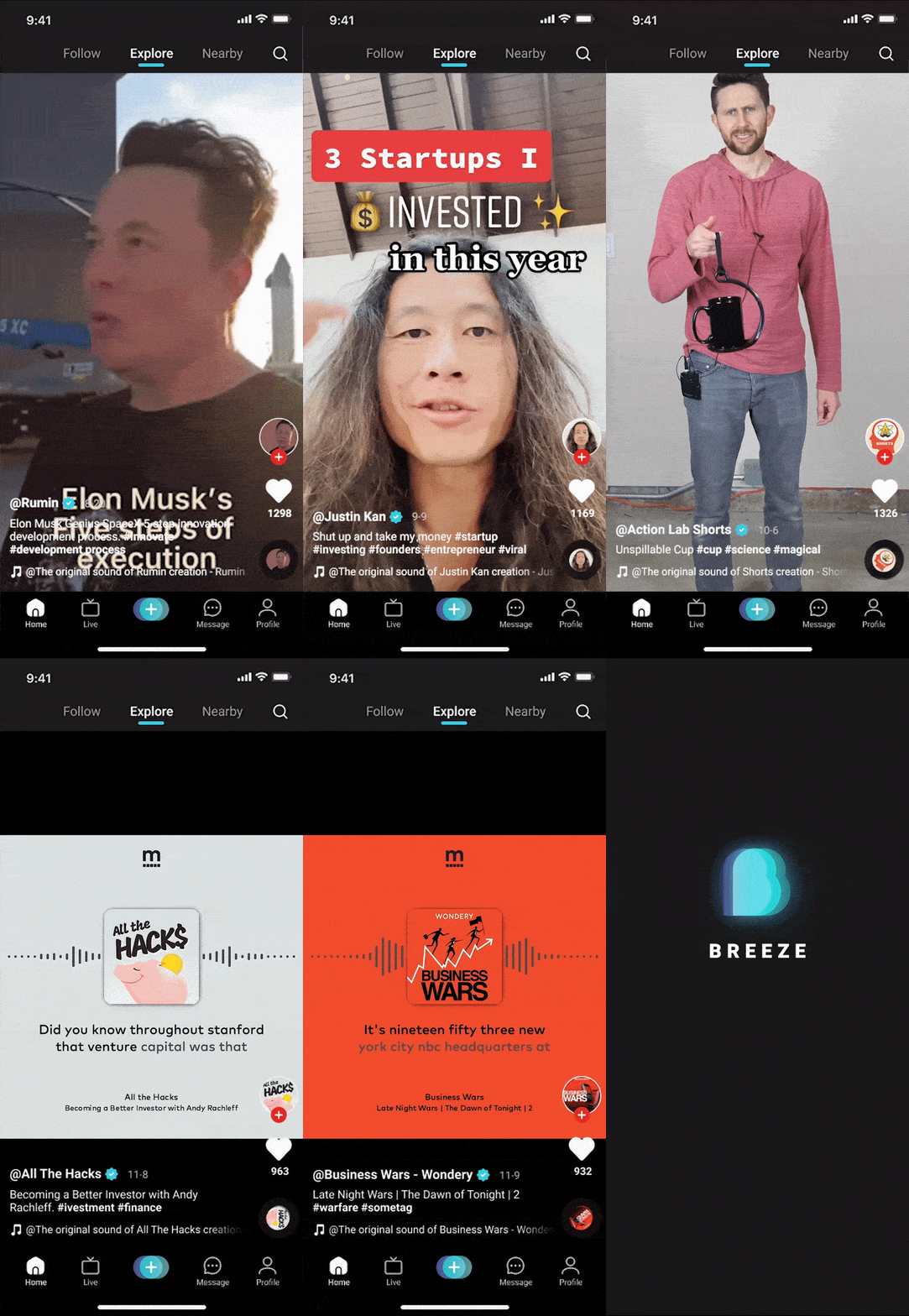
- flutter - Android & iOS
- AWS Amplify
- GraphQL
- IDE Set up - add support for no sound null safety.
- set up amplify CLI. When setting amplify, you will be asked to specify aws region, choose the following option:
us-west-2or your desired AWS region. - init amplify by
amplify pull --appId YOUR_AWS_AMPLIFY_APP_ID --envName staging
- feature branch -> amplify feature env
- Any new code branch named as feature/** will be connected with an automatically created amplify env.
- Please use this combination for any local feature testing.
- Please remove the unused automatically created env whenever the feature branch is merged into master branch..
- master branch -> amplify staging env
- Please use this combination for any pre-prod testing. Any production release should be verified through this stage first.
- This is the default env connected to the frontend.
- release branch -> amplify prod env
- Please use this combination for any production release.
- Any change must be verified in #2 env first, then merged/promoted into this env.
- To each release, please create a tag to the commit for tracking the release version.
- dev branch -> amplify dev env
- Please use this combination for any local change testing, if you have to deploy it to server side to verify.
- This is a shared env, so that your local change may be overridden by others. Please use #1 if you have any concern with this.
Click to expand!
amplify remove authamplify add authamplify update api
aws-amplify/amplify-cli#1805 aws-amplify/amplify-cli#3802
right click on package ->
New->Dart bean clas file from JSONIf you change the fields in the class, just press the shortcut alt + j to regenerate the tojson and fromjson methods.
Please follow https://plugins.jetbrains.com/plugin/11415-flutterjsonbeanfactory
https://docs.amplify.aws/cli/function/layers/#add-shared-code--assets https://docs.amplify.aws/guides/functions/appsync-operations-to-lambda-layer/q/platform/js/#generate-compatible-code-for-your-layer
To update the CocoaPods specs, run:
pod repo update

Error running pod install
Error launching application on iPhone 13.
Delete the Podfile.lock, then run pod instal under /ios folder.
https://docs.amplify.aws/cli/teams/overview/
amplify env checkout prod
If the backend is not successfully switched, but without seeing any error. Please follow below steps,
- delete
amplify/#current-cloud-backendfolder. - run
amplify init, and you may see error message here. - run
amplify pull --appId YOUR_APP_ID --envName YOUR_ENV
https://docs.amplify.aws/cli/teams/overview/ https://docs.aws.amazon.com/amplify/latest/userguide/team-workflows-with-amplify-cli-backend-environments.html
flutter clean && flutter build apk
flutter clean && flutter build ios
Here is an example for Pinpoint Analytics.
    "PinpointAnalytics": {
        "Default": {
            "AppId": "c4924c6194264abc941704cf721dcf07",
            "Region": "us-west-2",
            "AuthMode": "API_KEY", // update the default auth method to API_KEY based
            "ApiKey": "da2-gtckkpdfdfc5ze2wcd6mbkjjoa",
            "ClientDatabasePrefix": "toktik_API_KEY"
        }
    },
https://aws.amazon.com/blogs/mobile/override-amplify-generated-backend-resources-using-cdk/
If the schema.graphql has syntax error, it may be abled to be deployed still. This will result in failure for all future amplify push. For example an error message,
🛑 Your GraphQL schema is invalid. Update the schema to use proper syntax and try again.
Solution: aws-amplify/amplify-cli#8439
Please open an issue for any questions, and I will respond as soon as possible。
@Pas0412, @zhangqi444, @zyc95 修仙大橙子
This project is MIT licensed.


