This is a simple bash script to set the multiple wallpapers dynamically based on the current hour.
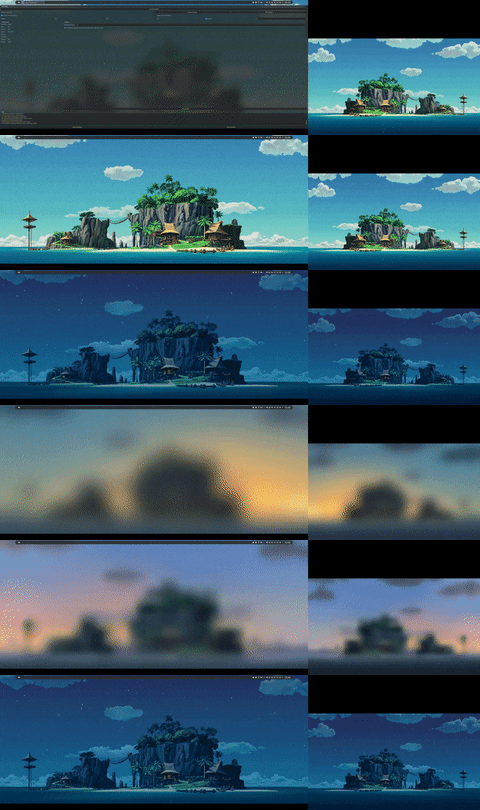
The initial idea was inspired by adi1090x/dynamic-wallpaper but the script is totally differ drom dwall. The scipt is created starting from a template of Maciej Radzikowski (https://betterdev.blog/minimal-safe-bash-script-template/). Also in adi1090x/dynamic-wallpaper you can find a lot of 24h wallpapers.
wget https://raw.githubusercontent.com/ZappaBoy/dmultiwall/main/dmultiwallinstall dmultiwall ~/.local/binYou need to create a style folder and then create other two folders called wp1 and wp2.
mkdir -p ~/.config/dmultiwall/theme_folder/wp1
mkdir -p ~/.config/dmultiwall/theme_folder/wp2In the wp folders previously created you need to put 24 images called starting from 0 to 23:
theme_folder/
├── wp1
│   ├── 0.jpg
|   ...
│   ├── 23.jpg
└── wp2
    ├── 0.jpg
    ...
    ├── 23.jpg
Note that as done by adi1090x/dynamic-wallpaper is not necessary to have all different images. You can use a symbolic link to set same image for multiple hours.
dmultiwall -m -s ~/.config/dmultiwall/theme_folderdmultiwall -s ~/.config/dmultiwall/theme_folderYou can customize both speed and quality of blur transition animation.
dmultiwall -m -s ~/.config/dmultiwall/theme_folder -ts 0.005 -tq 4You can customize both speed and quality of blur transition animation.
dmultiwall -m -s ~/.config/dmultiwall/theme_folder -ts 0.005 -tq 4for i in {0..23}; do dmultiwall -m -s ~/.config/dmultiwall/theme_folder -t $i; sleep 0.3; doneIf you want to set the wallpapers every hour you can create a simple crontab as follow. Be sure that the install path of the script is in the cronjob PATH and that you run dmultiwall setting DISPLAY=:0 as in the example.
crontab -eSHELL=/bin/sh
PATH=/usr/local/sbin:/usr/local/bin:/sbin:/bin:/usr/sbin:/usr/bin:/home/{{YOUR_USERNAME}}/.local/bin
0 * * * * DISPLAY=:0 dmultiwall -m -s {{YOUR_THEME_FOLDER}} -q> dmultiwall --help
Usage: dmultiwall [-h] [-v] [-f] [-q] [-m] [-s] [-t] [-tq] [-ts] [--nocolor] -s style_folder
Script description here.
Available options:
-h, --help Print this help and exit
-v, --verbose Print script debug info
-q | --quiet Does not print any output
--no-color Does not print any colour
-m | --multi Set multiple monitors wallpapers
-s | --style Define style folder
-t | --hour Set specific hour wallpapers
-tq | --quality Set transition quality (Default 5)
-ts | --speed Set transition limit (Default 0.01)
-tk | --skip-transactions Skip transaction (Default false)
-f | --force-setting Force wallpapers setting (Recommended to at startup)
If you move previous theme folder probably you have an error due to transition animation. Simply run first time using new theme and the -tk or --skip-transactions
dmultiwall -m -s ~/.config/dmultiwall/new_theme_folder --skip-transactionsAdded automatic image extension identification in e8ff27f902c9e3f05da9b9e783ee26069871725d (Image formats supported are the same as feh).