# Introduction
The DRE, or DeVIDE Runtime Environment, is a complete Python distribution, including VTK, ITK, numpy, matplotlib, wxpython, DeVIDE and more. With the DRE, you can easily run your own applications on all platforms where the DRE is supported, currently Linux and Windows, both x86 and x86\_64 (recommended).
The advantage of this setup, is that you can code up your own applications in Python, in the knowledge that the DRE makes available a whole array of hard-core image processing, visualization and UI functionality. The [DeVIDE application](http://visualisation.tudelft.nl/Projects/DeVIDE) is just such a client application, called a DRE application module, or DREAM.
Another advantage is that the DRE has everything on-board (except the compiler itself) that you need to write your own C++ extension modules. In other words, the whole SDK is contained in the package.
One could see the DRE as a complete visualisation and image processing software laboratory. It's even portable, so you could carry it around on a USB stick!
# DeVIDE users
Users of the DeVIDE software shouldn't notice any difference. On Windows, you'll see the same trusty icons on your desktop. On Linux, one now has to type "dre devide" to startup the DeVIDE software. However, you can now far more easily adapt the DeVIDE source code itself in your installed DRE directory.
# Invoking the DRE
Once the DRE is installed, online help can be accessed with:
```
dre help
```
This gives a list of all DREAMs that are available. For example, typing
```
dre ipythonwx
```
will start-up a DRE-enabled wxPython shell and
```
dre my_own_itk_vtk_example.py
```
will run your Python code in the file my\_own\_itk\_vtk\_example.py.
You can also use the DRE together with Eclipse for a super-charged Python-VTK-ITK-numpy-matplotlib-wxPython development environment. See [the EclipseDRE howto](EclipseDRE.md) for details.
## Videos
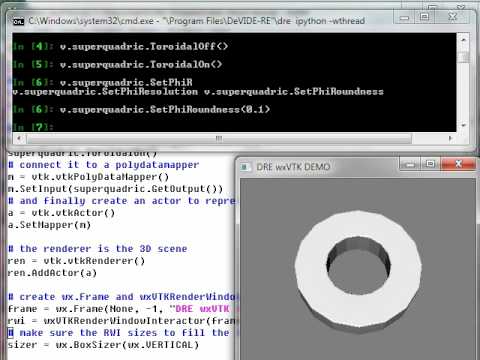
This YouTube screencast demonstrates using the DRE to run a simple VTK example:
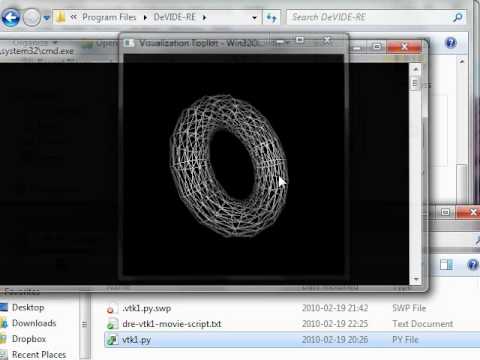 While this one shows how to introspect a running wxVTK example, that is changing the VTK pipeline and seeing the visual effects in real-time: