PaddleOCR-VL在5090服务化部署失败 #17507


Description

🔎 Search before asking
- I have searched the PaddleOCR Docs and found no similar bug report.
- I have searched the PaddleOCR Issues and found no similar bug report.
- I have searched the PaddleOCR Discussions and found no similar bug report.
🐛 Bug (问题描述)
目标
- 使用服务化 / VLM加速推理的接口方式,调用PaddleOCR-VL处理文档,并能够将文档处理过程文件及结果(含
MD或Json格式输出保存)。 - 使用 Go 作为客户端,对部署的模型服务接口 Openai HTTP 协议发起交互请求
尝试过 官方教程 所举的三种部署方式,最终确认是服务化部署可满足该目标,下面是问题路径描述。
问题描述
- 对表格/图表识别,无法处理,重复
\n等字符 - 内容输出是纯文本,非
MD格式 - 无页眉、页脚数据识别
环境
- Ubuntu 24.04
- Nvidia RTX 5090:
- NVIDIA-SMI 580.105.08
- Driver Version: 580.105.08
- CUDA Version: 13.0
- NVCC:
- Cuda compilation tools, release 12.8, V12.8.93
- Build cuda_12.8.r12.8/compiler.35583870_0
部署方式
尝试过三种50系显卡方式:
其中,根据PaddleOCR官方指南尝试过:
- 方法一,使用Docker镜像
- 方法二,VLM加速推理
- 方法三,Docker Compose服务化部署(服务启动,接口均404。与 使用 Dockers Compose 运行 PaddleOCR-VL 服务无法正常访问 #17359 相同的问题)
测试
测试图片
图1-纯文本 - Base64大小:149.37 KiB

图2-含页眉、页脚、图表 - Base64大小:668.88 KiB

图3-英文文档测试 - Base64大小:380.57 KiB

测试方式
使用 curl Openai API 协议,调用测试:
curl http://localhost:8000/v1/chat/completions \
  -H "Content-Type: application/json" \
  -H "Authorization: Bearer EMPTY" \
  -d '{
    "model": "PaddlePaddle/PaddleOCR-VL",
    "messages": [
      {
        "role": "user",
        "content": [
          {
            "type": "image_url",
            "image_url": {
              "url": "data:image/png;base64,'$(cat receipt.b64)'"
            }
          },
          {
            "type": "text",
            "text": "OCR:"
          }
        ]
      }
    ],
    "temperature": 0.0
}'提示词方面,尝试过OCR:、Table Recognition:、Formula Recognition:、Chart Recognition: 及自定义提示词五种。
结果
图1-纯文本 和 图2-含页眉、页脚、图表 均可识别,结果如下:
图1-纯文本结果:无误

图2-含页眉、页脚、图表 结果:无误

图3-英文文档测试 结果:识别关系混乱

补充描述
- 接口返回都是非
MD、Json格式,同时无处理过程数据,如demo中展示的关系识别高亮区域,及其它文件输出。
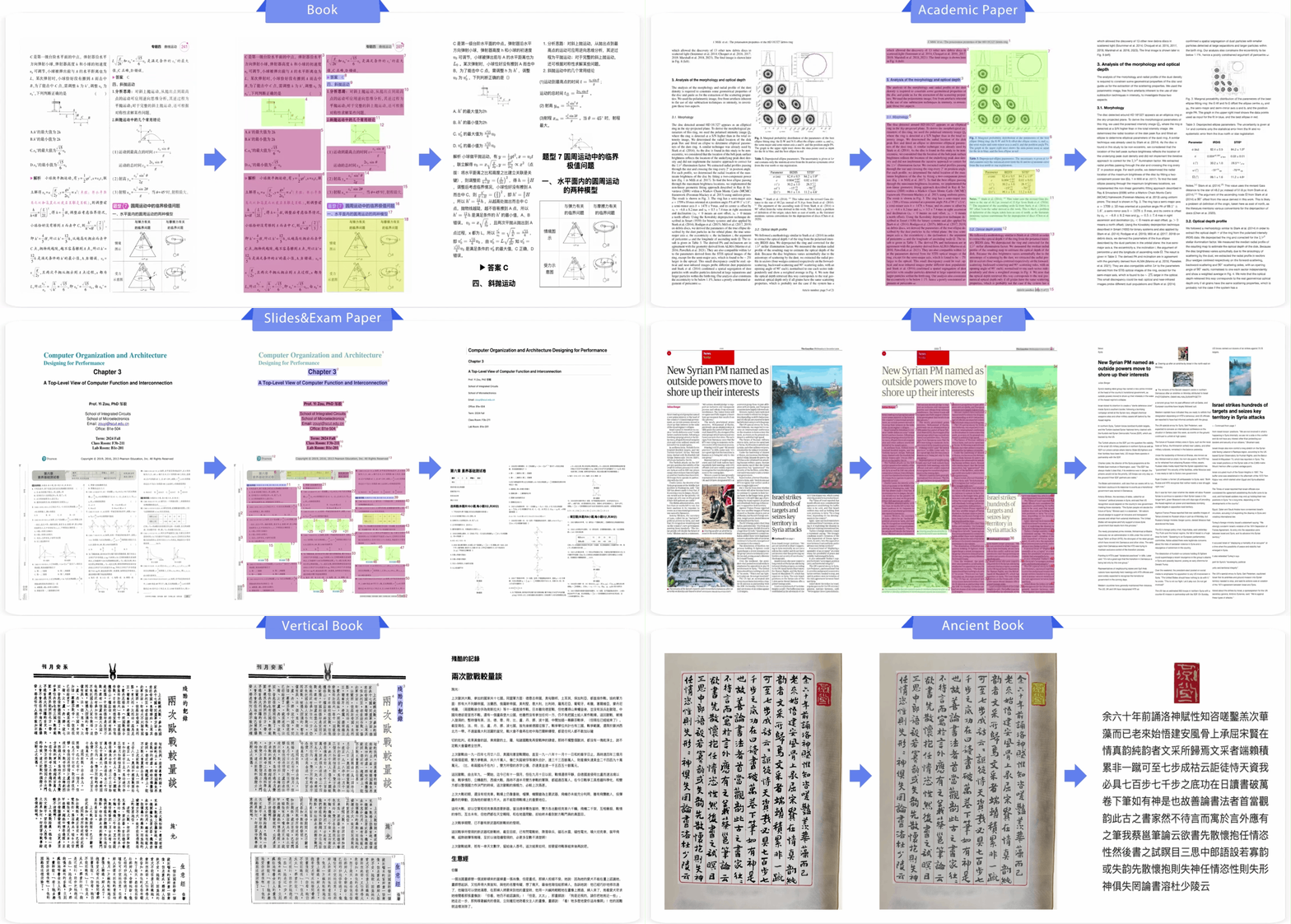
- 使用 Go 作为客户端,对部署的模型服务接口 Openai HTTP 协议发起交互请求。看Paddle官方指出,
use_chart_recognition需要设置为True,这需要如何正确传递?同时如何使用如下,设置识别导出路径?
def paddle_ocr(image_path: str, maxPixels: int, minPixels: int):
    # 每个进程独立初始化 PaddleOCR 实例,防止共享内存

    output = pipeline.predict(
        image_path,
        use_layout_detection=True,
        format_block_content=True,
        use_chart_recognition=False,
        merge_layout_blocks=True,
        maxPixels=maxPixels,
        minPixels=minPixels,
        sort_filter_box=True,
)似乎要采用服务化部署方式,才能通过客户端完成该需求?其中包含⌈版面解析⌋ ⌈layoutParsingResults⌋ 和 ⌈MarkDown结果⌋,但目前测试50系显卡的 Docker Compose 部署,服务成功启动,但端点都是 404 #17359
尝试 服务化部署-手动部署 服务启动成功,接口响应成功。


预期目标/结果符合 PaddleOCR-VL在线测试响应结果

即使成功看到 docker compose 启动服务化部署方式所没有的 /docs 及 /openapi.json,但调用接口出现:
INFO:     127.0.0.1:52998 - "POST /layout-parsing HTTP/1.1" 500 Internal Server Error
ERROR:    Exception in ASGI application
Traceback (most recent call last):
  File "/mnt/data/model/PaddlePaddle/.venv/lib/python3.12/site-packages/uvicorn/protocols/http/h11_impl.py", line 410, in run_asgi
    result = await app(  # type: ignore[func-returns-value]
             ^^^^^^^^^^^^^^^^^^^^^^^^^^^^^^^^^^^^^^^^^^^^^^
  File "/mnt/data/model/PaddlePaddle/.venv/lib/python3.12/site-packages/uvicorn/middleware/proxy_headers.py", line 60, in __call__
    return await self.app(scope, receive, send)
           ^^^^^^^^^^^^^^^^^^^^^^^^^^^^^^^^^^^^
  File "/mnt/data/model/PaddlePaddle/.venv/lib/python3.12/site-packages/fastapi/applications.py", line 1135, in __call__
    await super().__call__(scope, receive, send)
  File "/mnt/data/model/PaddlePaddle/.venv/lib/python3.12/site-packages/starlette/applications.py", line 107, in __call__
    await self.middleware_stack(scope, receive, send)
  File "/mnt/data/model/PaddlePaddle/.venv/lib/python3.12/site-packages/starlette/middleware/errors.py", line 186, in __call__
    raise exc
  File "/mnt/data/model/PaddlePaddle/.venv/lib/python3.12/site-packages/starlette/middleware/errors.py", line 164, in __call__
    await self.app(scope, receive, _send)
  File "/mnt/data/model/PaddlePaddle/.venv/lib/python3.12/site-packages/starlette/middleware/exceptions.py", line 63, in __call__
    await wrap_app_handling_exceptions(self.app, conn)(scope, receive, send)
  File "/mnt/data/model/PaddlePaddle/.venv/lib/python3.12/site-packages/starlette/_exception_handler.py", line 53, in wrapped_app
    raise exc
  File "/mnt/data/model/PaddlePaddle/.venv/lib/python3.12/site-packages/starlette/_exception_handler.py", line 42, in wrapped_app
    await app(scope, receive, sender)
  File "/mnt/data/model/PaddlePaddle/.venv/lib/python3.12/site-packages/fastapi/middleware/asyncexitstack.py", line 18, in __call__
    await self.app(scope, receive, send)
  File "/mnt/data/model/PaddlePaddle/.venv/lib/python3.12/site-packages/starlette/routing.py", line 716, in __call__
    await self.middleware_stack(scope, receive, send)
  File "/mnt/data/model/PaddlePaddle/.venv/lib/python3.12/site-packages/starlette/routing.py", line 736, in app
    await route.handle(scope, receive, send)
  File "/mnt/data/model/PaddlePaddle/.venv/lib/python3.12/site-packages/starlette/routing.py", line 290, in handle
    await self.app(scope, receive, send)
  File "/mnt/data/model/PaddlePaddle/.venv/lib/python3.12/site-packages/fastapi/routing.py", line 115, in app
    await wrap_app_handling_exceptions(app, request)(scope, receive, send)
  File "/mnt/data/model/PaddlePaddle/.venv/lib/python3.12/site-packages/starlette/_exception_handler.py", line 53, in wrapped_app
    raise exc
  File "/mnt/data/model/PaddlePaddle/.venv/lib/python3.12/site-packages/starlette/_exception_handler.py", line 42, in wrapped_app
    await app(scope, receive, sender)
  File "/mnt/data/model/PaddlePaddle/.venv/lib/python3.12/site-packages/fastapi/routing.py", line 101, in app
    response = await f(request)
               ^^^^^^^^^^^^^^^^
  File "/mnt/data/model/PaddlePaddle/.venv/lib/python3.12/site-packages/fastapi/routing.py", line 355, in app
    raw_response = await run_endpoint_function(
                   ^^^^^^^^^^^^^^^^^^^^^^^^^^^^
  File "/mnt/data/model/PaddlePaddle/.venv/lib/python3.12/site-packages/fastapi/routing.py", line 243, in run_endpoint_function
    return await dependant.call(**values)
           ^^^^^^^^^^^^^^^^^^^^^^^^^^^^^^
  File "/mnt/data/model/PaddlePaddle/.venv/lib/python3.12/site-packages/paddlex/inference/serving/basic_serving/_pipeline_apps/paddleocr_vl.py", line 54, in _infer
    result = await pipeline.infer(
             ^^^^^^^^^^^^^^^^^^^^^
  File "/mnt/data/model/PaddlePaddle/.venv/lib/python3.12/site-packages/paddlex/inference/serving/basic_serving/_app.py", line 104, in infer
    return await self.call(_infer, *args, **kwargs)
           ^^^^^^^^^^^^^^^^^^^^^^^^^^^^^^^^^^^^^^^^
  File "/mnt/data/model/PaddlePaddle/.venv/lib/python3.12/site-packages/paddlex/inference/serving/basic_serving/_app.py", line 111, in call
    return await fut
           ^^^^^^^^^
  File "/mnt/data/model/PaddlePaddle/.venv/lib/python3.12/site-packages/paddlex/inference/serving/basic_serving/_app.py", line 126, in _worker
    result = func(*args, **kwargs)
             ^^^^^^^^^^^^^^^^^^^^^
  File "/mnt/data/model/PaddlePaddle/.venv/lib/python3.12/site-packages/paddlex/inference/serving/basic_serving/_app.py", line 95, in _infer
    for item in it:
  File "/mnt/data/model/PaddlePaddle/.venv/lib/python3.12/site-packages/paddlex/inference/pipelines/_parallel.py", line 129, in predict
    yield from self._pipeline.predict(
  File "/mnt/data/model/PaddlePaddle/.venv/lib/python3.12/site-packages/paddlex/inference/pipelines/paddleocr_vl/pipeline.py", line 715, in predict
    raise RuntimeError(
RuntimeError: Exception from the 'vlm' worker: only 0-dimensional arrays can be converted to Python scalars
与 #17495 问题类似
🏃♂️ Environment (运行环境)
- OS: Ubuntu 24.04
- Nvidia RTX 5090:
- NVIDIA-SMI 580.105.08
- Driver Version: 580.105.08
- CUDA Version: 13.0
- NVCC:
- Cuda compilation tools, release 12.8, V12.8.93
- Build cuda_12.8.r12.8/compiler.35583870_0
- Install: Docker Compose & Paddlex
- RAM: 64.00 GB
- CPU: I9 14900K
- Python 3.12
🌰 Minimal Reproducible Example (最小可复现问题的Demo)
-
手动服务化部署使用的:官方:多语言调用服务实例
-
Docker compose 部署出现与 使用 Dockers Compose 运行 PaddleOCR-VL 服务无法正常访问 #17359 相同的问题