No longer activly maintained due to a plethora of floating label libraries.
- Ability to edit EditText/FloatingLabelLayout in the layout
- Can handle orientation changes
- Customize view styling
- Two triggers, one based on focus and the other based on the input
- Backwards compatible to 2.3.x
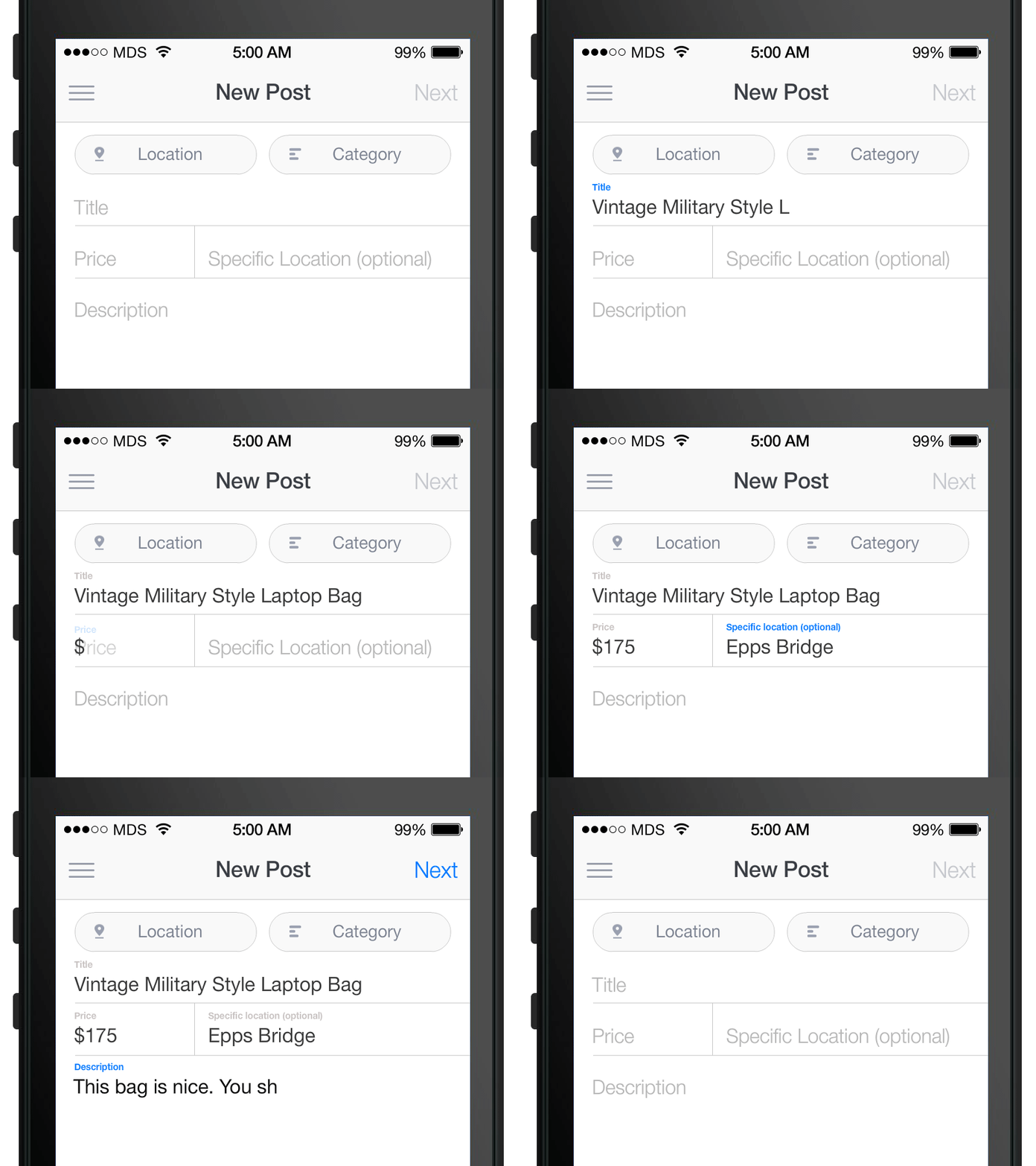
- Add floatinglabel module as a dependency to your project
2a. Either add the following to your xml:
    <com.mrengineer13.fll.FloatingLabelEditText
        xmlns:fll="http://schemas.android.com/apk/res-auto"
        android:id="@+id/fll_username"
        android:layout_width="match_parent"
        android:layout_height="wrap_content"
        android:layout_marginTop="16dp"
        fll:floatLabelTrigger="text"
        fll:floatLabelTextAppearance="@style/TextAppearance.FLL.FloatLabel">

        <EditText
            android:id="@+id/edit_username"
            android:layout_width="match_parent"
            android:layout_height="wrap_content"
            android:hint="@string/account_username_hint"
            android:singleLine="true"
            android:inputType="textNoSuggestions"
            android:imeOptions="actionNext"
            android:nextFocusDown="@+id/edit_password" />

    </com.mrengineer13.fll.FloatingLabelEditText>
2b. or if you want to create one programmatically then use
FloatingLabelEditText floatingLabelEditText = new FloatingLabelEditText(Activity.this);
As of v0.1 this library uses onFocusChangeListener so @Overriding it for the EditText will not work. Try add a TextWatcher instead.
- Matt Smith and Google for the idea
- Chris Banes for his implementation