B: KFS Person Contact Note Block Filters Not Optional #75

Description

Expected Behavior
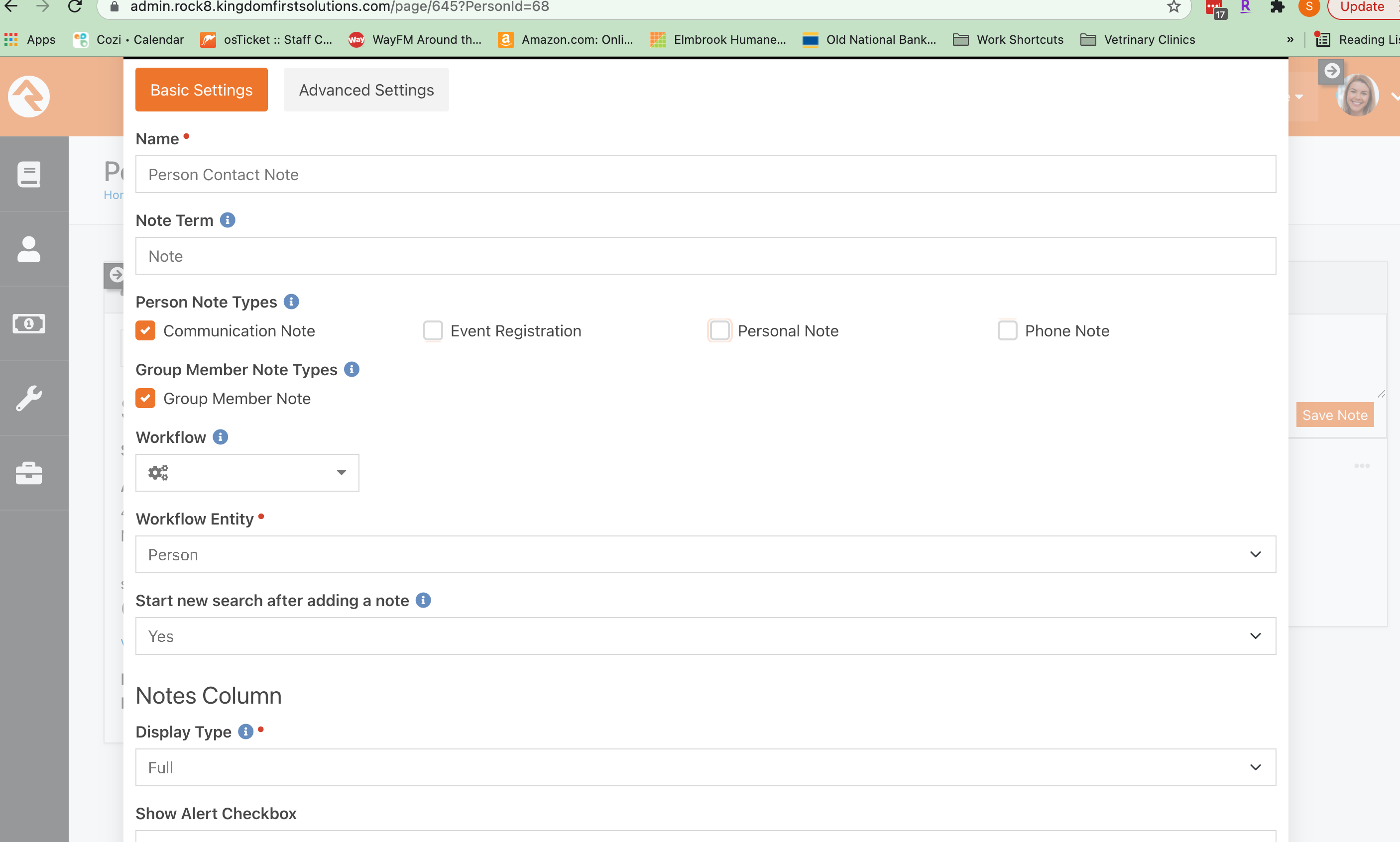
The Person Content Note Block filters for Person Note Types and Group Member Note Types are optional and don't need to have any options selected. I should also be able to select an option under one type and not the other.
Current Behavior
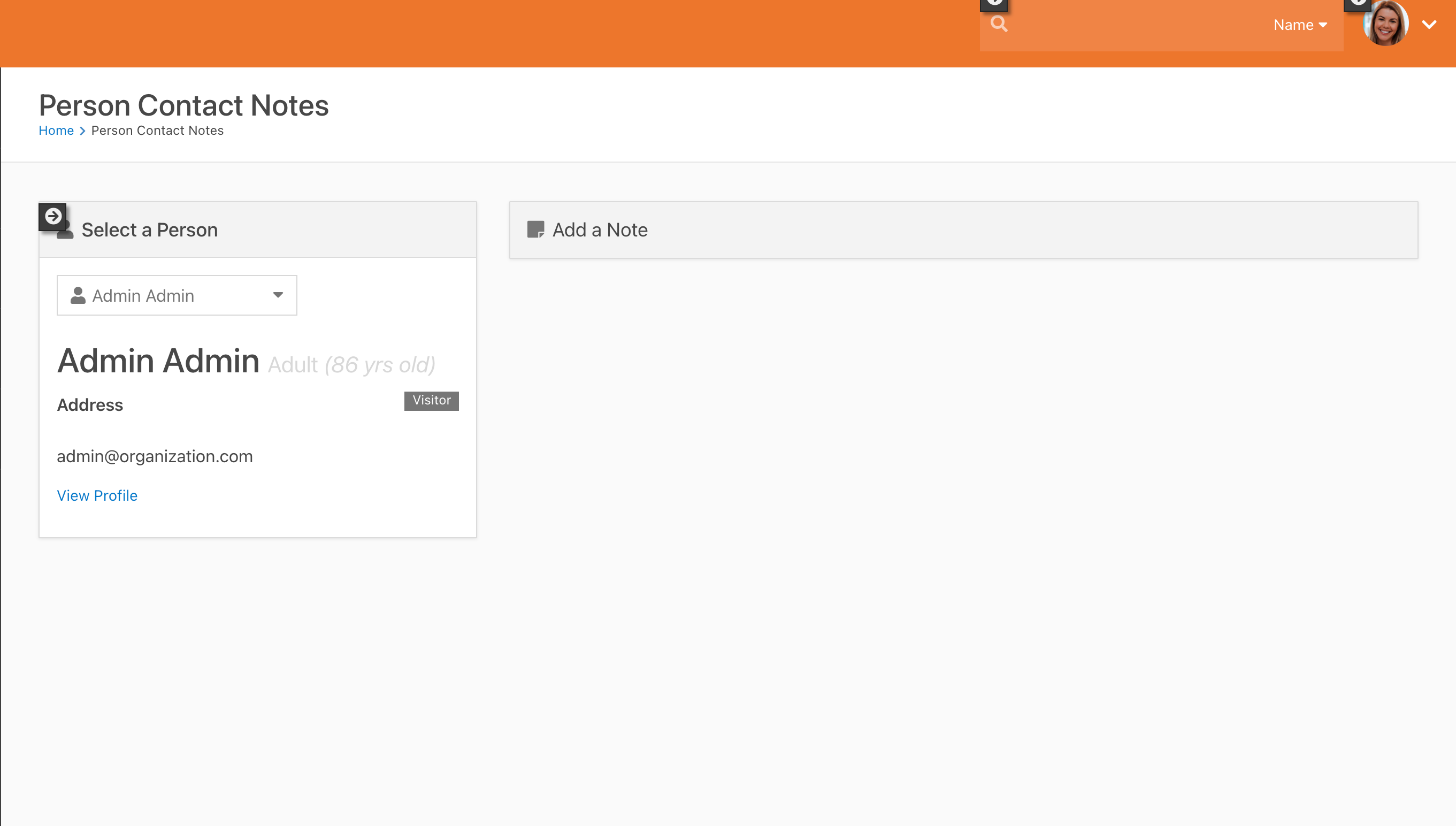
Currently, you need to have one option selected under either the Person Note Types and Group Member Note Types or no options selected under either type in order to be able to add notes. Furthermore, to be able to add notes when at least one filter is selected, you need to have at least Person Note filter selected.
Failure Information (for bugs)
Please help provide information about the failure if this is a bug. If it is not a bug, please remove the rest of this template.
Steps to Reproduce
Please provide detailed steps for reproducing the issue.
- Edit Block Settings For KFS Person Contact Notes
- Select one filter from either Person Contact or Group Member Note Types and select Save
- Note that you are unable to add a note with these filters selected
Context
Please provide any relevant information about your setup. This is important in case the issue is not reproducible except for under certain conditions.
- Rock Version: 12.4
- Bulldozer Version: (for Bulldozer only)
- SQL Server Version:
- Windows Version:
Failure Logs
Please include any relevant log snippets or files here.