
Replies: 13 comments

-
|
Yes, that is a very interested feature that will be implemented in the future versions. It will be done in two stages: first, the components of the main collections (like jedi, stdio, love-fpgas and so on) will be parameterized.You will have to set the frequency as a parameter. In the second stage icestudio will automatically assign a value to this parameter according to the selected board |
Beta Was this translation helpful? Give feedback.

-
|
infosmick, I just opened a new case "nextpnr "Target frequency" always 12.00MHz irrespective of the actual FPGA Clock frequency used on selected Board #554" which follows much the same request. I urgently need a solution as I'm using a 100MHz FPGA clock - it seems the current default is ALWASY 12MHz irrespective of the actual FPGA clock frequency used on the selected "Board". You mentioned you "had to modify these constants" - how did you do this? I'm using iCEStudio with Windows 8... I'd really appreciate any feedback as I'm desperate to complete my project - and being new to FPGA's dont have the skill set to to learn a new more "complicated" FPGA development environment in a reasonable timeframe... - iCEStudio is really great for "old age" beginners such as myself... |
Beta Was this translation helpful? Give feedback.

-
|
Same request here. I'm using the ICE40 PLL to make a modest 32 MHz internal clk from an Icebreaker-ish 12 MHz. So I'd like the tool to appreciate that f_max is not 12 but 32 MHz. My main problem is that I fear that the design that I let the tool synthesize sometimes works and sometimes doesn't work and I fear that's because the tool stops optimizing once it passes at 12 MHz criteria. |
Beta Was this translation helpful? Give feedback.
-
|
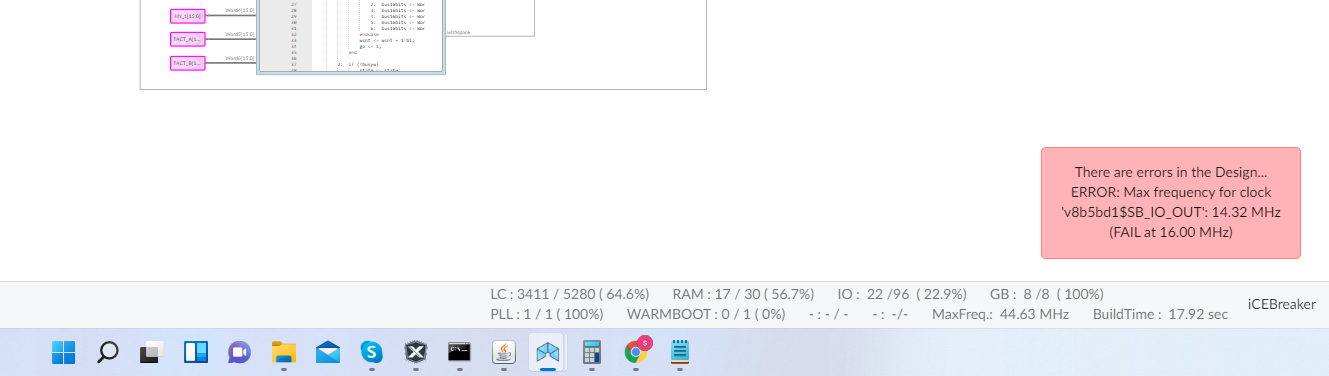
Which is good and bad news for me... So how do I now pinpoint in Icestudio which interconnects, which blocks, are offending the rules?? As in would it be possible to make them light up in red :-) please... |
Beta Was this translation helpful? Give feedback.

-
|
Helo SiccoDwars, I think i have no solution for you! Best regards Joaquim |
Beta Was this translation helpful? Give feedback.
-
|
Hi Joaquim, thanks for responding. .ice file attached. In the zip also my pinout definition files. I started with an IceBreaker, but now have a different board that inherited some but not all of the original IceBreaker schematics. So some pins got new port names, and some of the SPI bus data direction definitions changed from either input or output to bi-directional (my SPI interface is a slave, just as in the original Lattice Ice40 UltraPlus Breakout board). And yes at some point I did manage to define my own board so that I could pick it from the drop down menu in IceStudio, but that was all lost when I upgraded to the latest Icestudio version...) Where I struggle also:
|
Beta Was this translation helpful? Give feedback.
-
|
Hello SiccoDwars I quickly tried your .ice file i could build-it for the icebreaker board (i didn't used the other files you joined) For you other points, yes some are bugs that need to be addressed. Have a good evening Joaquim |
Beta Was this translation helpful? Give feedback.
-
|
Thanks for followup.
My .ice project builds ok when freq=12 MHz. But when going to 16 MHz, it does not build anymore.
To change the max freq rule for a build, i followed the steps in earlier post, i.e. edit the relevant settings/config file as suggested in issue #554.
I added my edited file in the zip (SConstruct).
It’s almost as if pnr tools are aiming to optimize a design for/until a max freq of 12 MHz and don’t really try to go beyond.
I still feel that if i could drive my PLL derived common clock (16MHz) to a Global Buffer and make my blocks that use that clock appreciate that it’s there (and not route it as a normal wire), that my here issue would be solved.
…Sent from my iPad2
On Dec 20, 2021, at 7:10 PM, jojo535275 ***@***.***> wrote:
Hello SiccoDwars
I quickly tried your .ice file i could build-it for the icebreaker board (i didn't used the other files you joined)
You can see my command input info in the joined file.
Does your error appear after the verify, the build or the upload process ?
Maybe join also your command output info.
jomo comand outpout.txt
For you other points, yes some are bugs that need to be addressed.
Yes, with quite big designs the gui update is slow, even if Charliva already manage to improve a lot the situation (in august 2021).
yes having two icestudio projects opened at the same time is problematic. So i'm avoiding that situation for now ;-).
Have a good evening
Joaquim
—
Reply to this email directly, view it on GitHub, or unsubscribe.
Triage notifications on the go with GitHub Mobile for iOS or Android.
You are receiving this because you commented.
|
Beta Was this translation helpful? Give feedback.
-
|
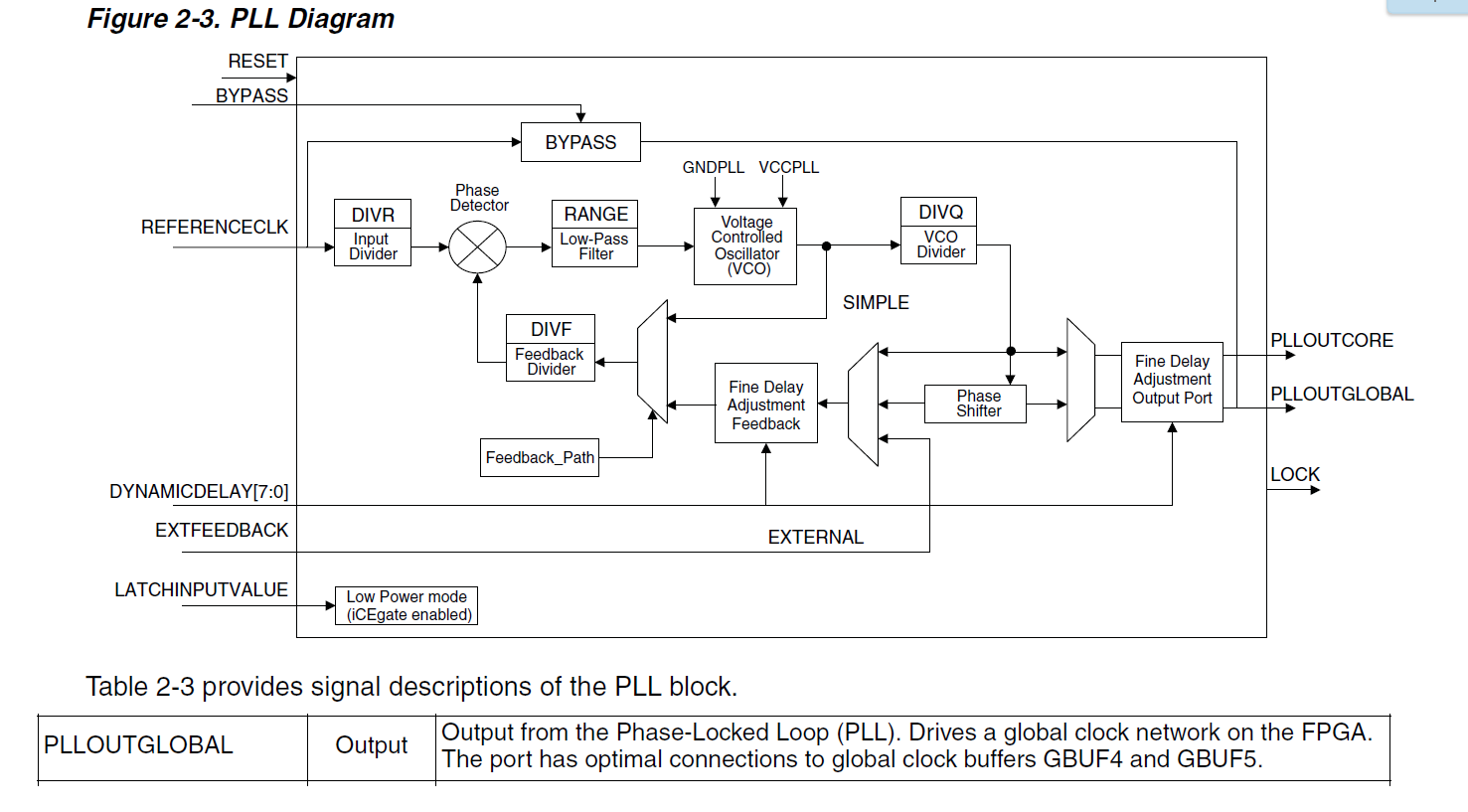
Yes SiccoDwars, the data-sheets are showing that the ice40 PLL also have outputs to global buffers; Maybe, you have to find the right ICE40 primitives to use that function. Remark: my build of your design shows a use of 8/8 global buffers ...So maybe you are limited by that ? |
Beta Was this translation helpful? Give feedback.
-
|
Also, i just realize that in the icePLL collection. You have 3 pll block that have a global output! So have a look at their verilog code! have a good evening |
Beta Was this translation helpful? Give feedback.
-
|
My design uses both a 16 and a 32 MHz clock, and they both are derived from the single PLL output that the ICE40UP5K offers.
I want to have both the 16 and the 32 MHz clocks as Global Buffer wires.
It now looks like something else gets the privilege of being promoted. Something else with 100+ fan-in. What is that wire?
So I divide the 32 MHz by 2 and then I have that 16 MHz register output wire.
I can tie that to one of the eight SB_GB ICE40UP5K Global Buffers.
But does that do the trick of making sure that what I had before as a CLK_16 output label ‘ordinary’ wire, to a ‘promoted equivalent’ global buffer?
What would help is if i had some guidance on how to translate the wNN, vXXXXXX etc numbering in the main.v output files back to the wire location on my graphical Icestudio block diagram. Is there anything like that?
…Sent from my iPad2
On Dec 20, 2021, at 10:09 PM, jojo535275 ***@***.***> wrote:
Also, i just realize that in the icePLL collection.
You have 3 pll block that have a global output! So have a look at their verilog code!
have a good evening
—
Reply to this email directly, view it on GitHub, or unsubscribe.
Triage notifications on the go with GitHub Mobile for iOS or Android.
You are receiving this because you commented.
|
Beta Was this translation helpful? Give feedback.
-
|
i suppose that you have to make a block with your 16 Mhz wire as input and inside that block you use the good primitive. Maybe: |
Beta Was this translation helpful? Give feedback.

-
|
Hello! I am reorganizing the issues, trying to give more visibility and be able to better organize and prioritize the work and my roadmap (I will publish it very soon), I am converting some issues that are new feature requests as ideas on Github discussions. Thanks for understanding. |
Beta Was this translation helpful? Give feedback.


Uh oh!
There was an error while loading. Please reload this page.
-
Can you parameterize the clock frequency based on the board in use? For example, inserting it in profile.json of the user directory.
I have seen in many modules that use the clock the presence of the constant 12000000 (12MHz) of the ICEZUM Alhambra board. Since the TinyFPGA card has a frequency of 16MHz I had to modify these constants.
Thanks and congratulations for the excellent work.
IceStudio is a tool that makes building your circuits simple and fun.
Beta Was this translation helpful? Give feedback.
All reactions